 NEWS
NEWS
Apple Maps Is Launching Ads on iPhone Soon, Here’s What to Expect
 05/14/2026
 1280
1280
iOS 26.5 arrived this week and brought an Apple Maps popup notifying users that ads are coming soon. Here’s what to expect when they formally launch this summer.
Ads launch in Apple Maps this summer, and you’ll see them in two places
Apple announced earlier this year that ads are coming to Apple Maps in the US and Canada. This week, iOS 26.5 brought compatibility for ads, but they won’t actually launch until this summer.
When they do go live in Apple Maps, users will find them in two places:
1. At the top of search results
2.In the search panel’s ‘Suggested Places’
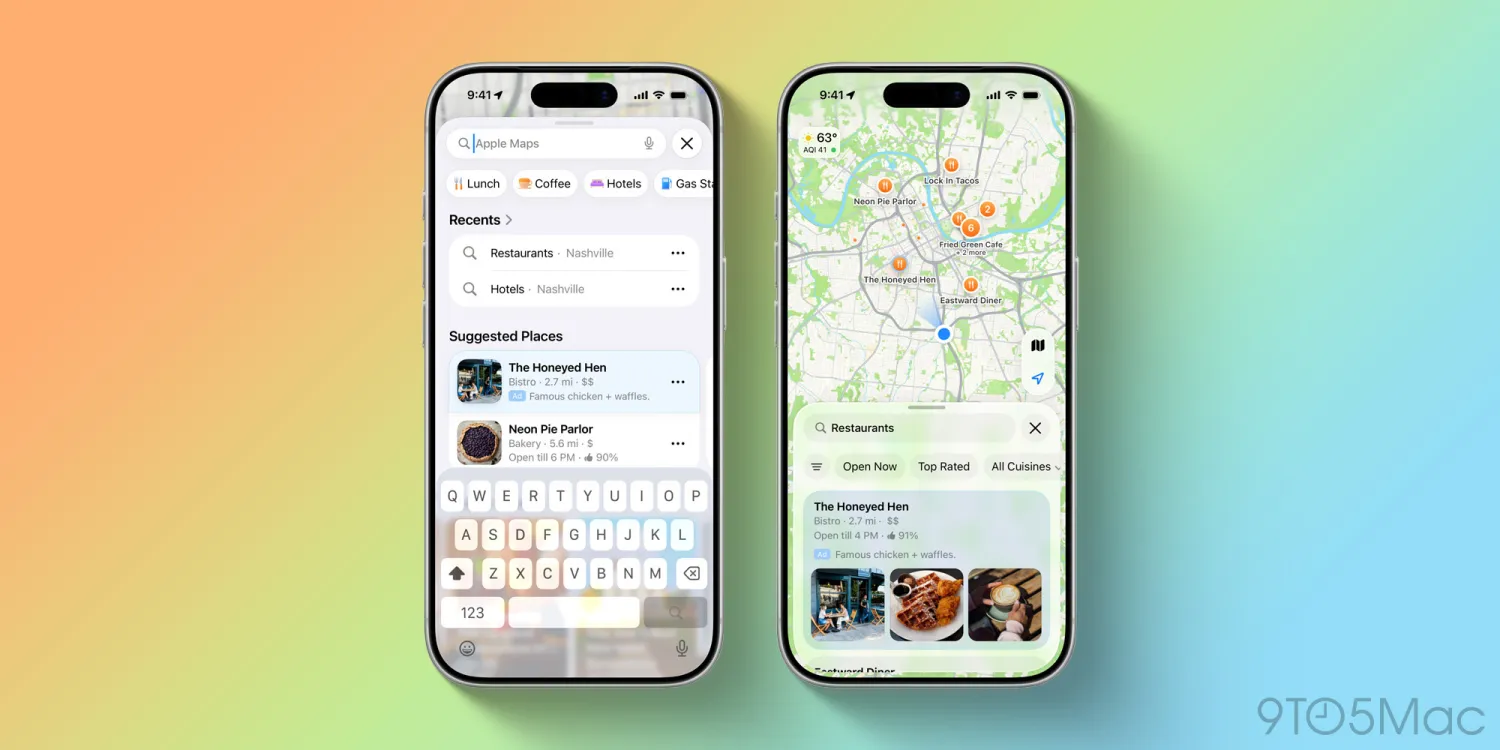
You’ll see one ad at the top of search results, and one included in iOS 26.5’s new ‘Suggested Places’ feature.
Apple says these are the only two places that ads will appear in Apple Maps.
Ads will be delineated by a subtle blue background and explicitly tagged with the word ‘Ad.’ Examples of what this will look like can be seen below.
Apple touts strong user privacy protections for its ads rollout. Per the press release:
●Ads on Maps builds on Apple’s broader privacy-first approach to advertising, and maintains the same privacy protections Maps users enjoy today. A user’s location and the ads they see and interact with in Maps are not associated with a user’s Apple Account. Personal data stays on a user’s device, is not collected or stored by Apple, and is not shared with third parties.
Ads are built into the recently revamped Apple Business platform. So if you run a business and want to promote it in Apple Maps, you can do so through your Apple Business account.
9to5Mac’s Take
I suspect no one is thrilled about ads coming to a formerly ad-free app—myself included. But my hope is that Apple Maps becoming a revenue generator means it will get more consistent investment from the company. I’m a big fan of Apple Maps already, but there are definitely ways that Google Maps still has an edge.
Source: 9to5mac










