 NEWS
NEWS
Apple Highlights Photos Shot on iPhone During NASA's Mission to Moon
 04/13/2026
 1191
1191
As we previously reported, astronauts aboard NASA's Orion spacecraft used the iPhone 17 Pro Max to take selfies of themselves with the Earth in the background during the Artemis II mission around the far side of the Moon last week.

Now that the crew members have safely returned to Earth, Apple's CEO Tim Cook and marketing chief Greg Joswiak have both turned to social media to congratulate them on their successful mission and highlight the iPhone's involvement.
"You captured the wonders of space and our planet beautifully, taking iPhone photography to new heights, and we're grateful you shared it with the world," wrote Cook. "Your work continues to inspire us all to think different. Welcome home!"
Congratulations to Artemis II on a successful mission! You captured the wonders of space and our planet beautifully, taking iPhone photography to new heights, and we’re grateful you shared it with the world. Your work continues to inspire us all to think different. Welcome home! — Tim Cook (@tim_cook) April 11, 2026
"Honored that NASA astronauts brought iPhone to space with them," said Joswiak. "One small step for iPhone. One giant leap for space selfies."
In February, NASA announced that the iPhone had been fully qualified for extended use in orbit, with reports indicating that each of the four crew members aboard the Orion were equipped with an iPhone 17 Pro Max for personal photos and videos.
The photos show Artemis II's Commander Reid Wiseman and Mission Specialist Christina Koch looking back at Earth through one of the Orion's main cabin windows. Flickr data indicates that these photos were shot with the iPhone 17 Pro Max's front-facing camera on April 2, which was the second day of the mission.
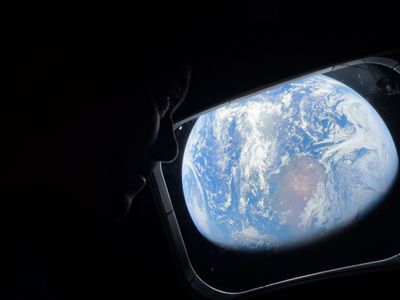 Shot on iPhone 17 Pro Max (Wiseman)
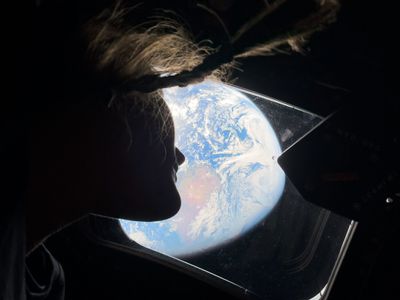 Shot on iPhone 17 Pro Max (Koch)
Most other photos from the mission shared so far were captured with other cameras, such as the Nikon D5, Nikon Z 9, and GoPro HERO4 Black.
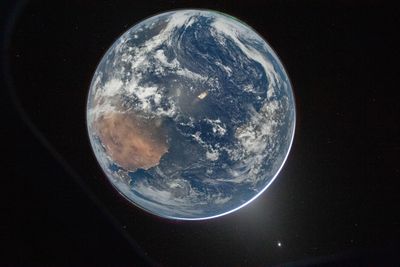 Shot on Nikon D5
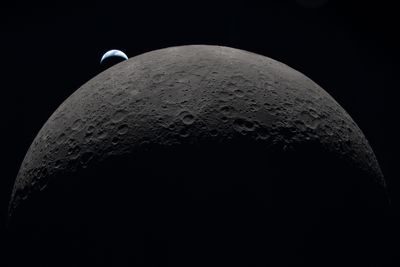 Shot on Nikon D5
Artemis II was NASA's first crewed mission to the Moon since 1972. The crew reached the far side of the Moon on Monday, breaking the all-time record for the farthest distance traveled from Earth by humans. However, the Orion does not have landing capabilities, so it was a flyby mission only. The spacecraft returned to Earth on Friday.
Source: Macrumors










