 NEWS
NEWS
Apple Adds Another iPad to Vintage Products List
 04/02/2026
 427
427
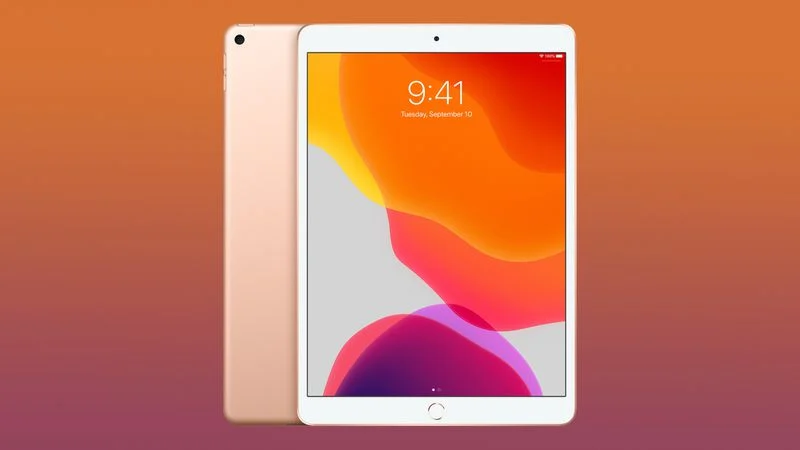
Apple today updated its vintage and obsolete product page to add the Wi-Fi version of the third-generation iPad Air. Cellular iPad Air 3 models were already on the list, but the Wi-Fi models were sold for a longer period of time, and are now just appearing.
The iPad Air 3 was released in March 2019, five years after the prior-generation iPad Air 2. It was a new iPad in Apple's tablet lineup, featuring the same design as the 2017 iPad Pro with 10.5-inch display, A12 Bionic chip, and support for the first-generation Apple Pencil.
It was one of the last iPads to feature a Lightning port and Home button before Apple transitioned to USB-C, an all-display design, and a Touch ID power button. It's also the last version of the iPad Air that featured white bezels around the display.
Apple discontinued the iPad Air 3 in September 2020 with the launch of the iPad Air 4. Some devices had an issue with screen flickering flashing, or dying, leading to a recall program where Apple replaced affected models for up to two years from the purchase date.
Apple adds a product to its "vintage" list when it has been five years since it was last distributed for sale, and then it becomes "obsolete" at the seven-year mark. With vintage products, Apple retail locations and Apple Authorized Service Providers can do repairs if the required parts are available.
Devices that are obsolete are generally not eligible for repair and Apple stops providing repair components.
Earlier this week, Apple added the 13-inch 2017 MacBook Air to its vintage list, and moved the iPad mini 4 and the 32GB Apple TV HD to its obsolete product list.
Source: Macrumors









