 NEWS
NEWS
iOS 26.4 Features: Everything New in iOS 26.4
 03/25/2026
 3265
3265
The latest version of iOS 26, iOS 26.4, is now available for download. The update doesn't have the Siri feature set we were hoping for, but there are quite a few new additions like new emoji and an AI music feature.
Playlist Playground
Apple Music has a new Playlist Playground feature that lets users create a playlist with a text-based prompt.
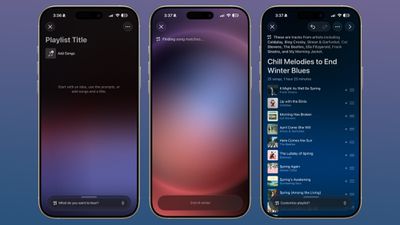
In the Apple Music app, there's an option to type in an idea and get automatic song suggestions for a playlist. Apple has some pre-set suggestions that include "morning coffee music," "hip-hop party songs," and "disco songs that defined the 1970s," but you can type in any idea, mood, or feeling.
From there, the Playlist Playground feature will automatically generate a list of 25 songs, along with a custom title. Playlists that you create can be customized further with additional text prompts, and you can select a cover and a description.
Playlist Playground is limited to the United States.
New Emoji
iOS 26.4 adds eight new emoji characters, including trombone, treasure chest, distorted face, hairy creature (Sasquatch), fight cloud, orca, landslide, and ballet dancer.

There are also new skin tone modifiers for people wrestling and dancers with bunny ears.
Apple Music
Apple Music features a "Concerts Near You" feature that helps you find shows in your area and tour dates for artists that you're a fan of. Apple is partnering with companies like Ticketmaster to provide local concert info.
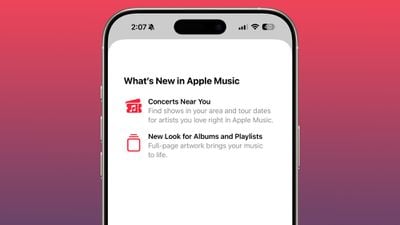
Apple has redesigned albums and playlists, adding full-page artwork.
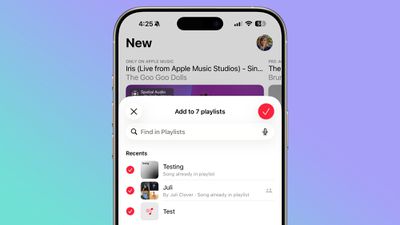
A song can be added to multiple playlists at the same time in the Apple Music app. In the add to playlist interface, there is a list button, and tapping it allows you to select multiple playlists at the same time.
Offline Music Recognition
In Control Center, the song recognition feature is now able to identify songs without an internet connection, providing results when you're back online.
Purchase Sharing Changes
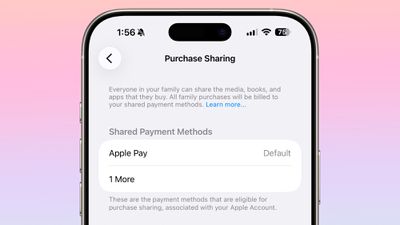
Adult members in a Family Sharing group can now use separate payment methods for purchases, rather than having to share a single payment method.
Apple Podcasts
With iOS 26.4, Apple added video podcast capabilities to the Apple Podcasts app. The feature uses HTTP Live Streaming (HLS) to provide podcast creators with "unprecedented control and monetization opportunities" while also providing a high-quality viewing experience.
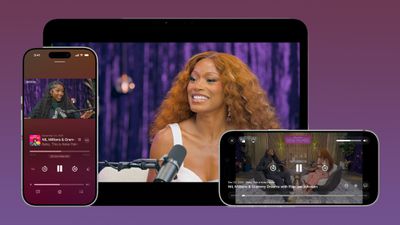
The iOS 26.4 Podcasts app will let users switch between watching and listening to shows, with videos able to be downloaded for offline viewing. HLS ensures smooth playback regardless of network connection, so videos will work on Wi-Fi or cellular. Apple says that the new video episodes will integrate with existing Apple Podcasts features, including personalized recommendations and editorial suggestions in the New and Category sections.
Stolen Device Protection
Stolen Device Protection is now enabled by default for all iPhone users, rather than being an opt-in feature.
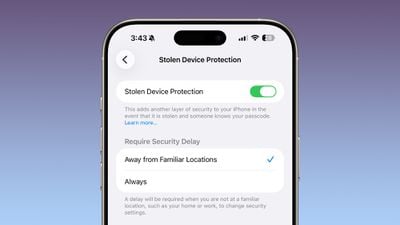
Apple implemented Stolen Device Protection in iOS 17.3 after reports about a new iPhone theft method. Thieves would spy on an intended victim to learn their passcode, then steal the target's iPhone. With the passcode, criminals were able to empty bank accounts, access passwords, and turn off Find My.
Stolen Device Protection requires additional authentication through Face ID or Touch ID to access certain iPhone features like the Passwords app, Lost mode in Find My, Safari purchases, and more. Some features are disabled entirely without authentication, while others have a one-hour security delay.
Messages App
There are new animations in the Messages app for actions like launching a new conversation.
Apple Account Unified Design
In the App Store, Apple Music, and other apps that have user settings, there is a new unified Apple Account hub that replaces the existing profile feature.
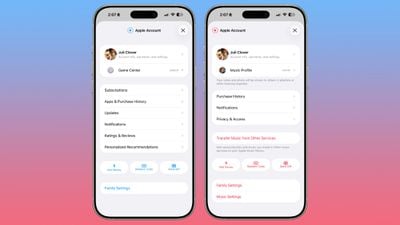
It offers largely the same functionality as the prior profile settings for each app, but there is a new unified design.
The App Store merges apps and purchase history, and has a dedicated section for app updates. It now takes two taps to get to app updates rather than having them available at the bottom of the profile page.
The App Store's navigation bar also no longer features Search as a separate button, and the search bar itself is at the top when tapped rather than the bottom.
Ambient Music Widget
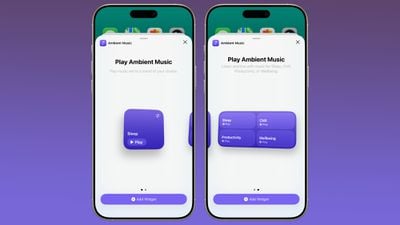
There is a new Ambient Music widget for the Home and Lock Screen. It supports playing different built-in ambient music options for sleep, productivity, wellbeing, and more.
Wallpaper and Watch Face Gallery
The Wallpaper Gallery has an updated design that allows Wallpapers from each category like Weather, Astronomy, Emoji, Colors and More to be downloaded to the iPhone.
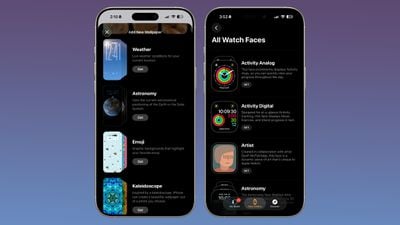
The Watch Face Gallery in the Apple Watch app also features the same design change.
Captions
Subtitle and caption customization settings are available from the captions icon when viewing media, which makes them easier to access and change.
Freeform Creator Studio
Freeform Creator Studio is live in iOS 26.4, allowing Creator Studio subscribers to access new Freeform features. Creator Studio for Freeform adds a dedicated Content Hub that houses the Freeform shape options.
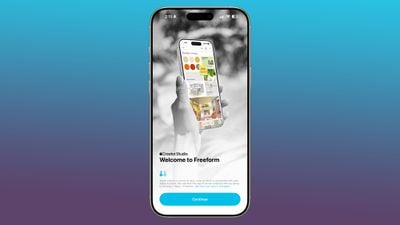
Creator Studio users will be able to access free, high-quality content like graphics, photos, and illustrations that are not available to non-subscribers, plus there are AI capabilities for creating and editing images.
When Creator Studio launched, Apple said the premium content and features in Freeform would be coming to the Apple Creator Studio subscription later this year.
Freeform also has a new icon.
Reminders
The Reminders app has a new "Urgent" section. Reminders that have Urgent toggled on during creation will show up here. Urgent ensures that reminders have an accompanying alarm so you get a clear warning when a reminder is due.
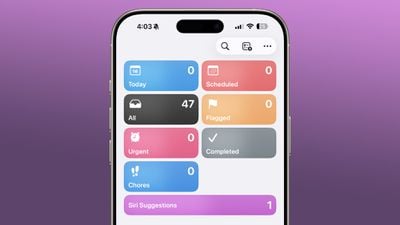
Reminders can also be marked as urgent from the Quick Toolbar or by touching and holding.
iCloud Web Settings
In the iCloud section of the Settings app, there's now an "iCloud.com" option if you scroll all the way to the bottom of the interface. It replaces the simple "Access iCloud Data on the Web" toggle that was previously available.
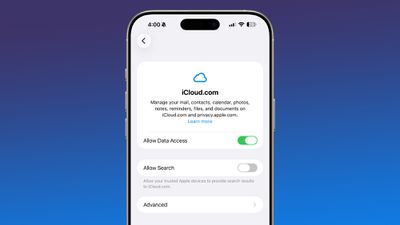
The setting includes a new "Allow Search" toggle that lets trusted Apple devices provide search results to iCloud.com.
Health App
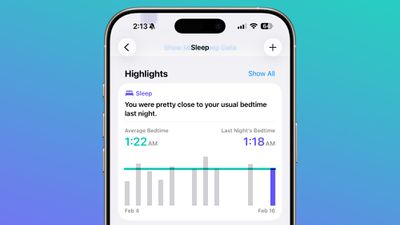
iOS 26.4 includes a new Average Bedtime metric for the sleep section of the Health app, providing a better idea of how bedtime can impact sleep quality.
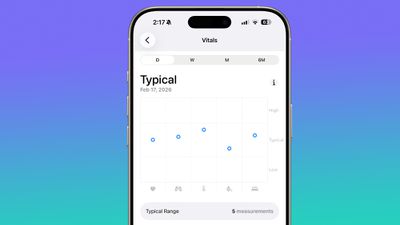
Apple also updated the Vitals section of the Health app in the U.S., and now includes blood oxygen level on the line graph overview that's available each day. In iOS 26.3 and earlier versions of iOS 26, there was a section for the blood oxygen level, but the graph did not include a blood oxygen measurement.
Reduce Motion and Bright Effects
There's a new Reduce Bright Effects option that minimizes bright flashes when tapping on interface elements like buttons. The Reduce Motion setting also more reliably reduces the animations of Liquid Glass for those who prefer less movement.
Camera
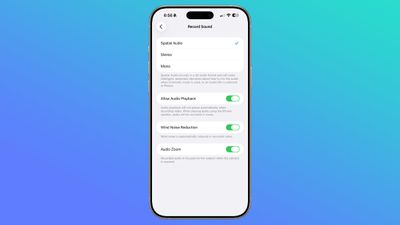
In the Settings section of the Camera app, there is a new "Audio Zoom" option. The feature causes recorded audio to focus on the subject when the camera is zoomed while recording a video. It can be turned on or off, depending on the audio settings you prefer.
CarPlay
With iOS 26.4, AI services like Claude, Gemini, and ChatGPT are accessible through the CarPlay system for the first time.
The new integration lets CarPlay users access voice-based apps like ChatGPT to ask questions hands-free, but the apps will not be able to control vehicle or iPhone functions. There also won't be a wake word option to activate a third-party app, so users will still need to open the app to use the chatbot. After an app is launched, the customizable voice control screen will give users vehicle-optimized chatbot experiences.
Third-party apps need to implement support for the feature, so it may take some time for the functionality to be available.
We also found mentions of Apple TV support for CarPlay during the beta period, indicating that Apple will eventually allow users to watch Apple TV content through their car's dashboard when the vehicle is not in motion.
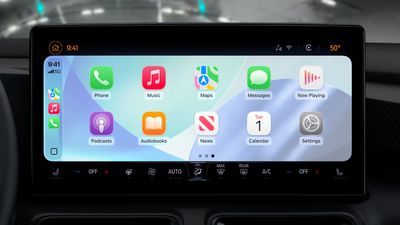
At WWDC 2025, Apple said that it would add support for AirPlaying video content to a CarPlay display.
Hotspot Data
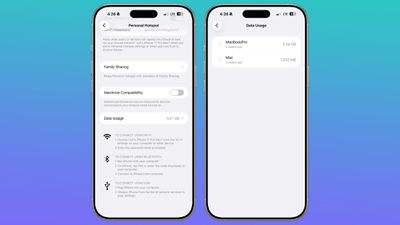
Apple moved the location of hotspot data usage. Rather than having data usage metrics tucked away under Cellular, you'll see how much data you've used right in the Personal Hotspot section.
Live Captions
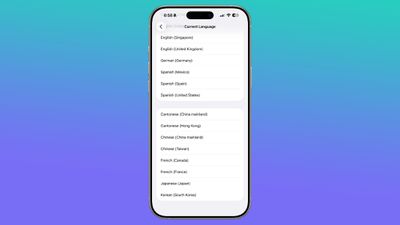
Chinese (Taiwan) is a new language option for Live Captions in the Accessibility section.
Passcode Settings
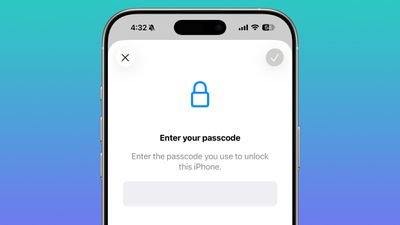
In the Face ID and Passcode section of the Settings app, when you enter a passcode to access your options, the text is now center aligned instead of left aligned.
Shortcuts
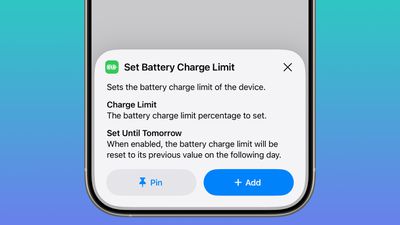
Apple added a Set Charge Limit action to the Shortcuts app. It sets a battery charge limit for the iPhone.
Keyboard Bug Fix
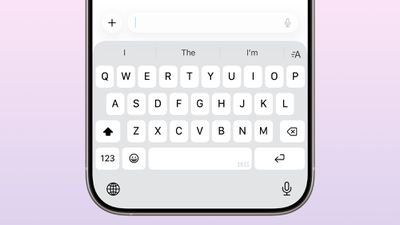
iOS 26.4 offers improved keyboard accuracy when typing quickly, addressing a bug in iOS that caused some characters to be missed when a user was typing rapidly. The missed characters could impact how autocorrect worked, causing the feature to be unable to predict what the user meant to type.
Carrier Updates
The iOS 26.4 beta has a Voice Over New Radio (VoNR) feature for Telus iPhone users. The feature lets compatible devices remain on the 5G Standalone network during voice calls instead of 4G LTE.
Security Updates
iOS 26.4 fixes more than 35 security vulnerabilities impacting everything from Safari to Messages, and multiple underlying services.
There were no actively exploited vulnerabilities that Apple encountered, but it is still a good idea to update to iOS 26.4 to get the latest patches.
Now that Apple has publicized the vulnerabilities, they might be taken advantage of by bad actors.
How to Get iOS 26.4
You can install iOS 26.4 by opening up the Settings app, tapping into the General section, and navigating to Software Update.
Compatibility
iOS 26.4 runs on all iPhones that support iOS 26, which includes the iPhone 11 and later.
Source: Macrumors










