 NEWS
NEWS
M4 iPad Air: What's New and When It's Coming
 02/25/2026
 1490
1490
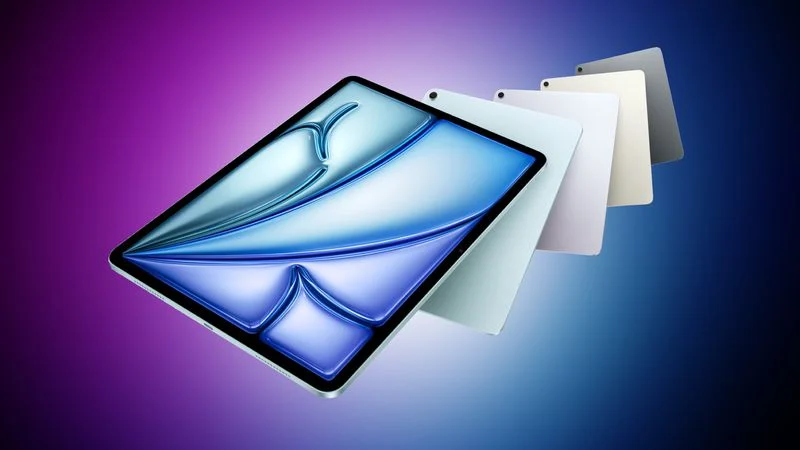
Apple is planning to hold an "Experience" on March 4 for select members of the media, and in the days before the event, we're expecting several product refreshes. The iPad Air is one of the new devices that could get an update, so we thought we'd highlight what's coming.
Design and Display
There are no design changes rumored for the iPad Air, so we can expect the same 11-inch and 13-inch size options.
The iPad Air is thicker and heavier than the iPad Pro, and it uses a standard LED display instead of OLED technology. The iPad Air will eventually be upgraded to OLED, but for now, the higher-end display technology will remain limited to the iPad Pro. The iPad Air also doesn't support ProMotion, and there's no sign that Apple is planning to add it.
The iPad Air will continue to feature USB-C, a Touch ID top button, and the same front and rear cameras.
It's possible there will be a new color option, but it's not guaranteed with a minor refresh. No new accessories are rumored, and it will continue to work with the Magic Keyboard and the Apple Pencil Pro.
M4 Chip
Apple has been updating the iPad Air with an M-series chip that's a generation behind the chip in the iPad Pro. Since the iPad Pro was updated in October 2025 with the M5, the iPad Air is set to get the M4 chip.
The M3 in the current iPad Air and the M4 chip are both built on a 3-nanometer process, but the M4 has an updated process that brings speed and efficiency improvements.
There are up to 10 CPU cores instead of 8, the Neural Engine is faster, and there's more memory bandwidth. The GPU is also more power efficient for potential battery gains. The M4 CPU is up to 30 percent faster than the M3 CPU, while the GPU is up to 21 percent faster.
The iPad Air already supports Apple Intelligence, and the next-generation model will continue to do so. Apple increased the RAM in iPad Pro models with higher storage tiers, but there's no word on whether that same change will come to the iPad Air. Current models feature 8GB RAM, the minimum for Apple Intelligence.
Charging
The iPad Pro gained faster charging with the M5 update, and that's something that could trickle down to the iPad Air.
N1 Networking Chip
The iPad Air is likely to adopt the N1 networking chip that Apple first introduced in the iPhone 17 models.
The N1 chip is an Apple-designed Wi-Fi and Bluetooth chip that offers connectivity and efficiency improvements compared to the third-party chips that Apple has used in previous devices. The N1 supports the latest Wi-Fi 7 and Bluetooth 6 technology.
The current iPad Air offers Wi-Fi 6E support, so the next-generation model could see faster Wi-Fi speeds on compatible networks with Wi-Fi 7.
Apple Modem
Apple used the C1X in the M5 iPad Pro, and the cellular versions of the iPad Air will get that same modem chip. The C1X is an upgraded variant of the C1, Apple's first in-house modem chip.
It offers performance on par with Qualcomm chips, though 5G connectivity is limited to sub-6GHz with no support for mmWave 5G. That's not an issue on the iPad, because the current version of the iPad Air doesn't support mmWave.
Apple's modem chips are much more power efficient than Qualcomm modem chips, and are able to better integrate with other iPad components.
Pricing
There are no rumors of a price increase, so the 11-inch model is expected to continue to start at $599, while the 13-inch model will start at $799.
Launch Date
The iPad Air could come out as soon as next week, ahead of Apple's March 4 Special Experience.
Source: Macrumors










