 NEWS
NEWS
iPhone 18 Pro Could Feature Teleconverter Alongside Variable Aperture
 01/29/2026
 1834
1834
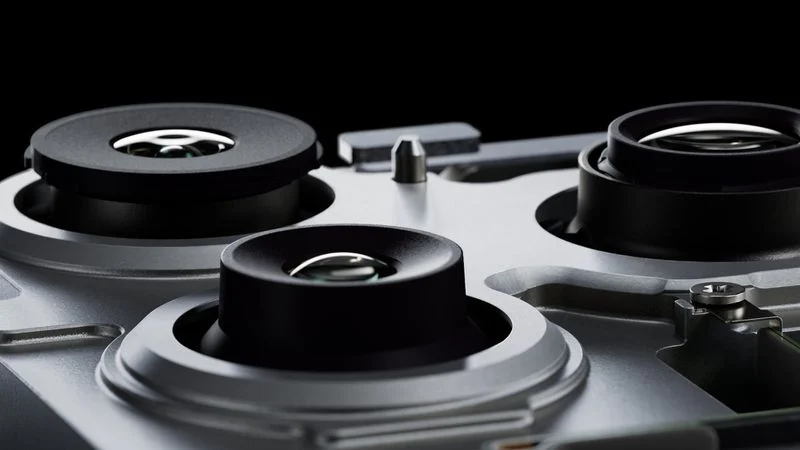
Apple's rumored new variable aperture camera system for this year's iPhone 18 Pro models has reached the sampling stage, according to a new claim from a Chinese leaker.
Posting on Weibo today, the account known as "Smart Pikachu" said the feature had entered late-stage engineering samples, while a teleconverter is also "under evaluation" for the device. The iPhone 18 Pro and iPhone 18 Pro Max are expected to launch in September 2026.
A variable aperture on the iPhone 18 Pro could improve exposure control, particularly for video. By reducing light optically, it could help maintain natural motion blur and smoother exposure in bright conditions.
Apple supply chain analyst Ming-Chi Kuo said in December 2024 that the main rear camera on both iPhone 18 Pro models will offer variable aperture, which would be a first for the iPhone. A more recent report from October 2025 said Apple was moving ahead with plans to bring the technology to next-generation iPhones and was discussing components with suppliers.
Today's teleconverter claim, meanwhile, is a new and unusual one. In typical DSLR cameras, teleconverters are optical elements that can be added to lenses to increase effective focal length and improve zoom reach, though at the cost of light intake. It's unclear how this would apply to a smartphone, but if Apple were to introduce a teleconverter-style optical system, it would likely end up reducing the amount of light reaching the sensor. In that sense, a variable aperture could theoretically give Apple more flexibility in managing exposure alongside its computational photography.
Apple's overall iPhone 18 Pro design will already be locked in at this stage in the development cycle. What Apple tends to continue doing at this point is evaluate specific features like camera modules. Apple may well be running parallel tests without committing any one feature to mass production, so there's still leeway for things to change.
In this case, Apple is likely using the late-stage engineering samples to check the optical performance and reliability, as well as to gauge how easy the camera system is to mass produce, so it could always still drop the feature if it fails to meet Apple's quality standards. Variable aperture was in fact rumored for at least one iPhone 17 model, but it failed to materialize.
Smart Pikachu is known for providing accurate details about Android products in advance of launch, but in terms of Apple rumors, they are a relative newcomer on the Chinese supply chain rumor scene, so these claims warrant caution. The leaker recently claimed that the upcoming iPhone 17e will feature a Dynamic Island and a downclocked A19 chip.
Source: Macrumors










