NEWS

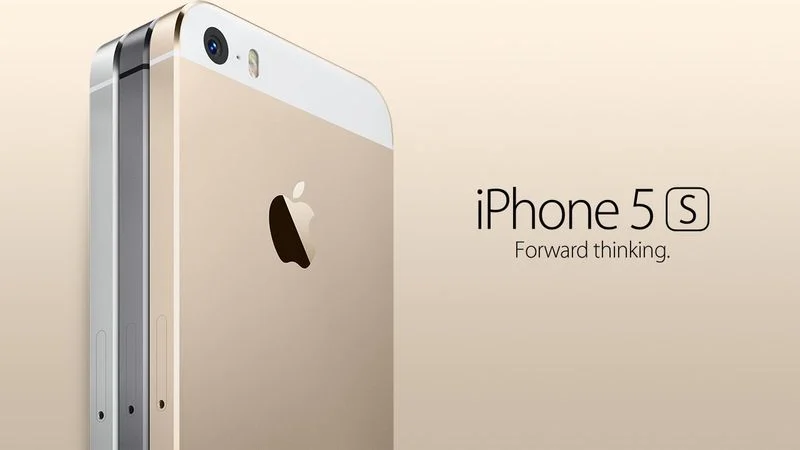
iPhone 5s Gets New Software Update 13 Years After Launch

01/27/2026

36

 iPhone 5s Gets New Software Update 13 Years After Launch


Alongside iOS 26.2.1, Apple today released an updated version of iOS 12 for devices that are still running that operating system update, eight years after the software was first released.


iOS 12.5.8 is available for the iPhone 5s and the ‌iPhone‌ 6, meaning Apple is continuing to support these devices for 13 and 12 years after launch, respectively. The ‌iPhone‌ 5s came out in September 2013, while the ‌iPhone‌ 6 launched in September 2014.


According to Apple's release notes for the update, iOS 12.5.8 extends the certificate required for features like iMessage, FaceTime, and device activation, so they will continue to work after January 2027.


Originally, certificate-limited functions like device activation would have ceased when the certificate expired, but now key features on the two older iPhones will continue to work in the years to come.


Prior to now, the ‌iPhone‌ 5s and ‌iPhone‌ 6 last received software updates in January 2023, when Apple released important security fixes.


Apple has publicly committed to providing a minimum of five years of security updates for an ‌iPhone‌ from the time that it launches, but it often offers vulnerability fixes for an even longer period of time.


The ‌iPhone‌ 6s, for example, was released 11 years ago, but it received a security update in September 2025 with the launch of iOS 15.8.5. The device received an iOS 15.8.6 update just today, adding the same certificate extension.


Source: Macrumors

Windows
Mac OS
iOS
Linux
3uTools
Win 64-bit For this device
V9.02 2026-01-22
Download
Win 32-bit For this device
V9.02 2026-01-22
Download
3uTools
Intel Chip How to Identify Chip Type
V9.01 2025-12-31
Download
Apple Silicon
V9.01 2025-12-31
Download
How to Identify Chip Type
1.  Click the Apple icon in the top-left corner of the screen and select About This Mac.
2.  Check the Processor or Chip field to determine if it is "Intel" or "Apple".
Please use the 3uTools PC client to install the iOS client:
1、 Install either the Windows or Mac version of 3uTools on your computer
2、 Open the PC client and connect your device to the computer via USB cable
3、 After the connection is successful, wait for the computer to automatically install the mobile app for the device, or locate “Install Mobile App” on the computer and manually click to install.
3uTools
deb file
V3.01 2025-11-20
Download
rpm file
V3.01 2025-11-20
Download
Windows
Windows
iOS
iOS
Android
Android
TV
TV
3uAirPlayer
Win 64-bit For this device
V6.0.2 2025-11-19
Download
Win 32-bit For this device
V6.0.2 2025-11-19
Download
iOS Device Mirroring (No App Required)
1、 Install 3uAirPlayer on the Windows PC
2、 Open Control Center and select Screen Mirroring
3、 From the list, choose your PC to start mirroring
4、 Or connect your iOS device to the PC via USB to begin mirroring
Scan to get "3uAirPlayer" App
3uAirPlayer TV V1.0.18
2025-11-28
TV System Requirements: Android 7.0 or later
Download the TV installation package, copy it to a USB drive, insert it into your TV or set-top box, then select the file from the home screen to install.