NEWS

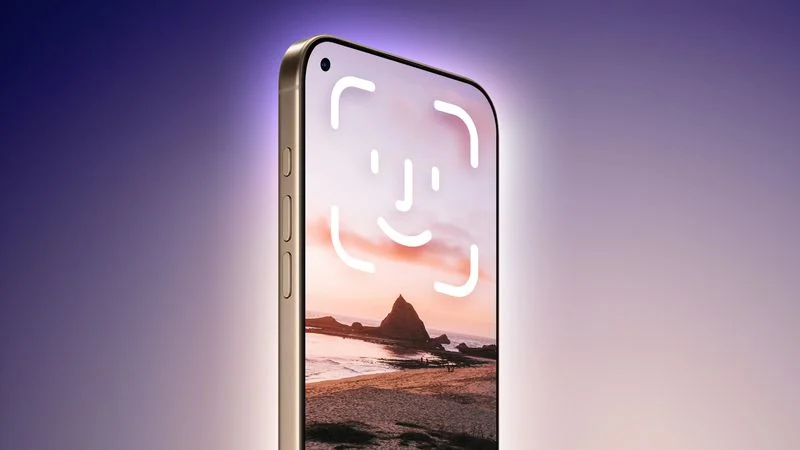
iPhone 18 Pro Launching Next Year With These 12 New Features

12/24/2025

61

iPhone 18 Pro Launching Next Year With These 12 New Features


While the iPhone 18 Pro and iPhone 18 Pro Max are not expected to launch for another nine months, there are already plenty of rumors about the devices.


Below, we have recapped 12 features rumored for the iPhone 18 Pro models.


1. The same overall design is expected, with 6.3-inch and 6.9-inch display sizes, and a "plateau" housing three rear cameras

2. Under-screen Face ID

3. F ront camera in top-left corner of the screen

4. Variable aperture for at least one rear camera

5. A20 Pro chip manufactured with TSMC's 2nm process and new packaging technology

6. A simplified Camera Control button with no swipe gestures

7. Design changes to the rear Ceramic Shield for MagSafe charging, potentially including a more frosted glass appearance

8. Apple-designed C1X or C2 modem for 5G/LTE cellular connectivity

9. Apple-designed N1 chip or newer for Wi-Fi 7, Bluetooth 6, and Thread

10. Web browsing via satellite

11. New color options under consideration: burgundy, brown, and purple

12. iPhone 18 Pro Max may be slightly thicker than the iPhone 17 Pro Max, perhaps to accommodate a larger battery


Apple will likely release the iPhone 18 Pro models in September 2026. Bookmark our iPhone 18 roundup to stay on top of future rumors.


Source: Macrumors

Windows
Mac OS
iOS
Linux
3uTools
Win 64-bit For this device
V9.0 2025-11-11
Download
Win 32-bit For this device
V9.0 2025-11-11
Download
3uTools
Intel Chip How to Identify Chip Type
V9.0 2025-12-02
Download
Apple Silicon
V9.0 2025-12-02
Download
How to Identify Chip Type
1.  Click the Apple icon in the top-left corner of the screen and select About This Mac.
2.  Check the Processor or Chip field to determine if it is "Intel" or "Apple".
Please use the 3uTools PC client to install the iOS client:
1、 Install either the Windows or Mac version of 3uTools on your computer
2、 Open the PC client and connect your device to the computer via USB cable
3、 After the connection is successful, wait for the computer to automatically install the mobile app for the device, or locate “Install Mobile App” on the computer and manually click to install.
3uTools
deb file
V3.01 2025-11-20
Download
rpm file
V3.01 2025-11-20
Download
Windows
Windows
iOS
iOS
Android
Android
TV
TV
3uAirPlayer
Win 64-bit For this device
V6.0.2 2025-11-19
Download
Win 32-bit For this device
V6.0.2 2025-11-19
Download
iOS Device Mirroring (No App Required)
1、 Install 3uAirPlayer on the Windows PC
2、 Open Control Center and select Screen Mirroring
3、 From the list, choose your PC to start mirroring
4、 Or connect your iOS device to the PC via USB to begin mirroring
Scan to get "3uAirPlayer" App
3uAirPlayer TV V1.0.18
2025-11-28
TV System Requirements: Android 7.0 or later
Download the TV installation package, copy it to a USB drive, insert it into your TV or set-top box, then select the file from the home screen to install.