 NEWS
NEWS
iOS 26 Code Leak Reveals Apple Smart Home Hub Details
 12/12/2025
 1689
1689
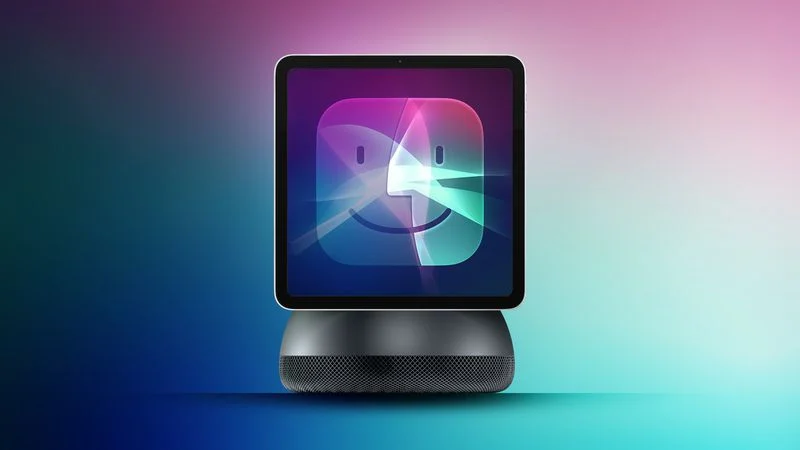
Apple is working on a smart home hub that will rely heavily on the more capable version of Siri that's coming next year. We've heard quite a bit about the hub over the last two years, but a recent iOS 26 code leak provides additional insight into what we can expect and confirms rumored features.
Macworld claims to have access to an internal version of iOS 26 that references several upcoming Apple devices, including the home hub. The site said that the code hints at these options:
●Camera - The device will have a camera, but it will be limited to 1080p.
●Face ID - The home hub will use Face ID for authentication and to identify who is in a room.
●Profile switching - With the Face ID feature, the home hub will be able to switch to the profile for the person in the home who is interacting with the device. Apple engineers are apparently using an app to test the accuracy of the system.
●Apple Intelligence - It will support Apple Intelligence and the new version of Siri.
Other rumors suggest that the home hub will be something of a cross between an iPad and a HomePod. It will have a square-shaped screen that's around seven inches, and an optional speaker base. We're expecting the home hub to launch right around the time that the new version of Siri comes out in iOS 26.4, likely March or April.
Macworld also spotted signs of another device, identified as J229. This is apparently a "never-before-seen product" that has multiple sensors that can detect alarm sounds and capture images, but it is an accessory rather than a standalone device. Apple is rumored to be working on a home security camera to go along with the home hub. There's no word on when the camera could launch.
Source: Macrumors










