NEWS

iPhone 17 Pro Clear Case Leak Reveals Three Key Changes

09/01/2025

1471

 iPhone 17 Pro Clear Case Leak Reveals Three Key Changes


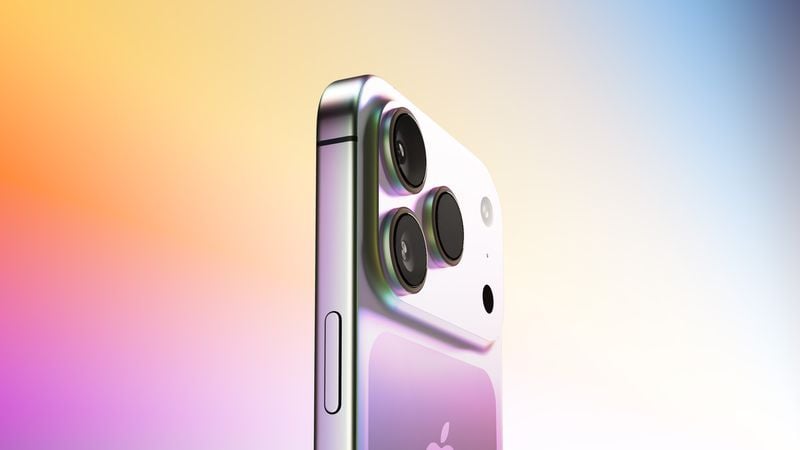
Apple is expected to unveil the iPhone 17 series on Tuesday, September 9, and last-minute rumors about the devices continue to surface.


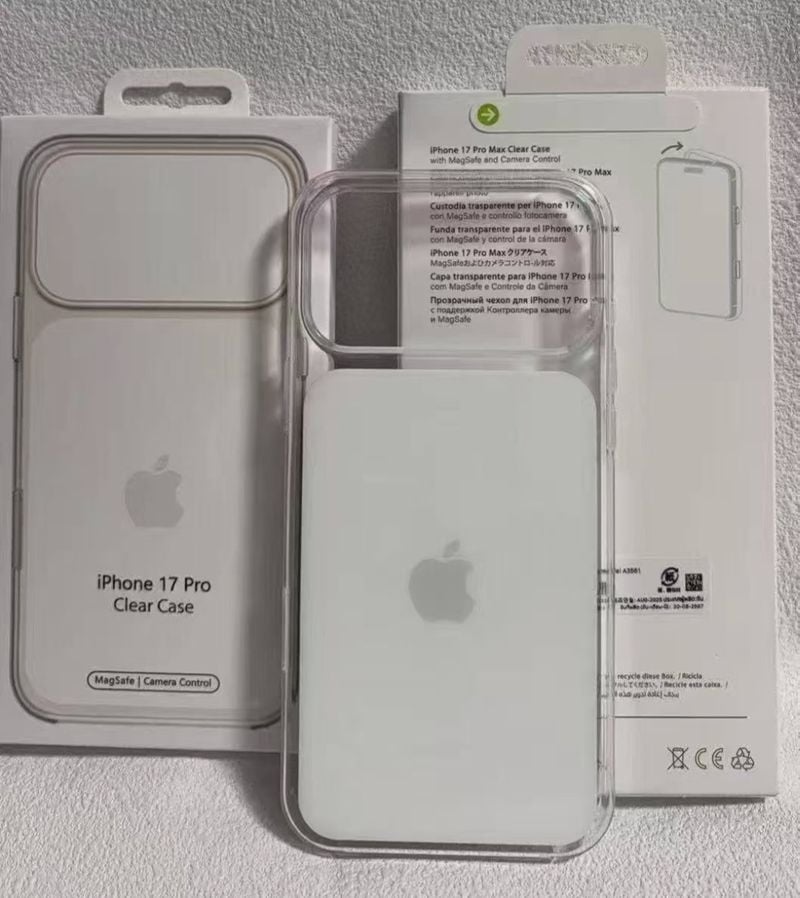
The latest info comes from a leaker known as Majin Bu, who has shared alleged images of Apple's Clear Case for the iPhone 17 Pro and Pro Max, or at least replicas.
 

 iPhone 17 Pro Clear Case Leak Reveals Three Key Changes


The images show three alleged changes compared to Apple's iPhone 16 Pro Clear Case:


  • A cutout for a significantly larger rear camera bump that spans the entire width of the device, as widely rumored already.
  • A white rounded rectangular area surrounding the MagSafe system, instead of the previous circle with a line below it.
  • Compatibility with Apple's rumored Crossbody Strap magnetic lanyard.


Apple also tested special "tinted" editions of the iPhone 17 Pro Clear Case, which might be released later, according to Majin Bu.


Apple's annual iPhone event is a little over a week away, so we will find out of this redesigned Clear Case is the real deal soon.


Source: Macrumors

Windows
Mac OS
iOS
Linux
3uTools
Win 64-bit For this device
V9.0 2025-11-11
Download
Win 32-bit For this device
V9.0 2025-11-11
Download
3uTools
Intel Chip How to Identify Chip Type
V9.0 2025-12-02
Download
Apple Silicon
V9.0 2025-12-02
Download
How to Identify Chip Type
1.  Click the Apple icon in the top-left corner of the screen and select About This Mac.
2.  Check the Processor or Chip field to determine if it is "Intel" or "Apple".
Please use the 3uTools PC client to install the iOS client:
1、 Install either the Windows or Mac version of 3uTools on your computer
2、 Open the PC client and connect your device to the computer via USB cable
3、 After the connection is successful, wait for the computer to automatically install the mobile app for the device, or locate “Install Mobile App” on the computer and manually click to install.
3uTools
deb file
V3.01 2025-11-20
Download
rpm file
V3.01 2025-11-20
Download
Windows
Windows
iOS
iOS
Android
Android
TV
TV
3uAirPlayer
Win 64-bit For this device
V6.0.2 2025-11-19
Download
Win 32-bit For this device
V6.0.2 2025-11-19
Download
iOS Device Mirroring (No App Required)
1、 Install 3uAirPlayer on the Windows PC
2、 Open Control Center and select Screen Mirroring
3、 From the list, choose your PC to start mirroring
4、 Or connect your iOS device to the PC via USB to begin mirroring
Scan to get "3uAirPlayer" App
3uAirPlayer TV V1.0.18
2025-11-28
TV System Requirements: Android 7.0 or later
Download the TV installation package, copy it to a USB drive, insert it into your TV or set-top box, then select the file from the home screen to install.