 NEWS
NEWS
iOS 10.3 Beta 3 Now Available For iPhone And iPad
 02/21/2017
 4199
4199
Exactly two weeks after releasing the second beta to developers, Apple rolled out iOS 10.3 beta 3 for testers on Monday. We’re likely still a couple of months away from seeing a public launch for iOS 10.3, but the new software will introduce a multitude of features that iPhone and iPad users can begin looking forward to.
After the first iOS 10.3 beta released back in January, we shared a list of upcoming features that we were excited about. The standout feature is undoubtedly Find My AirPods — an addition to the Find My iPhone app that will show you the last known location of your wireless earbuds. As popular as the AirPods have become (and as easy as they are to lose), this will be a welcome addition for many Apple fans.
Other interesting new features include an Apple ID Profile in the Settings menu, improved app animations, an update to the iCloud settings page and an optimized file system with stronger encryption.
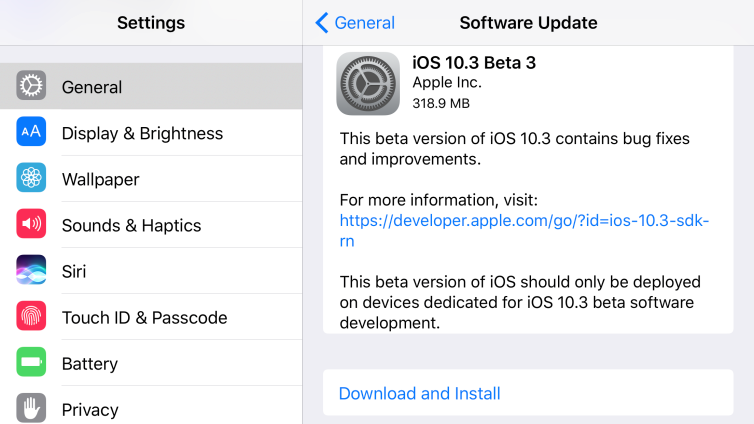
No major changes have been discovered yet in iOS 10.3 beta 3, but we’ll be sure to update this post with all the details as soon as they are made available. We don’t expect anything of significance, but typically Apple brings a few new tricks along with every update, as opposed to just bug fixes.
UPDATE: Apple has added a new “App Compatibility” section in the Settings menu which lists apps that “may slow down your iPhone and will not work with future versions of iOS if they are not updated.” You can tap on any potentially incompatible apps from this menu to head straight to their App Store pages.
iOS 10.3 beta 3 is available to download now for those with a developer account as an over-the-air update. A downloadable version of the software should also be available soon through Apple’s website. Recently Apple has been launching public betas within days, or even hours, of the developer beta, so stay tuned.
Source: bgr










