 NEWS
NEWS
Apple Rolls Out iOS10.3 Beta, Brings Find AirPods Support to iPhone
 01/28/2017
 4997
4997
When released last year, Apple's iOS 10 refreshed the look and interface of the iPhone and iPad. Since then, Apple has been continuously rolling out patches and updates to fix bugs and add new features. The latest is the iOS 10.3 beta, which has started rolling out to the iOS users.
The biggest highlight of the iOS 10.3 beta is the 'Find AirPods support added to Find My iPhone' feature and 'Siri gets cricket score for Indian Premier League and International Cricket Council.'
Apple's AirPod are a neat pair of wireless Bluetooth headsets placed in a charging case. People often complain about losing them or forgetting where they stored it. As a result, third party developers had developed apps that helped in locating AirPods. But recently, it was reported that Apple removed such apps from the App Store.
And now, the feature to trace AirPods has been built-in to the OS itself. The iOS 10.3 allows users to find the misplaced (one or both AirPod) using the 'Find My iPhone app'.
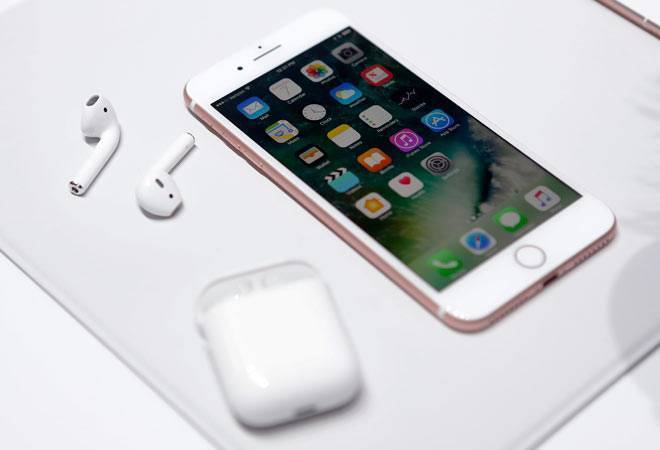
This works if the AirPods are within the Bluetooth range of any of the iOS devices signed into iCloud account. If the AirPods are within the range of any of these devices, the location will be showed. Find My iPhone can also play a specially designed sound on either or both AirPods to help pinpoint their location.
In case the AirPods are out of range of all iOS devices, need to be charged, Find My iPhone can still show the time and location where the AirPods were last connected. This feature will be accessible via the Find My iPhone app on any device running iOS 10.3 or through a computer at icloud.com/find.
With the iOS 10.3 Beta, Siri can also get cricket related scores and statistics. Other highlights of iOS10.3 beta include SiriKit domains expand with support for paying and checking status of bills with payment apps and scheduling with ride booking apps; CarPlay adds shortcuts to launch the last two used apps; 3D Touch on weather icon in Maps to get hourly forecasts, chance of rain and daily high and low temperatures; and tapping the iMessage app icon now displays iMessage apps.
To download iOS 10.3 Beta, one can go to developer.apple.com on the iPhone or iPad, click on the "Download New Betas" tab, log in with your developer account's username and password and follow the steps.
Source: bussinesstoday










