
NEWS

Apple Releases TvOS 10.1.1 Software Update For Apple TV

01/24/2017

3761

Apple has released the tvOS 10.1.1 software update for Apple TV. tvOS 10.1.1 is likely a software update focused on bug fixes and performance improvements. tvOS 10.1 was a feature update that included the new TV app for the first time.
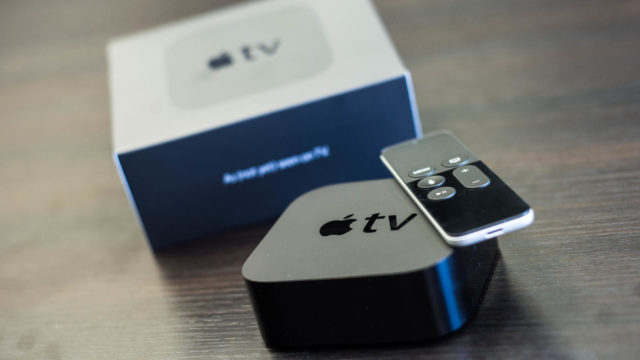

Apple Releases TvOS 10.1.1 Software Update For Apple TV


TV app: Discover new content or pick up where you left off in a current show or movie—all in one unified place. The TV app brings together all your shows and movies from services that you subscribe to, plus your purchases from iTunes. This feature is available only in the United States for Apple TV, iPhone, iPad, and iPod touch.

Additional: This update also includes general performance and stability improvements.


For an idea of what tvOS 10.1.1 will include, these were the release notes for tvOS 10.0.1: Apple TV Software Update 10.0.1, this update includes general performance and stability improvements.


Developers on the tvOS 10.1.1 beta (build 14U711) will see an update available as the released build today is 14U712a. We’ll update with any notable changed discovered.


Source: iloung


Windows
Mac OS
iOS
Linux
3uTools
Win 64-bit For this device
V9.0 2025-11-11
Download
Win 32-bit For this device
V9.0 2025-11-11
Download
3uTools
Intel Chip How to Identify Chip Type
V9.0 2025-12-02
Download
Apple Chip
V9.0 2025-12-02
Download
How to Identify Chip Type
1.  Click the Apple icon in the top-left corner of the screen and select About This Mac.
2.  Check the Processor or Chip field to determine if it is "Intel" or "Apple".
Please use the 3uTools PC client to install the iOS client:
1、 Install either the Windows or Mac version of 3uTools on your computer
2、 Open the PC client and connect your device to the computer via USB cable
3、 After the connection is successful, wait for the computer to automatically install the mobile app for the device, or locate “Install Mobile App” on the computer and manually click to install.
3uTools
deb file
V3.01 2025-11-20
Download
rpm file
V3.01 2025-11-20
Download
Windows
Windows
iOS
iOS
Android
Android
TV
TV
3uAirPlayer
Win 64-bit For this device
V6.0.2 2025-11-19
Download
Win 32-bit For this device
V6.0.2 2025-11-19
Download
iOS Device Mirroring (No App Required)
1、 Install 3uAirPlayer on the Windows PC
2、 Open Control Center and select Screen Mirroring
3、 From the list, choose your PC to start mirroring
4、 Or connect your iOS device to the PC via USB to begin mirroring
Scan to get "3uAirPlayer" App
3uAirPlayer TV V1.0.18
2025-11-28
TV System Requirements: Android 7.0 or later
Download the TV installation package, copy it to a USB drive, insert it into your TV or set-top box, then select the file from the home screen to install.




