 NEWS
NEWS
Apple to Offer 32GB of Desktop RAM in Top-end 2017 MacBook Pro, 16GB for 12" MacBook
 01/17/2017
 3774
3774
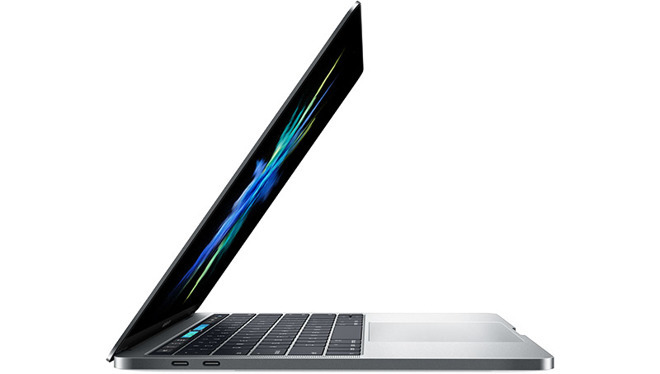
In a note to investors obtained by AppleInsider on Monday, KGI analyst Ming-Chi Kuo says he expects Apple's 2017 laptop line to focus on internal component updates, notably platform-wide adoption of Intel's Kaby Lake architecture.
Of interest to professionals, Apple is predicted to start manufacture of a 15-inch MacBook Pro with up to 32GB of RAM in the fourth quarter, double the memory allotment of current top-of-the-line models. Kuo speculates the company will be forced to adopt desktop RAM due to restrictions of current memory system designs.
Apple took flak in releasing its latest MacBook Pro with Touch Bar models with a hard memory cap of 16GB, an minimal allotment viewed as a negative for imaging and video professionals. Responding to customer criticism, Apple said the move was made in a bid to maximize battery life.
On more than one occasion, SVP of Worldwide Marketing Phil Schiller defended the decision to limit RAM allotments to 16GB, saying higher amounts would require a power-hungry memory controller unsuitable for use in portable machines.
"The MacBook Pro uses 16GB of very fast LPDDR memory, up to 2133MHz," Schiller said in November. "To support 32GB of memory would require using DDR memory that is not low power and also require a different design of the logic board which might reduce space for batteries. Both factors would reduce battery life."
Essentially, the Intel Skylake CPUs used in Apple's MacBook Pro only support up to 16GB of LPDDR3 RAM at 2133MHz. Though Intel does make processors capable of addressing more than 16GB of memory, those particular chipsets rely on less efficient DDR4 RAM and are usually deployed in desktops with access to dedicated mains power.
In order to achieve high memory allotments and keep unplugged battery life performance on par with existing MacBook Pro models, Apple will need to move to an emerging memory technology like LPDDR4 or DDR4L. Such hardware is on track for release later this year.
Beyond the high-end 15-inch model, Kuo expects Apple to start production of new 13- and 15-inch MacBook Pros in the third quarter of 2017.
As for the 12-inch MacBook, Kuo believes next-generation versions of the thin-and-light will enter mass production in the second quarter with the same basic design aesthetic introduced in 2015. New for 2017 is a 16GB memory option that will make an appearance thanks to Intel's new processor class.
Source: appleinsider










