NEWS

Apple Designing 5G iPhone Antenna Module In-House After Being Dissatisfied With Qualcomm's Version

02/17/2020

5722

Apple Designing 5G iPhone Antenna Module In-House After Being Dissatisfied With Qualcomm's Version


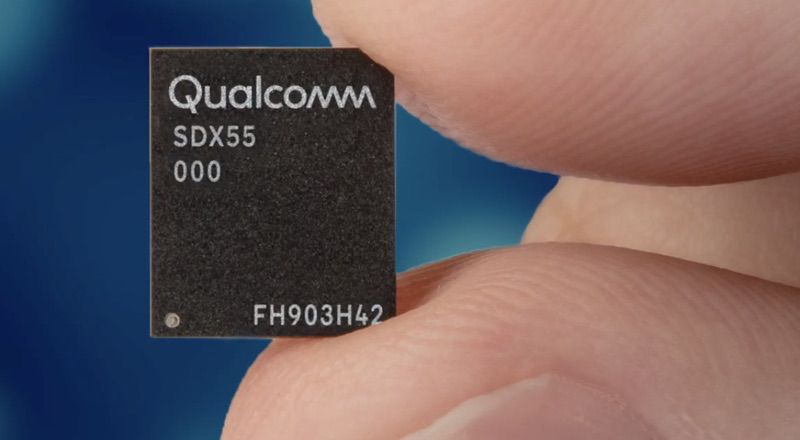
Apple will be making its own antenna module for use on 5G iPhones due to being unhappy with Qualcomm’s creation, as reported by Fast Company.


The Cupertino-based company didn’t approve of Qualcomm’s 525 5G millimeter wave antenna module and said that it didn’t fit into the overall design of the new iPhone. Qualcomm will still be the one to develop Apple’s modem chip, but the production of the antenna module will be done in-house.


For backup purposes, Apple will have a design that integrates both of Qualcomm’s antenna and modem. If forced, it will have to launch a slightly thicker iPhone this 2020. The 5G-enabled iPhones will utilize a two-part phased array antenna for forming the radio signal, to which issues could arise if the components are made by different manufacturers.


We can expect 5G-capable iPhones this year which delivers 7GB per second download speed and 3GB per second upload speed.


Source: iLounge

Windows
Mac OS
iOS
Linux
3uTools
Win 64-bit For this device
V9.01 2025-12-27
Download
Win 32-bit For this device
V9.01 2025-12-27
Download
3uTools
Intel Chip How to Identify Chip Type
V9.01 2025-12-31
Download
Apple Silicon
V9.01 2025-12-31
Download
How to Identify Chip Type
1.  Click the Apple icon in the top-left corner of the screen and select About This Mac.
2.  Check the Processor or Chip field to determine if it is "Intel" or "Apple".
Please use the 3uTools PC client to install the iOS client:
1、 Install either the Windows or Mac version of 3uTools on your computer
2、 Open the PC client and connect your device to the computer via USB cable
3、 After the connection is successful, wait for the computer to automatically install the mobile app for the device, or locate “Install Mobile App” on the computer and manually click to install.
3uTools
deb file
V3.01 2025-11-20
Download
rpm file
V3.01 2025-11-20
Download
Windows
Windows
iOS
iOS
Android
Android
TV
TV
3uAirPlayer
Win 64-bit For this device
V6.0.2 2025-11-19
Download
Win 32-bit For this device
V6.0.2 2025-11-19
Download
iOS Device Mirroring (No App Required)
1、 Install 3uAirPlayer on the Windows PC
2、 Open Control Center and select Screen Mirroring
3、 From the list, choose your PC to start mirroring
4、 Or connect your iOS device to the PC via USB to begin mirroring
Scan to get "3uAirPlayer" App
3uAirPlayer TV V1.0.18
2025-11-28
TV System Requirements: Android 7.0 or later
Download the TV installation package, copy it to a USB drive, insert it into your TV or set-top box, then select the file from the home screen to install.