
NEWS

New lawsuit Alleges Patent Infringement by All Wi-Fi-enabled Apple Products

04/12/2019

3162

A company called Red Rock Analytics in a new lawsuit charges that Apple is infringing a patent covering transceiver technology in Wi-Fi chips.
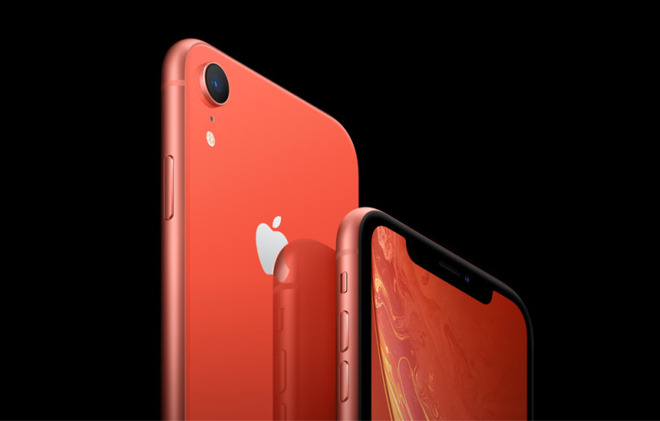

New lawsuit Alleges Patent Infringement by All Wi-Fi-enabled Apple Products


The U.S. patent, No. 7,346,313 — "Calibration of I-Q Balance in Transceivers" — was issued to Red Rock in March 2008, and any Apple product compatible with 802.11n or later is in violation, according to a complaint submitted through a U.S. District Court for the Eastern District of Texas. That district is a notorious venue for patent lawsuits, since it has relatively little other traffic and its judges are thought to be friendly to patent holders.


Red Rock is asking for an injunction against further infringement, along with attorney fees and damage compensation, including pre- and post-judgment interest. 


Details about Red Rock are otherwise difficult to come by, except that the firm officially operates out of Swampscott, Mass. It previously launched an Eastern District lawsuit against Samsung over the same patent, court documents say, but the state of that case is uncertain. Samsung did file a countersuit.


A notable inaccuracy in the Red Rock v. Apple submission is that it identifies Apple's "principal place of business" as 1 Infinite Loop — the company's official corporate address was switched to Apple Park in Feb. 2018.


Source: appleinsider 

Windows
Mac OS
iOS
Linux
3uTools
Win 64-bit For this device
V9.0 2025-11-11
Download
Win 32-bit For this device
V9.0 2025-11-11
Download
3uTools
Intel Chip How to Identify Chip Type
V9.0 2025-12-02
Download
Apple Chip
V9.0 2025-12-02
Download
How to Identify Chip Type
1.  Click the Apple icon in the top-left corner of the screen and select About This Mac.
2.  Check the Processor or Chip field to determine if it is "Intel" or "Apple".
Please use the 3uTools PC client to install the iOS client:
1、 Install either the Windows or Mac version of 3uTools on your computer
2、 Open the PC client and connect your device to the computer via USB cable
3、 After the connection is successful, wait for the computer to automatically install the mobile app for the device, or locate “Install Mobile App” on the computer and manually click to install.
3uTools
deb file
V3.01 2025-11-20
Download
rpm file
V3.01 2025-11-20
Download
Windows
Windows
iOS
iOS
Android
Android
TV
TV
3uAirPlayer
Win 64-bit For this device
V6.0.2 2025-11-19
Download
Win 32-bit For this device
V6.0.2 2025-11-19
Download
iOS Device Mirroring (No App Required)
1、 Install 3uAirPlayer on the Windows PC
2、 Open Control Center and select Screen Mirroring
3、 From the list, choose your PC to start mirroring
4、 Or connect your iOS device to the PC via USB to begin mirroring
Scan to get "3uAirPlayer" App
3uAirPlayer TV V1.0.18
2025-11-28
TV System Requirements: Android 7.0 or later
Download the TV installation package, copy it to a USB drive, insert it into your TV or set-top box, then select the file from the home screen to install.




