 NEWS
NEWS
3D Printed Head can Unlock High-end Android Smartphones; iPhone X ‘Impenetrable’
 12/18/2018
 3204
3204
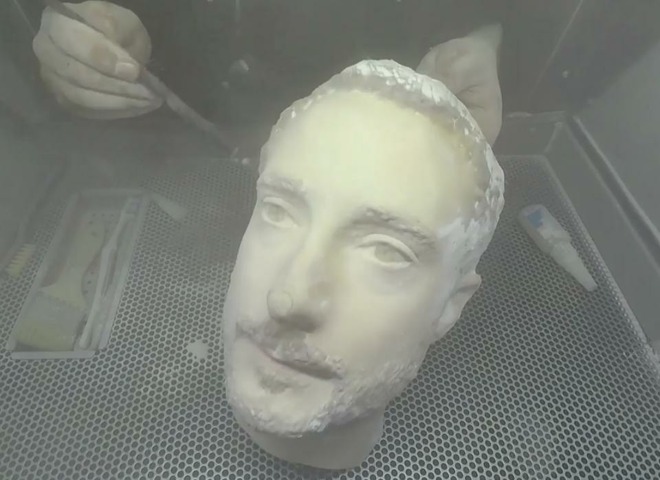
Forbes cybersecurity journalist Thomas Brewster has found that how insecure the face unlock feature has been on some of the top-ranked Android smartphones. Brewster conducted a test where he tried to unlock four premium Android smartphones like the Galaxy S9, OnePlus 6, Galaxy Note 8 and LG G7 ThinQ using a 3D printed head printed at the backface studio in Birmingham, United Kingdom.
All four smartphones were easily fooled by the 3D printed head, with only FaceID on the iPhone X being ‘impenetrable’. According to the test conducted by Brewster, OnePlus 6 was the least secure among them as the phone instantly opened when “presented with a fake head’. LG and Samsung smartphones faired a slightly better as they displayed a warning that facial recognition might not be as secure as the regular fingerprint scanner. The report noted that during the testing LG did even roll out an update which made the G7 ThinQ slightly more secure.
Unsurprisingly, Apple iPhone X was crowned as the most secure smartphone among all the phones tested. It could not be fooled easily, all thanks to the true depth camera system used by FaceID.
Overall, this test indicates that the facial recognition system on Android smartphones is less secure than Apple’s Face ID technique. The facial recognition on most smartphones is software enabled. In the case of the iPhone X, Apple has used its TrueDepth camera system to enable FaceID. According to Apple, the technology is said to analyse over 30,000 invisible dots to create a precise depth map of your face. Its depth estimation works by having an IR emitter.
Source: indianexpress










