 NEWS
NEWS
Apple Again Rumored to Launch an iPhone X in ‘Blush Gold’
 03/20/2018
 3859
3859
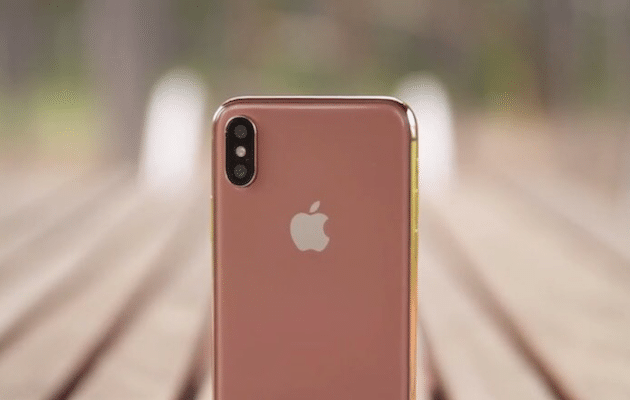
Last year, back when the iPhone X was rumored to be called the iPhone 8, there were also plenty of rumors suggesting the handset would be available in a gold color.
Apple’s gold option didn’t make the cut for the iPhone X, with Apple launching the smartphone in white/silver and black/silver options. However, it looks like at least one new rumor suggests that the company may be working on bringing a gold color scheme to the iPhone X lineup at some point in the future. At least, according to a recent tweet from Benjamin Geskin.
Geskin tweeted out in the wee hours of the morning that Apple is currently working on a “Blush Gold” color option for the iPhone X, which he says is currently in production right now. The handset has a codename of “D21A”, and, based on what Geskin has learned, says that the “color is real”. While he appears confident that Apple is currently working on the color option, he does admit that plans can be changed and that “stuff can be canceled”, so it’s also still possible we never see a gold option for the iPhone X.
Here’s the tweet, which also includes an image of a Blush Gold SIM card tray for good measure:
D21A - “Blush Gold” iPhone in production. pic.twitter.com/l2xGYIYsCh
— Ben Geskin (@VenyaGeskin1) March 19, 2018
Geskin sais in a subsequent tweet that Apple “just saved it for later”, when referring to the Blush Gold color option. This wouldn’t be the first time that Apple has launched a color for an existing iPhone well after the initial launch. The (PRODUCT)RED iPhone 7 and iPhone 7 Plus, for instance, saw the light of day well after both handsets launched into the market. It’s not impossible that Apple is working on a gold iPhone X.
Source: iphonehacks










