 NEWS
NEWS
Apple Now Allowed to Publish & Share AI Development with Colleagues
 12/07/2016
 4621
4621
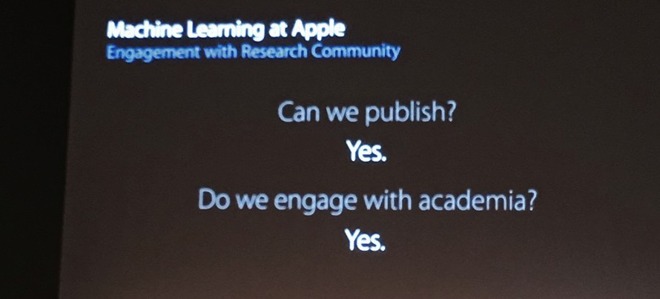
After years of silence from Apple's researchers over fear of losing commercial intellectual property, the company is now allowing employees in artificial intelligence to not only publish their research, but also interface with other academics in the field to further the overall development of the technology.
At Tuesday's Neural Information Processing Systems (NIPS) conference, Apple Director of Artificial Intelligence Research Russ Salakhutdinov made the announcement on a slide during his presentation. The shift is a sea change in Apple's normal policies, with the company eschewing the more open approach that Facebook and Google take with their research and researchers.
Apple has found it historically difficult to recruit top minds in Artificial Intelligence, as the company's stance on preventing resaerchers from sharing findings, as well as the company's cousumer privacy policies hindering product development has caused problems for researchers.
Beyond Siri, Apple appears to be branching out into other avenues of artificial intelligence and machine learning. In an interview in August, Apple CEO Tim Cook called AI one of Apple's core technologies for the future.
Cook has also recently revealed that Apple's Yokohama, Japan, research facility will boast "deep engineering" for machine learning, far different from Apple's Siri voice assistant.
Apple is also rumored to be utilizing the technology for self-driving car systems, as an offshoot of the "Project Titan" whole-car program.
Source: appleinsider










