 NEWS
NEWS
Apple Mistakenly Starts Promoting Amazon Prime Video for Apple TV Ahead of Release
 12/07/2017
 3594
3594
Update: Now available!
As we approach the new year, Apple has two promises left to fulfill: the iMac Pro and Amazon Prime Video for Apple TV. While all has gone quiet about the former, it appears that we’re finally nearing a launch for Amazon Prime Video for Apple TV…
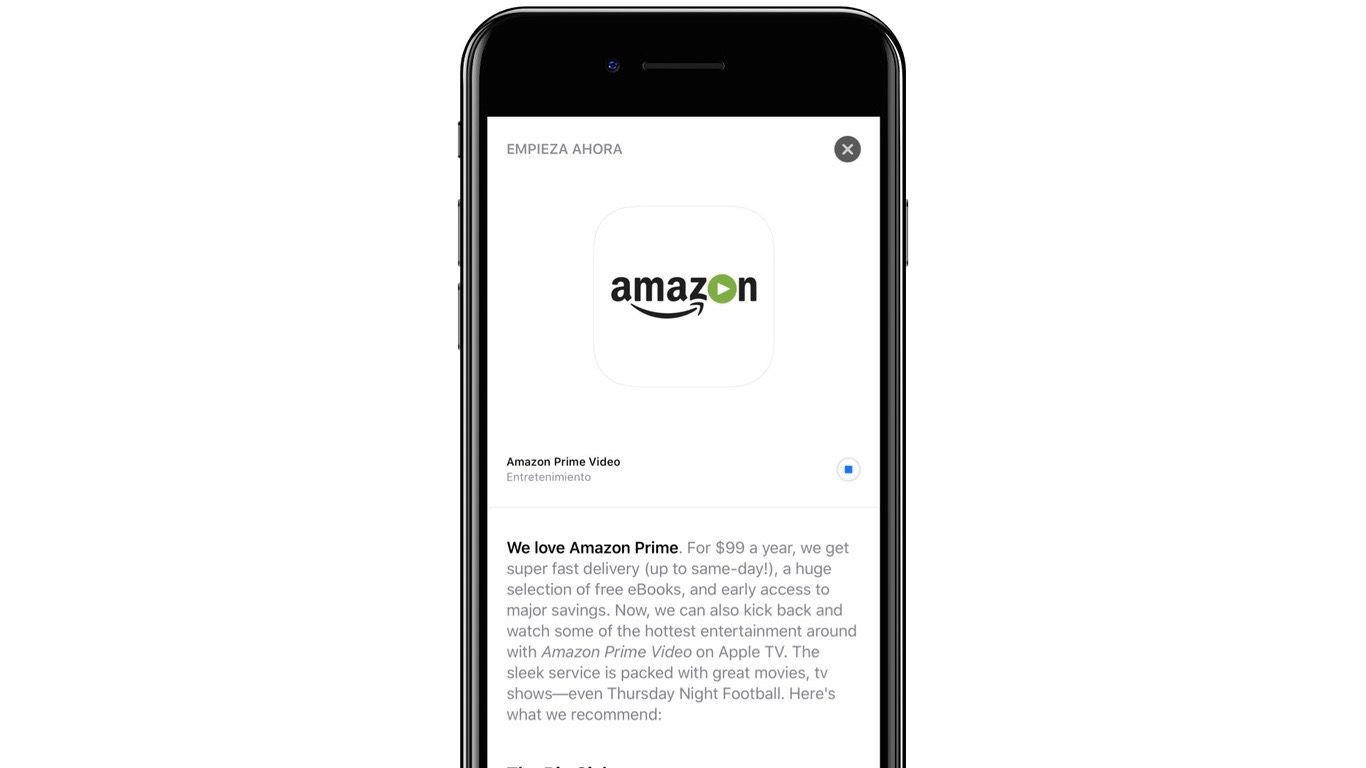
As noted by Spanish Apple news site Applesfera, Apple seems to be prepping the App Store for the launch of Amazon Prime Video for Apple TV. The company mistakenly published the above story in the App Store, touting support for Apple TV in the Amazon Prime Video application:
We love Amazon Prime. For $99 a year, we get super fast delivery (up to same-day!), a huge selection fo free eBooks, and early access to major savings. Now, we can also kick back and watch some of the hottest entertainment around with Amazon Prime Video on Apple TV. The sleek service is packed with great movies, tv shoes – even Thursday Night Football.
Separately, a user on Reddit also reported that by setting their iPhone’s date and time forward to December 6th briefly caused the Amazon Prime Video story to appear in the App Store – but Apple seems to have since closed that loophole.
As said, my time/date is set to tomorrow. That is relevant because I saw the story at the top of the “Today” tab when I opened the App Store. That is how I obtained the link.
Either way, this means that we’ll likely see the Amazon Prime Video app launch for Apple TV sometime this week, with tomorrow being the earliest. We’ll likely get an official announcement from both Amazon and Apple whenever that happens.
Apple originally promised support for Amazon Prime Video on Apple TV way back at WWDC, touting that the app would be available by the end of the year. We’re just a few weeks away from 2018, so Apple and Amazon sure are cutting it close here. Are you excited for Amazon Prime Video on Apple TV? Let us know down in the comments!
Source: 9to5mac










