
NEWS

New Report Lists RAM Amounts in iPhone 17 and iPhone 17 Pro Models

09/05/2025

1781

Three out of four iPhone 17 models will feature more RAM than the equivalent iPhone 16 models, according to a new report that aligns with previous rumors.
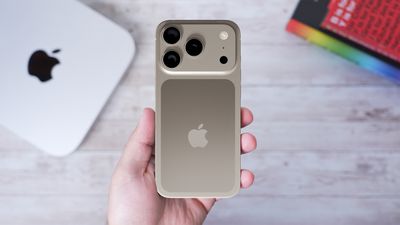
New Report Lists RAM Amounts in iPhone 17 and iPhone 17 Pro Models
The all-new iPhone 17 Air, the iPhone 17 Pro, and the iPhone 17 Pro Max will each be equipped with 12GB of RAM, according to Taiwanese market intelligence firm TrendForce, which cited "current market information and analyst projections."

The base model iPhone 17 will have 8GB of RAM, matching the amount included in all iPhone 16 models, according to TrendForce.

Here is an overview of TrendForce's RAM expectations:

  • iPhone 17: 8GB
  • iPhone 17 Air: 12GB
  • iPhone 17 Pro: 12GB
  • iPhone 17 Pro Max: 12GB

In April, Apple supply chain analyst Ming-Chi Kuo also said the iPhone 17 Air, iPhone 17 Pro, and iPhone 17 Pro Max would each have 12GB of RAM.

Here are the RAM amounts for iPhone 16 models:

  • iPhone 16: 8GB
  • iPhone 16 Plus: 8GB
  • iPhone 16 Pro: 8GB
  • iPhone 16 Pro Max: 8GB

Increased RAM can contribute to faster overall performance, and it can be particularly beneficial for multitasking and Apple Intelligence.

Apple is set to unveil the iPhone 17 series on Tuesday, September 9.

Source: Macrumors

Windows
Mac OS
iOS
Linux
3uTools
Win 64-bit For this device
V9.0 2025-11-11
Download
Win 32-bit For this device
V9.0 2025-11-11
Download
3uTools
Intel Chip How to Identify Chip Type
V9.0 2025-12-02
Download
Apple Silicon
V9.0 2025-12-02
Download
How to Identify Chip Type
1.  Click the Apple icon in the top-left corner of the screen and select About This Mac.
2.  Check the Processor or Chip field to determine if it is "Intel" or "Apple".
Please use the 3uTools PC client to install the iOS client:
1、 Install either the Windows or Mac version of 3uTools on your computer
2、 Open the PC client and connect your device to the computer via USB cable
3、 After the connection is successful, wait for the computer to automatically install the mobile app for the device, or locate “Install Mobile App” on the computer and manually click to install.
3uTools
deb file
V3.01 2025-11-20
Download
rpm file
V3.01 2025-11-20
Download
Windows
Windows
iOS
iOS
Android
Android
TV
TV
3uAirPlayer
Win 64-bit For this device
V6.0.2 2025-11-19
Download
Win 32-bit For this device
V6.0.2 2025-11-19
Download
iOS Device Mirroring (No App Required)
1、 Install 3uAirPlayer on the Windows PC
2、 Open Control Center and select Screen Mirroring
3、 From the list, choose your PC to start mirroring
4、 Or connect your iOS device to the PC via USB to begin mirroring
Scan to get "3uAirPlayer" App
3uAirPlayer TV V1.0.18
2025-11-28
TV System Requirements: Android 7.0 or later
Download the TV installation package, copy it to a USB drive, insert it into your TV or set-top box, then select the file from the home screen to install.




