TUTORIALS

3utools Supports Installation of iOS 9.3.6 & iOS 10.3.4 for iPhone 4s & iPhone 5

07/23/2019

26631

3utools Supports Installation of iOS 9.3.6 & iOS 10.3.4 for iPhone 4s & iPhone 5


Apple has quietly issued updates to some earlier iOS versions, including new builds of iOS 9.3.6 and 10.3.4 for use by older iPhone and iPad models that are not able to update to the latest iOS versions. You are able to install these iOS on 3uTools now if you are holding specific device models.


To install the iOS 9.3.6 and iOS 10.3.4, please go to the section Flash & JB on 3uTools.


Issued alongside the update to iOS 12.4 that is available for many iOS devices, Apple has shipped an update that applies to devices not able to use the current operating system release. On Monday, updates for iOS 9.3.6 and 10.3.4 were made available to download to a small number of devices. 

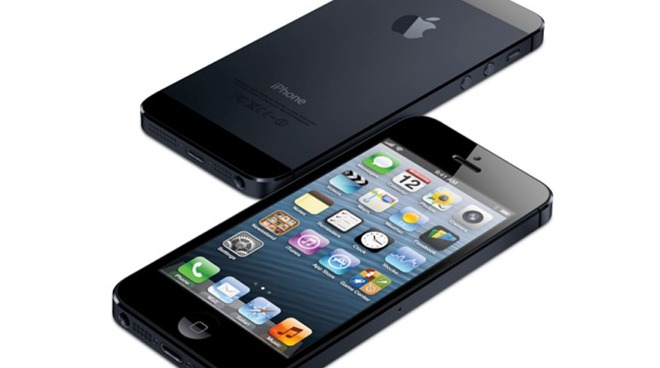
The iOS 9.3.6 update is meant for the iPad 2, iPad mini, iPad 3, and iPhone 4s, while iOS 10.3.4 is for the iPad 4 and iPhone 5. 

According to release notes for the updates, they consist of a number of security updates, as well as a fix for a GPS bug. 

Apple's main focus is on keeping its main operating system releases up to date and secure, but the company can periodically issue software updates for older operating systems. Typically this is used to close security issues that affect the older hardware. 

The updates will be the first of their kind for the older iOS hardware for quite some time. 

Apple issued iOS 9.3.5 in August 2016 and iOS 10.3.3 in July 2017. Code signing for each version was stopped in October 2016 and October 2017 respectively.


Source: appleinsider

Windows
Mac OS
iOS
Linux
3uTools
Win 64-bit For this device
V9.01 2025-12-27
Download
Win 32-bit For this device
V9.01 2025-12-27
Download
3uTools
Intel Chip How to Identify Chip Type
V9.01 2025-12-31
Download
Apple Silicon
V9.01 2025-12-31
Download
How to Identify Chip Type
1.  Click the Apple icon in the top-left corner of the screen and select About This Mac.
2.  Check the Processor or Chip field to determine if it is "Intel" or "Apple".
Please use the 3uTools PC client to install the iOS client:
1、 Install either the Windows or Mac version of 3uTools on your computer
2、 Open the PC client and connect your device to the computer via USB cable
3、 After the connection is successful, wait for the computer to automatically install the mobile app for the device, or locate “Install Mobile App” on the computer and manually click to install.
3uTools
deb file
V3.01 2025-11-20
Download
rpm file
V3.01 2025-11-20
Download
Windows
Windows
iOS
iOS
Android
Android
TV
TV
3uAirPlayer
Win 64-bit For this device
V6.0.2 2025-11-19
Download
Win 32-bit For this device
V6.0.2 2025-11-19
Download
iOS Device Mirroring (No App Required)
1、 Install 3uAirPlayer on the Windows PC
2、 Open Control Center and select Screen Mirroring
3、 From the list, choose your PC to start mirroring
4、 Or connect your iOS device to the PC via USB to begin mirroring
Scan to get "3uAirPlayer" App
3uAirPlayer TV V1.0.18
2025-11-28
TV System Requirements: Android 7.0 or later
Download the TV installation package, copy it to a USB drive, insert it into your TV or set-top box, then select the file from the home screen to install.