
TUTORIALS

How to Install Latest Cydia Beta Version For iOS10.1.x on Your iDevice?

01/03/2017

7822

As we previously reported, Cydia 1.1.28 Beta For iOS 10 Jailbreak Released.


If you are feeling adventurous, and want to try out the latest version of Cydia as a beta install for iOS 10.1.x on your jailbroken device, then you can do so by following the instructions below. Be warned that this beta release is meant for iOS 10 users only.


Step 1: First up, add the following source in your list of Cydia sources: http://apt.saurik.com/beta/cydia-arm64/.


Step 2: Once this source is added, wait for Cydia to refresh and show you the available new upgrades. Once done, it will show you three new upgrades available which are related to this new version of Cydia, namely Cydia Installer, Debian Packager, and Tape Archive.


Step 3: Now simply install these three new upgrades available in Cydia.
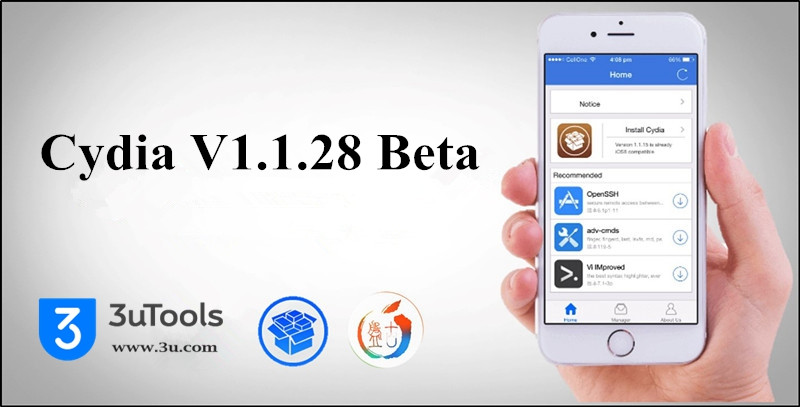

How to Install Latest Cydia Beta Version For iOS10.1.x on Your iDevice?


And that should be all that you need to do to get up and running with the 64-bit version of Cydia, version 1.1.28, on a jailbroken iOS 10.1.x device. Remember, this version of Cydia, like the jailbreak itself, is very much in a beta form, meaning issues should be expected.


If you are a non-developer who is already jailbroken on iOS 10.x, our advise would be to stay on Cydia 1.1.27 until Cydia 1.1.28 is out of beta and ready for public consumption.

You may also like to check out:


Untethered Jailbreak iOS9.1- iOS9.3.4 for 32 Bit devices. Here’s How From 3uTools.


You can follow us on Facebook/Twitter, add us to your circle on Google+ or like our Facebook page to keep yourself updated on all the latest information.


Windows
Mac OS
iOS
Linux
3uTools
Win 64-bit For this device
V9.0 2025-11-11
Download
Win 32-bit For this device
V9.0 2025-11-11
Download
3uTools
Intel Chip How to Identify Chip Type
V9.0 2025-12-02
Download
Apple Silicon
V9.0 2025-12-02
Download
How to Identify Chip Type
1.  Click the Apple icon in the top-left corner of the screen and select About This Mac.
2.  Check the Processor or Chip field to determine if it is "Intel" or "Apple".
Please use the 3uTools PC client to install the iOS client:
1、 Install either the Windows or Mac version of 3uTools on your computer
2、 Open the PC client and connect your device to the computer via USB cable
3、 After the connection is successful, wait for the computer to automatically install the mobile app for the device, or locate “Install Mobile App” on the computer and manually click to install.
3uTools
deb file
V3.01 2025-11-20
Download
rpm file
V3.01 2025-11-20
Download
Windows
Windows
iOS
iOS
Android
Android
TV
TV
3uAirPlayer
Win 64-bit For this device
V6.0.2 2025-11-19
Download
Win 32-bit For this device
V6.0.2 2025-11-19
Download
iOS Device Mirroring (No App Required)
1、 Install 3uAirPlayer on the Windows PC
2、 Open Control Center and select Screen Mirroring
3、 From the list, choose your PC to start mirroring
4、 Or connect your iOS device to the PC via USB to begin mirroring
Scan to get "3uAirPlayer" App
3uAirPlayer TV V1.0.18
2025-11-28
TV System Requirements: Android 7.0 or later
Download the TV installation package, copy it to a USB drive, insert it into your TV or set-top box, then select the file from the home screen to install.




