 TUTORIALS
Untethered Jailbreak iOS9.1- iOS9.3.4 for 32 Bit devices
 03/03/2017
 21558
21558
Previously, Pangu jailbreak team released tool for Jailbreak iOS 9.3.3 for 64-bit iDevices. There has been many confusions related to the jailbreak iOS 9.3.3, because this tool still not compatible with 32-bit devices. Now a named of "Trident" jailbreak tool will can be used for iOS9.1-9.3.4 to jailbreak, which unfortunately can't support iOS 9.3.5 becuase the leak has been repaired on iOS 9.3.5.
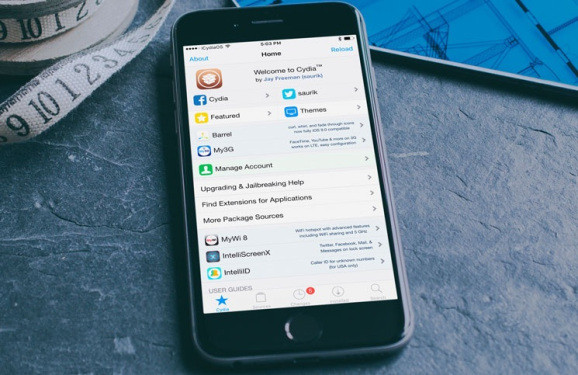
If your iOS device is on an older iOS 9.3.4 / 9.3.3 – 9.2 running device and you want download Cydia to your device? Then you can try online Cydia downloader for Jailbreak 32 bit devices.
Support iDvices:
iPhone4s:
iPhone4,1_iOS9.3.0
iPhone4,1_iOS9.3.1
iPhone4,1_iOS9.3.2
iPhone4,1_iOS9.3.3
iPhone4,1_iOS9.3.4
iPhone5:
iPhone5,2_iOS9.2.1
iPhone5,2_iOS9.3.1
iPhone5,2_iOS9.3.2
iPhone5c:
iPhone5,3_iOS9.1
iPhone5,3_iOS9.3.2
iPhone5,3_iOS9.3.3
iPad2:
iPad2,1_iOS9.3.2
iPad2,2_iOS9.3.2
iPad2,3_iOS9.3.2
iPad2,4_iOS9.3.2
iPad2,3_iOS9.3.3
iPad3,1_iOS9.3.4
We need to use Cydia Impactor for this jailbreak process, 3uTools has prepared download link for you:
Download Cydia Impactor for Mac
Download Cydia Impactor for Windows
Download Jailbreak tool for Trident
Method:
Download and unzip the Cydia Impactor tool, click red checkbox and running selected file. Please re-connecting after open iTunes if the file can't be recognized on iDevice, and Cydia Impactor also can recognized your iDevice.
Please input Apple ID and password, trun off 2-steps and double verifications.
You need to trust iDevice after installing files. Or you need to install it again.
Moreover, 3uTools warmly reminds iOS users that this tool may not stable enough on your iPhone because it is still in Beta version.
Update:
3uTools can support jailbreaking iOS10-10.2 now.










