 TUTORIALS
How to Fix Those Common Errors in Cydia Eraser?
 06/27/2018
 23458
23458
Cydia Eraser supposed to help you get rid of Cydia on your iOS device. What if it stopped working and you’re stuck with a crippled jailbroken iPhone?
One of the biggest mistake that many iOS users did was using iTunes or 3uTools to either upgrade or restore their broken iPhone, especially when it’s jailbroken and tweak like Cydia Eraser isn’t working on their device. If you’re here because you want to investigate and find a solution to the problem you’re having with Cydia Eraser, then keep on reading.
Http-osx.cpp:133
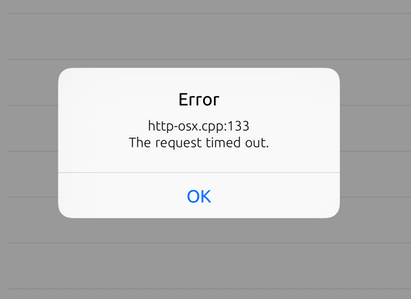
You could fix this issue by resetting your network. If your internet is acting up, switch to a different one or goes to Settings > General > Reset > Reset Network Settings.
If that still didn’t help, enter No Substrate Mode and run Cydia Eraser. That will be most likely to work.
Fix CydiaEraser Error 367
Delete "cfacontrol.sock" in your jailbreak folder via /Library/Caches/, it can be solved after restart Cydia Eraser
Error reset.cpp:352
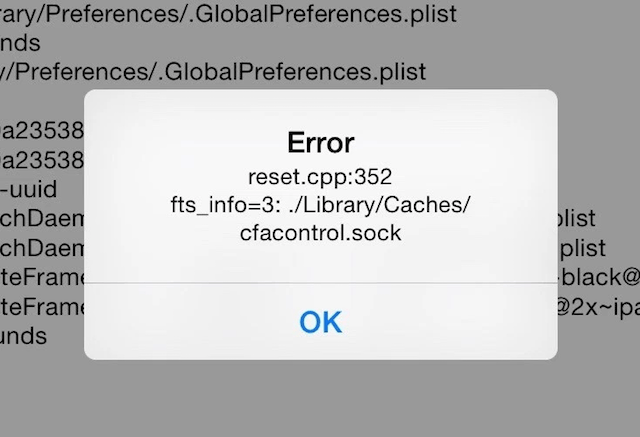
fts_info=3: ./Librabry/Caches/cfacontrol.sock
Weird, isn’t it? Oddly, this problem was caused by a tweak called ControllersForAll. It created files such as cfacontrol.sock that prevent Cydia Eraser from running.
To remove these files:
Connect your iPhone to a computer
Download i-Funbox and open it
Navigate to this directory: Library > Caches
Delete cfacontrol.sock file
You should also remove the BTstack file from tmp as well
After that, go back to your iOS device and run Cydia Eraser again.
Getting cpp:131 Could not connect to the server.
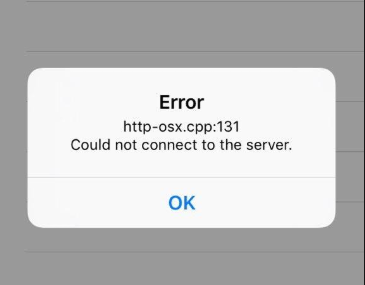
Rename the file /etc/hosts into hosts.lod, and try again
Getting cpp:144
Close all backgroud apps on your device,and restart Cydia Eraser
Error 1252
Connect with SSH, input: umount -f /Developer to solve
eraser.cpp:1453 _assert(ota_.find({“iPhonex,x”…}))
Cydia Eraser is not compatible with your current device, you can give it up
eraser.cpp:1208 No such File or directory
You should install any tweak in Cydia first
Error zip.cpp:444 Internal error
Close all backgroud apps on your device,and restart Cydia Eraser
Error fds-osx.cpp:24 Permission denied [fds-osx.cpp:24]
Delete all tweaks and Cydia substrate(including Cydia Eraser)
Re-install Cydia substrate, Apple file conduit 2,Filza
Reboot and jailbreak your device
Log out your Apple ID, and install Cydia Eraser
Error utility.cpp:100 _assert(end -data == str.size())
Eraser all data through iCloud webpage and rejailbreak again.
Error buffer.cpp:297
Remove custom font or a tweak that would free your storage for your device, or it will cause Cydia Eraser not to work. The solution would be removing them and then unjailbreak your device after.
If you found any other issues that cause Cydia Eraser to stop working, let us know in the comment section below.










