
TUTORIALS

How to Jailbreak iOS 11- iOS 11.1.2 Using 3uTools?

03/05/2018

18247

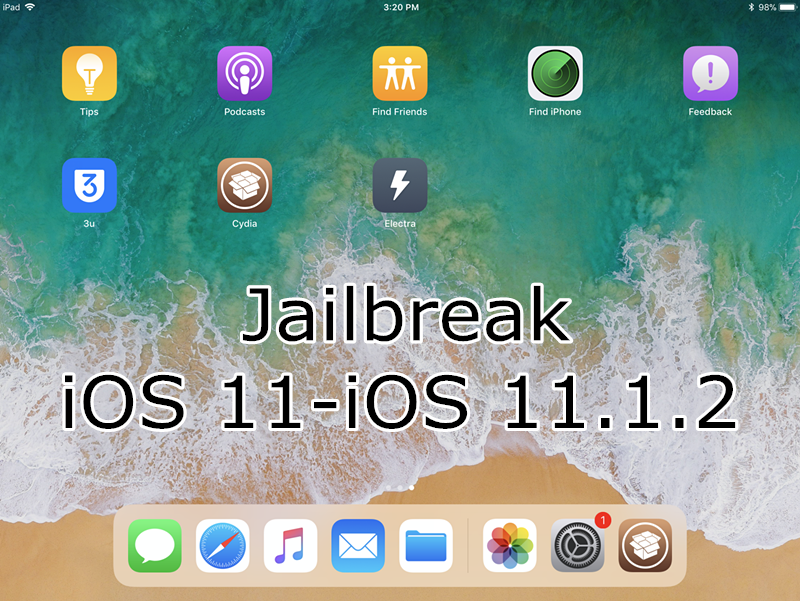
3uTools V 2.20 is released with many new features, it also supports latest @coolstars Electra jailbreak for iOS11- iOS 11.1.2 devices . This tutorial aims to show you how to jailbreak iOS11-iOS 11.1.2 using 3uTools.

How to Jailbreak iOS 11- iOS 11.1.2 Using 3uTools?


Compatible iOS 11 versions:

  • iOS 11,  iOS 11.0.1,  iOS 11.0.2,  iOS 11.0.3,

  •  iOS 11.1,  iOS 11.1.1,  iOS 11.1.2


Compatible iOS devices:

  • iPhone X, 

  • iPhone 8, iPhone 8 Plus, 

  • iPhone 7, iPhone 7 Plus, 

  • iPhone 6s, iPhone 6s Plus, 

  • iPhone 6, iPhone 6 Plus,

  • iPhone SE, iPhone 5s; 

  • iPad Air 1 and 2

  • iPad (2017)

  • iPad Mini 2, 3, 4

  • iPad Pro 1 and 2 (12.9, 9.7)


As the comment on Reddit, Saurik is going to release new versions of Cydia and Substrate soon, both of which more than likely will completely break on Electra. If you want to try this jailbreak, don't update Cydia version.


You are suggested to back up your device before jailbreaking. What's Customized Backup & Customized Restore?


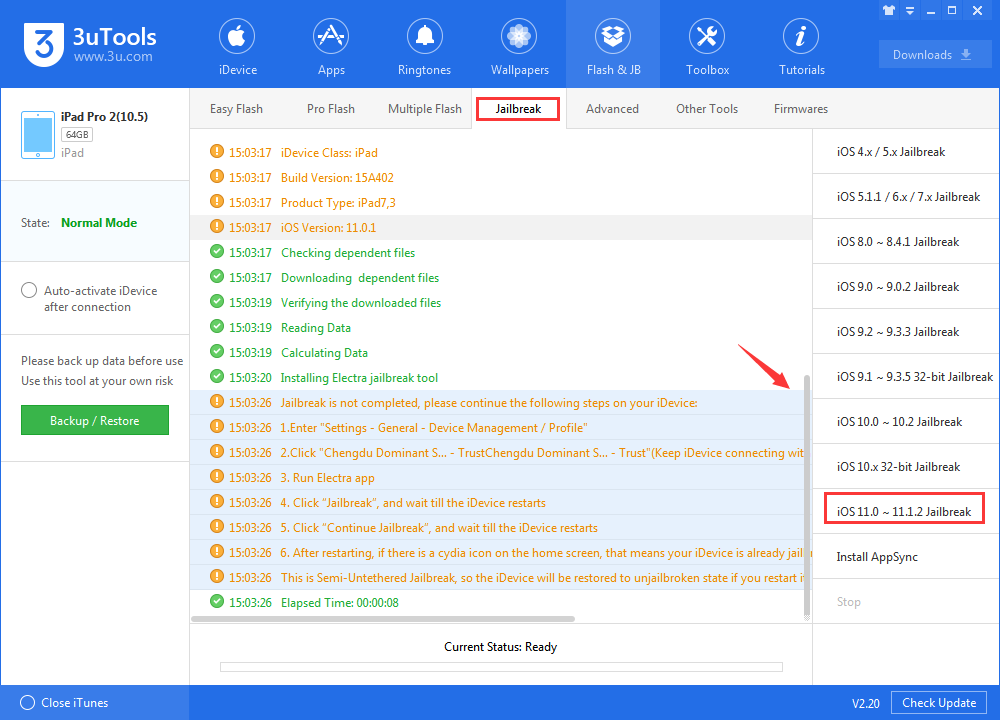
Download and run 3uTools, click Flash & JB -> Jailbreak -> iOS 11.0-11.1.2 jailbreak, as below:

How to Jailbreak iOS 11- iOS 11.1.2 Using 3uTools?


Now you need to operate on your device:


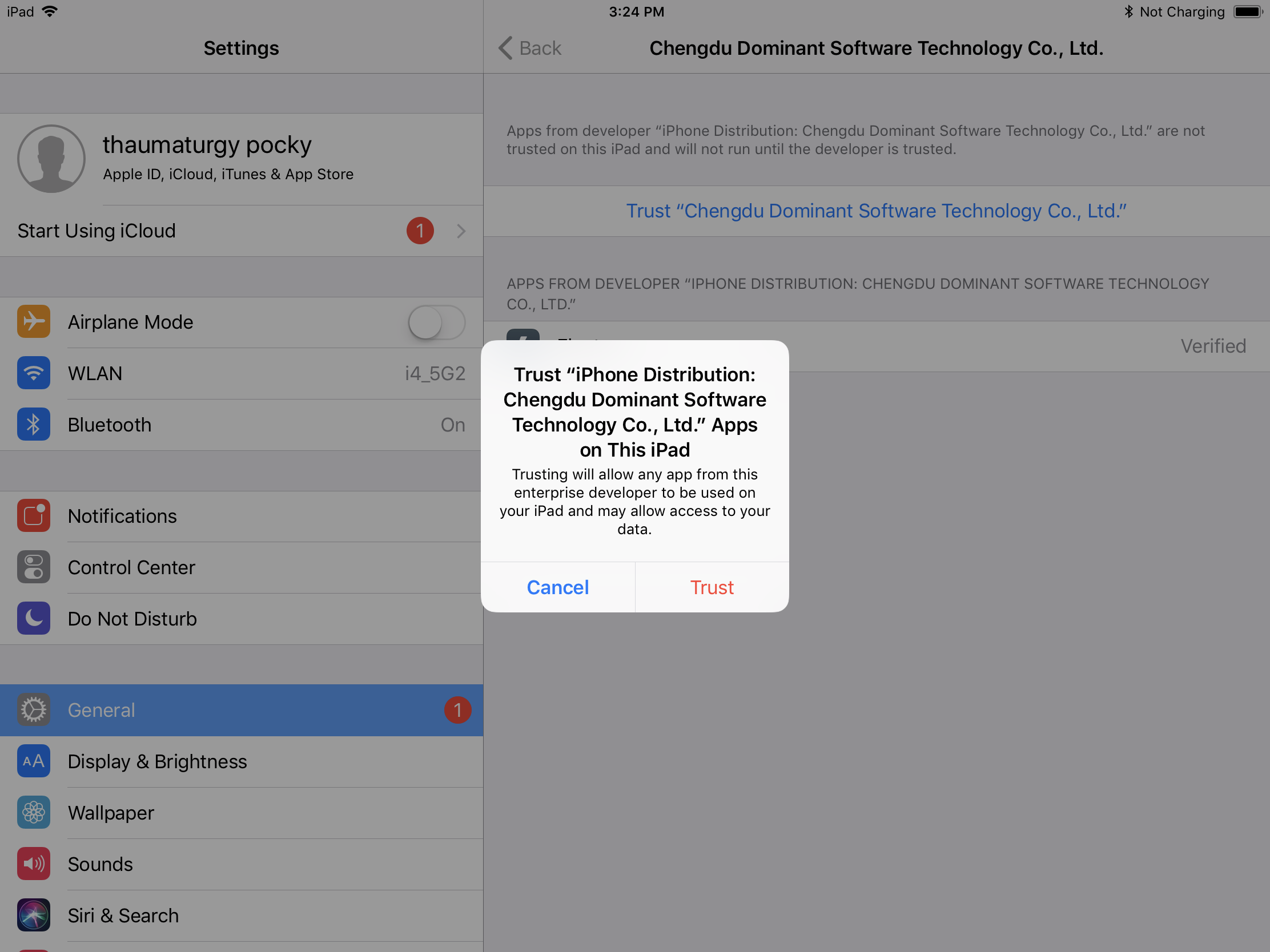
 1.Enter "Settings - General - Device Management / Profile"


2.Click "Chengdu Dominant Software Technology Co.,Ltd - click" Trust"(Keep iDevice connecting with network).

How to Jailbreak iOS 11- iOS 11.1.2 Using 3uTools?


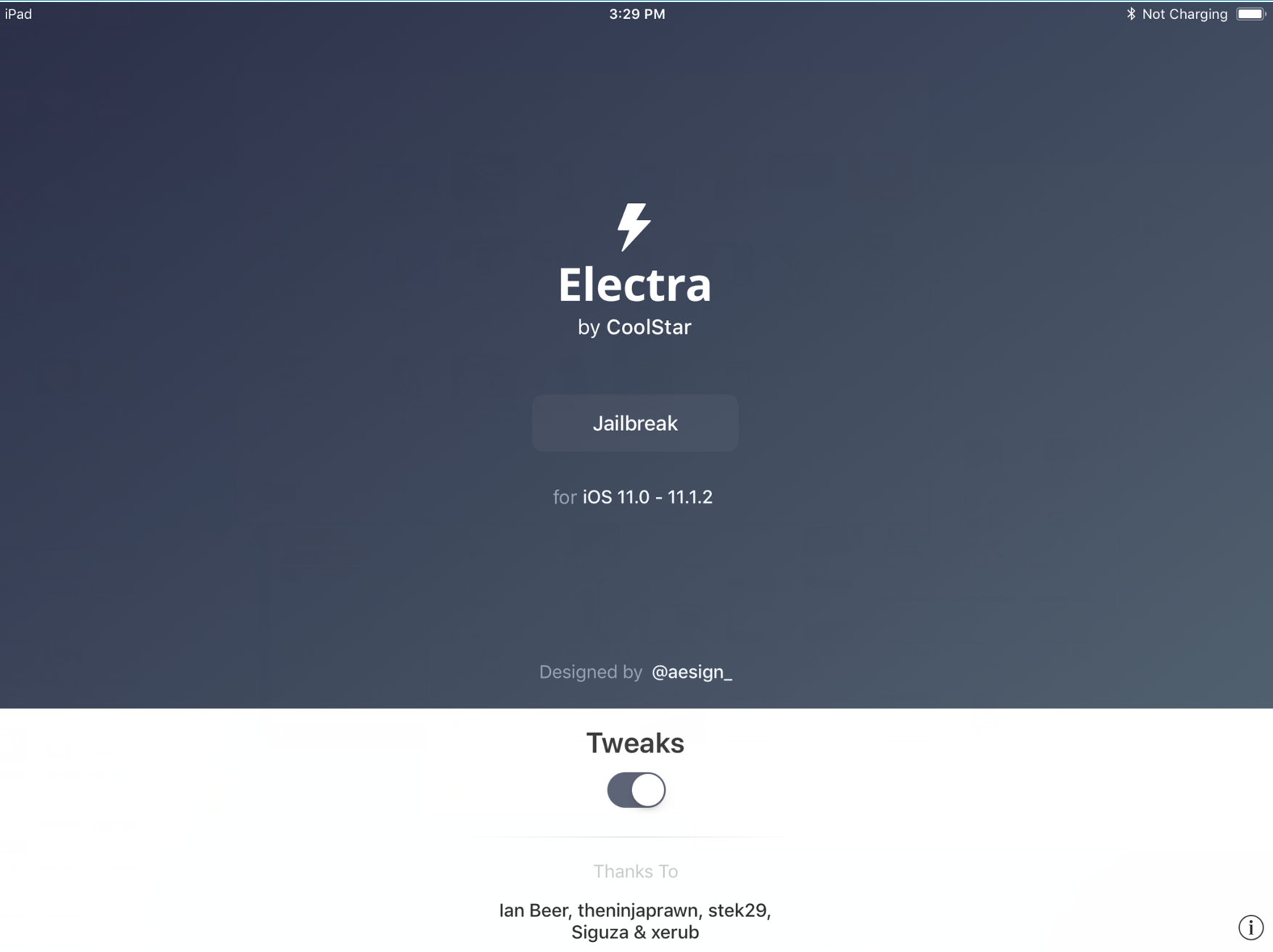
3. Run Electra --Click “Jailbreak”, and wait till the iDevice restarts.

How to Jailbreak iOS 11- iOS 11.1.2 Using 3uTools?


4.  After restarting, if there is a cydia icon on the home screen, that means your iDevice is already jailbroken. Otherwise, please re-operate step 1-3.


This is Semi-Untethered Jailbreak, so the iDevice will be restored to unjailbroken state if you restart it, and the cydia app may crash. Please re-operate step 3 and step 4
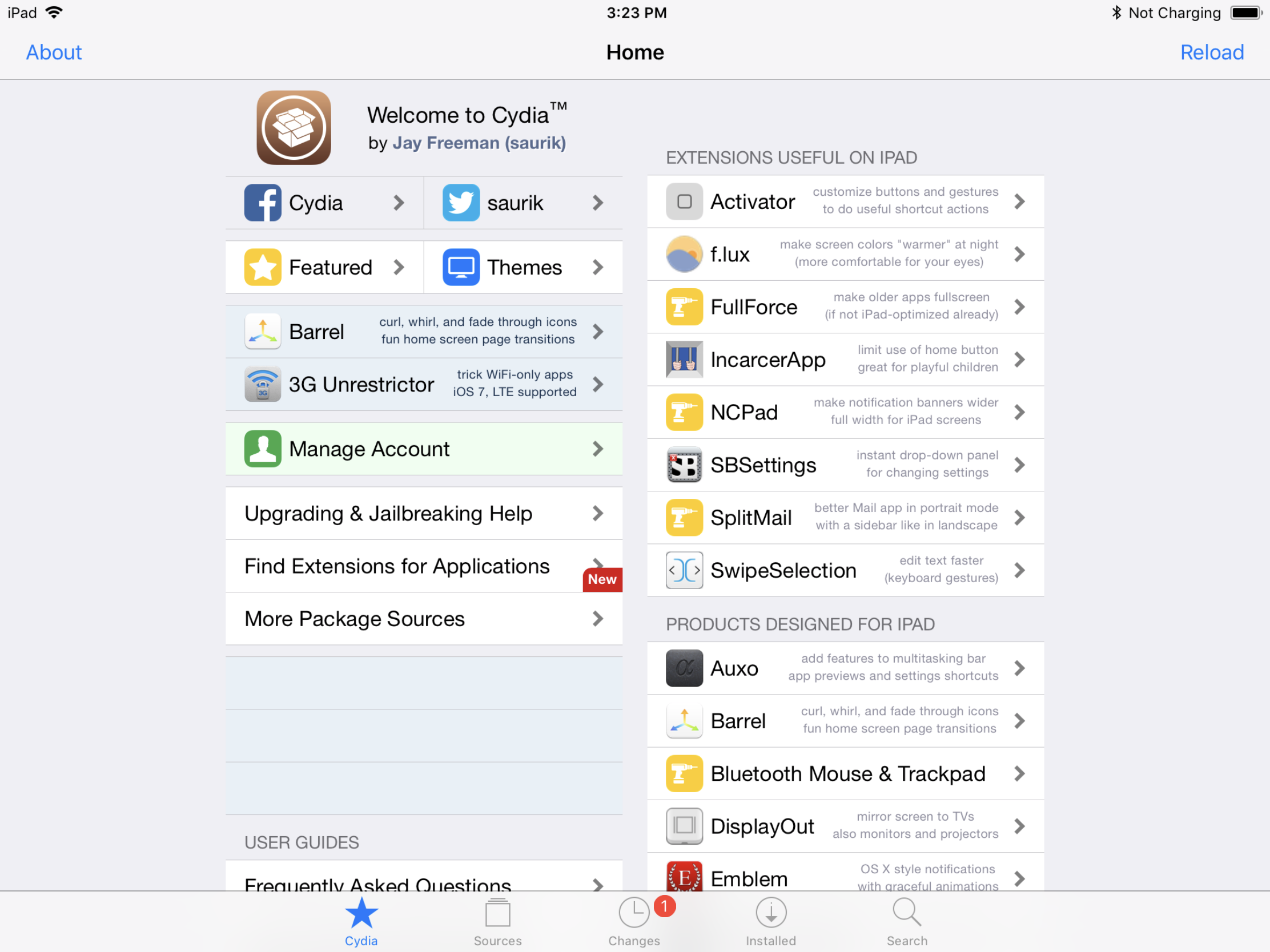

How to Jailbreak iOS 11- iOS 11.1.2 Using 3uTools?


And of course you could follow this tutorial if you want to remove Electra jailbreak.



Windows
Mac OS
iOS
Linux
3uTools
Win 64-bit For this device
V9.0 2025-11-11
Download
Win 32-bit For this device
V9.0 2025-11-11
Download
3uTools
Intel Chip How to Identify Chip Type
V9.0 2025-12-02
Download
Apple Chip
V9.0 2025-12-02
Download
How to Identify Chip Type
1.  Click the Apple icon in the top-left corner of the screen and select About This Mac.
2.  Check the Processor or Chip field to determine if it is "Intel" or "Apple".
Please use the 3uTools PC client to install the iOS client:
1、 Install either the Windows or Mac version of 3uTools on your computer
2、 Open the PC client and connect your device to the computer via USB cable
3、 After the connection is successful, wait for the computer to automatically install the mobile app for the device, or locate “Install Mobile App” on the computer and manually click to install.
3uTools
deb file
V3.01 2025-11-20
Download
rpm file
V3.01 2025-11-20
Download
Windows
Windows
iOS
iOS
Android
Android
TV
TV
3uAirPlayer
Win 64-bit For this device
V6.0.2 2025-11-19
Download
Win 32-bit For this device
V6.0.2 2025-11-19
Download
iOS Device Mirroring (No App Required)
1、 Install 3uAirPlayer on the Windows PC
2、 Open Control Center and select Screen Mirroring
3、 From the list, choose your PC to start mirroring
4、 Or connect your iOS device to the PC via USB to begin mirroring
Scan to get "3uAirPlayer" App
3uAirPlayer TV V1.0.18
2025-11-28
TV System Requirements: Android 7.0 or later
Download the TV installation package, copy it to a USB drive, insert it into your TV or set-top box, then select the file from the home screen to install.




