
TUTORIALS

Roundup: New and Noteworthy Jailbreak Tweaks of the Week

10/16/2017

6850

In case you were busy this week and didn’t get a chance to check Cydia, don’t worry as we have compiled a list of all the new tweaks that were released in the week which are worth checking out.


Roundup: New and Noteworthy Jailbreak Tweaks of the Week


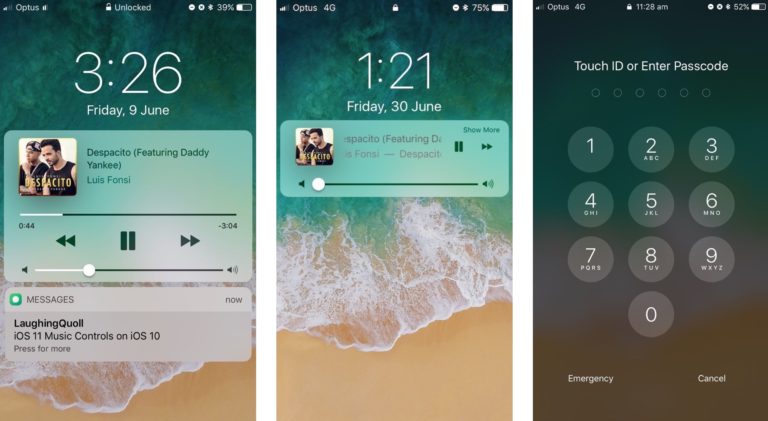
1. LockscreenXI 

LockscreenXI was created by iOS developer LaughingQuoll to port the iOS 11 Lock screenexperience over to jailbroken iOS 10 devices. Read our full review here.

Roundup: New and Noteworthy Jailbreak Tweaks of the Week


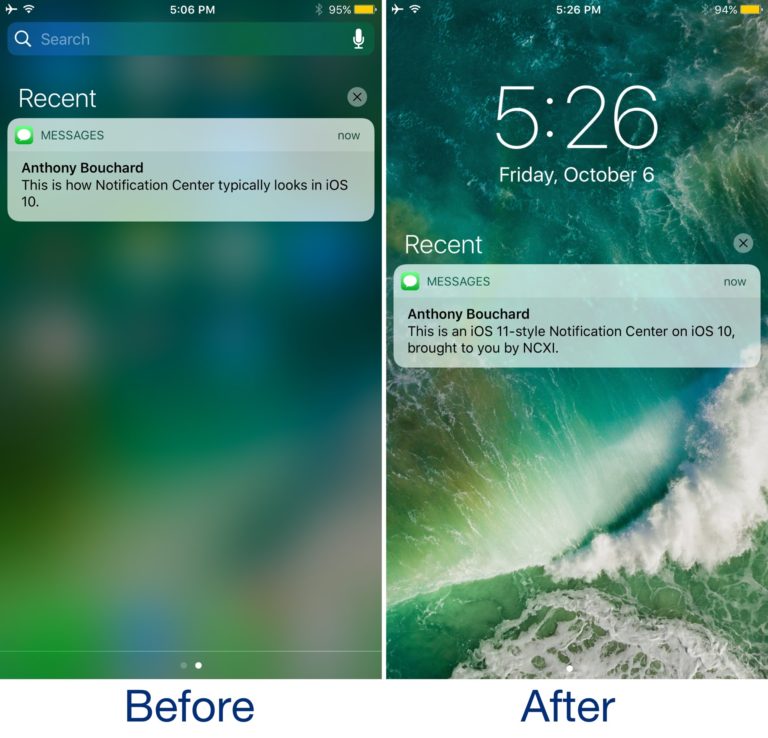
2. NotificationCenterXI 

NotificationCenterXI by iOS developer LaughingQuoll focuses on bringing an iOS 11-esque Notification Center experience to jailbroken iOS 10 devices. Read our full review here.

Roundup: New and Noteworthy Jailbreak Tweaks of the Week

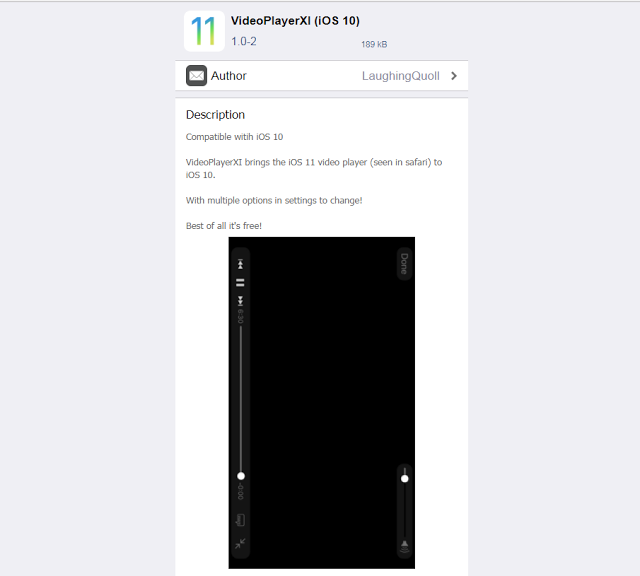
3. VideoPlayerXI

Another significant change that made it into iOS 11 was an entirely redesigned video player interface, and a jailbreak tweak called VideoPlayerXI by iOS developer LaughingQuoll ports it to jailbroken iOS 10 devices. Click here to view more.
Read our full review here.


Roundup: New and Noteworthy Jailbreak Tweaks of the Week


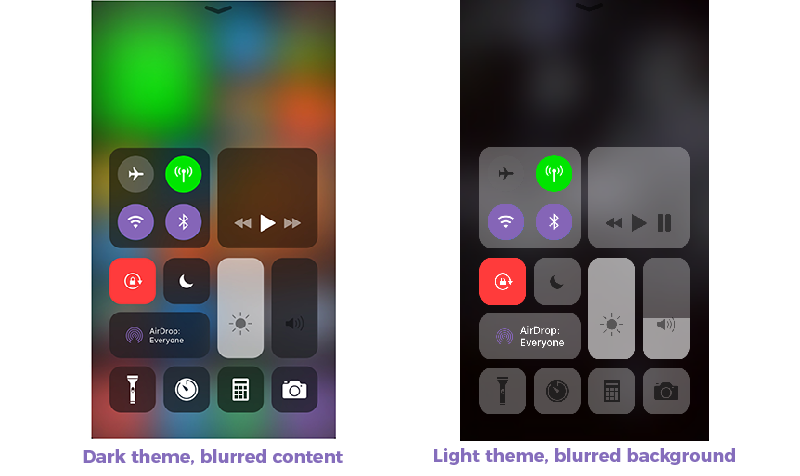
4. ControlCenterXI

ControlCenterXI, by LaughingQuoll, is a new tweak which is a part of the Eleven tweak bundle. For those who are unfamiliar with Eleven. Read our full review here.

Roundup: New and Noteworthy Jailbreak Tweaks of the Week


5. SelfieTime

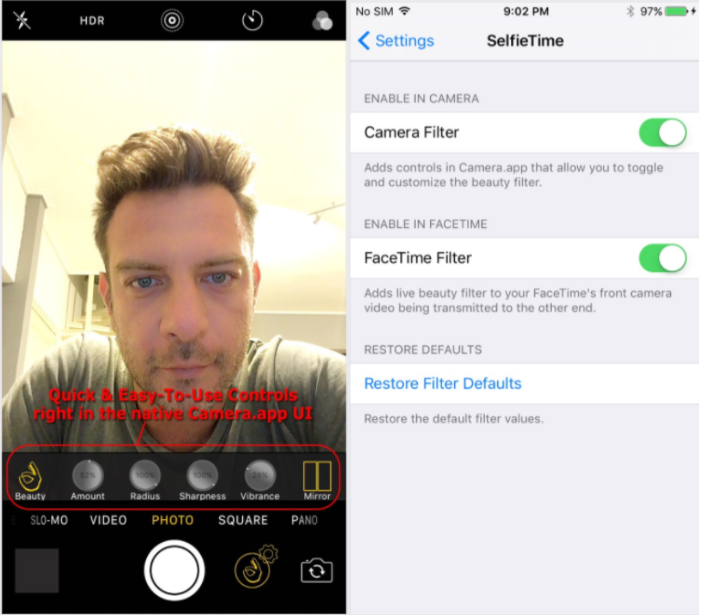
SelfieTime adds a professional-level face smoothing filter to your selfies and your FaceTime Video! Finally, a quality face filter in the native Camera.app for us jailbreakers! Read our full review here.

Roundup: New and Noteworthy Jailbreak Tweaks of the Week


6. UpsideBoard

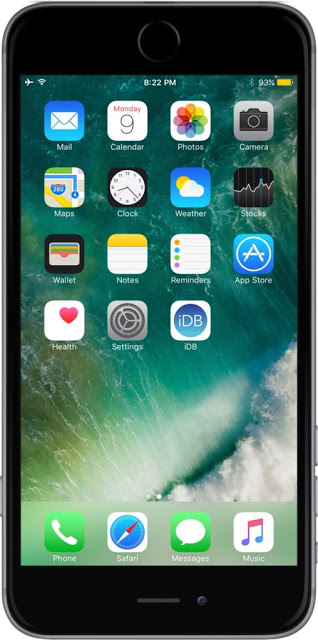
A new free jailbreak tweak called UpsideBoard was released by iOS developer ipad_kid. You are able to add home button on top on your jailbroken iDevice. Read our full review here.

Roundup: New and Noteworthy Jailbreak Tweaks of the Week


More Tweaks for iOS 10-10.2, you could refer here.

Windows
Mac OS
iOS
Linux
3uTools
Win 64-bit For this device
V9.0 2025-11-11
Download
Win 32-bit For this device
V9.0 2025-11-11
Download
3uTools
Intel Chip How to Identify Chip Type
V9.0 2025-12-02
Download
Apple Silicon
V9.0 2025-12-02
Download
How to Identify Chip Type
1.  Click the Apple icon in the top-left corner of the screen and select About This Mac.
2.  Check the Processor or Chip field to determine if it is "Intel" or "Apple".
Please use the 3uTools PC client to install the iOS client:
1、 Install either the Windows or Mac version of 3uTools on your computer
2、 Open the PC client and connect your device to the computer via USB cable
3、 After the connection is successful, wait for the computer to automatically install the mobile app for the device, or locate “Install Mobile App” on the computer and manually click to install.
3uTools
deb file
V3.01 2025-11-20
Download
rpm file
V3.01 2025-11-20
Download
Windows
Windows
iOS
iOS
Android
Android
TV
TV
3uAirPlayer
Win 64-bit For this device
V6.0.2 2025-11-19
Download
Win 32-bit For this device
V6.0.2 2025-11-19
Download
iOS Device Mirroring (No App Required)
1、 Install 3uAirPlayer on the Windows PC
2、 Open Control Center and select Screen Mirroring
3、 From the list, choose your PC to start mirroring
4、 Or connect your iOS device to the PC via USB to begin mirroring
Scan to get "3uAirPlayer" App
3uAirPlayer TV V1.0.18
2025-11-28
TV System Requirements: Android 7.0 or later
Download the TV installation package, copy it to a USB drive, insert it into your TV or set-top box, then select the file from the home screen to install.




