 NEWS
NEWS
iOS 13.4.5 Beta Suggests Apple's 'iPhone SE 2' Will Support 'CarKey'
 04/01/2020
 3067
3067
Apple's latest iOS 13.4.5 beta contains snippets of code that reveal details about the company's CarKey digital key API and potential integrations with a rumored low-cost iPhone.
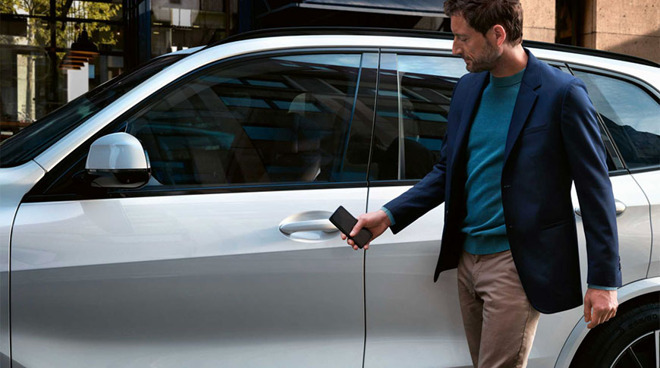
BMW's is rumored to be an early CarKey partner.
Initial details about CarKey were first discovered in an iOS 13.4 beta in February, and though the API certainly exists, there's few concrete details about it. At the same time, Apple is expected to be on the verge of releasing an entry-level "iPhone SE 2" model.
Now, it appears that code strings in the new iOS 13.4.5 beta spotted by 9to5Mac reveal more details about CarKey. They also tangentially hint that the "iPhone SE 2" may make its debut in the near future.
More specifically, it appears that Apple has added new code that mentions CarKey compatibility with a Touch ID-equipped iPhone. Previously, it appeared that the feature would only be supported by newer devices with Face ID.
The code in question refers to a so-called "Express Mode" that would allow users to use CarKey without authenticating via a passcode or biometrics. It adds that the feature "may be available when your iPhone needs to be charged," suggesting power reserve support.
Which is where the "iPhone SE 2" comes in. Express Mode is assumedly based on Apple's current Express Transit feature, and is compatible with the iPhone 6s and later. But Express Transit with power reserve only works on newer devices, handsets like iPhone XR and iPhone 11 that also happen to feature Face ID.
The key factor here could be the ability to scan NFC tags in the background. Previous leaked code suggested that the "iPhone SE 2" could sport that feature.
Because the iPhone 8 is Apple's lone Touch ID model, and that model does not support power reserve, it can be assumed that the specific Touch ID-equipped and power reserve-supporting device mentioned in the code is likely the upcoming "iPhone SE 2."
Lastly, another iOS 13.4.5 code string indicates that CarKey will not be available on older devices. That probably means it will at least require background NFC scanning and Express Mode support to function.
The so-called CarKey API, revealed in February, will supposedly let users lock, unlock or even start compatible vehicles with their iPhones or Apple Watches.
Apple's so-called "iPhone SE 2," which may alternatively be called the "iPhone 9," is expected to be a 4.7-inch device with an A13 chip, Touch ID and a form factor similar to the iPhone 8.
Source: Appleinsider









