 NEWS
NEWS
Only 'iPhone 12 Pro' Models Expected Have Time-of-Flight Sensor
 03/18/2020
 3261
3261
Code found in an iOS 14 leak indicates two of the three upcoming "iPhone 12" models will have a time-of-flight sensor, suggesting the non-pro model will not.
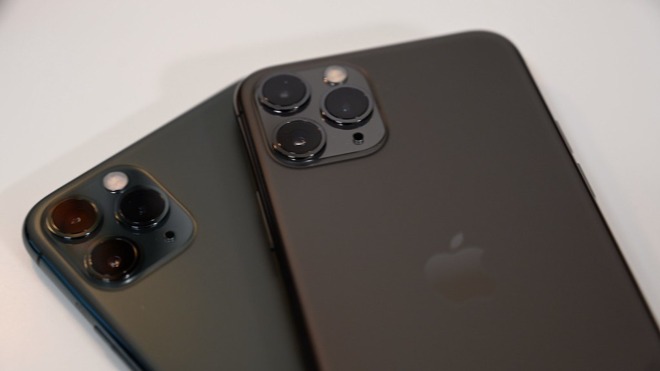
The iPhone Pro models always get at least one distinguishing camera feature over the standard models
A time-of-flight sensor that utilizes infrared technology similar to the Face ID array could be on the new "iPhone 12 Pro" and "iPhone 12 Pro Max" that are due to launch in fall 2020. Such a sensor will allow 3D mapping of objects and the environment for a massively improved augmented reality experience.
Apple tends to differentiate between their iPhone and iPhone Pro models by including special features in the pro line. The iPhone 11 Pro and iPhone 11 Pro Max have a telephoto lens in their rear camera array, while the standard iPhone 11 does not. The addition of a time-of-flight sensor as a premium-only upgrade would further distinguish the models.
There are several uses for such a sensor on the rear of the phone. Scanning the environment with a dedicated sensor would mean faster, if not instant, launch times for augmented reality apps. This would eliminate users having to "scan" the environment manually by panning their device around first.
Photography could be massively improved by the sensor by offering better portrait mode features by having full 3D maps of an image rather than using juxtaposition of two lens to determine depth.
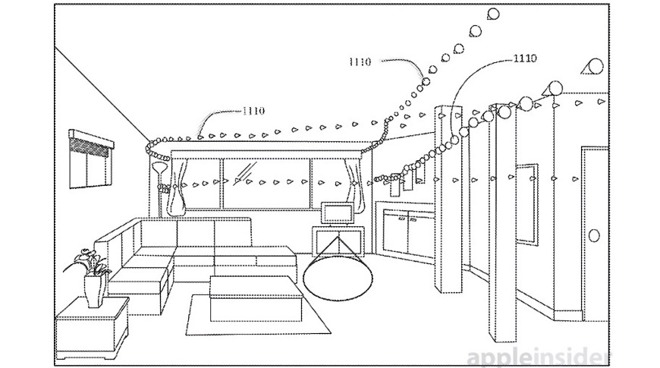
A time-of-flight sensor could make environment mapping much faster and more accurate for AR
The new time-of-flight sensor was first rumored for the next iPad Pro that is expected to launch soon. Code obtained by 9to5Mac for an early build of iOS 14 is the source of these rumors, and indicate a lot of changes coming for Apple's iPhone operating system.
More leaks about hardware and software will surface between now and WWDC, which will take place entirely online for the first time. Stay tuned to AppleInsider as we sift through the latest rumors and bring the most relevant information to you as it occurs.
Source: Appleinsider









