 NEWS
NEWS
'iPhone SE 2' Said to Have Entered Final Production Verification Stage Ahead of Launch
 03/05/2020
 3484
3484
Apple's expected low-cost iPhone is said to be entering the final production stages, with the LCD screen for the model apparently undergoing verification ahead of its potentially imminent launch.
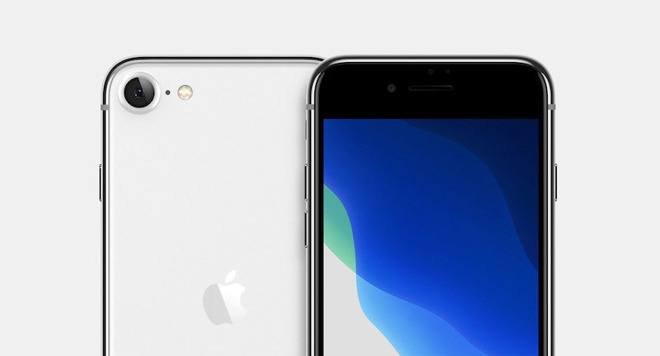
The "iPhone SE 2," which may be called the "iPhone 9," is expected to launch within the first half of 2020.
Despite the ongoing issues with the coronavirus affecting the Apple supply chain in China, it seems one upcoming model may not be too heavily impacted by the virus outbreak. If it is to be believed, the tentatively named "iPhone SE 2" is apparently still set to launch in the not too distant future.
Industry sources told the Taiwan-based DigiTimes that the model has entered the final verification stage of production at a manufacturing plant in Zhengzhou, China, according to a paywalled preview of an upcoming research piece.
The "iPhone SE 2," which could also potentially be dubbed the "iPhone 9," is expected to be an updated iPhone 8 with an A13 chipset and up to 3GB of RAM. It would retain the 4.7-inch display and Touch ID sensor of its predecessor, however.
Apple is still expected to debut the entry-level device within the first half of the year, possibly by the end of March. But the ongoing coronavirus outbreak could change or delay those plans.
In the wake of a string of high-profile tech event cancelations, it's looking unlikely that Apple will hold an in-person media event in March. As alternatives, the company may debut the iPhone SE 2 via press release or hold private media briefings to unveil the device.
In any case, the device might launch in short supply as Apple's assembly partners in China slowly ramp back up to full production after an extended closure due to COVID-19.
Source: Appleinsider









