 NEWS
NEWS
iPhone X Screen Cracked? Turns out you Don’t Have to Pay OLED Prices to Replace the Display
 03/03/2020
 3695
3695
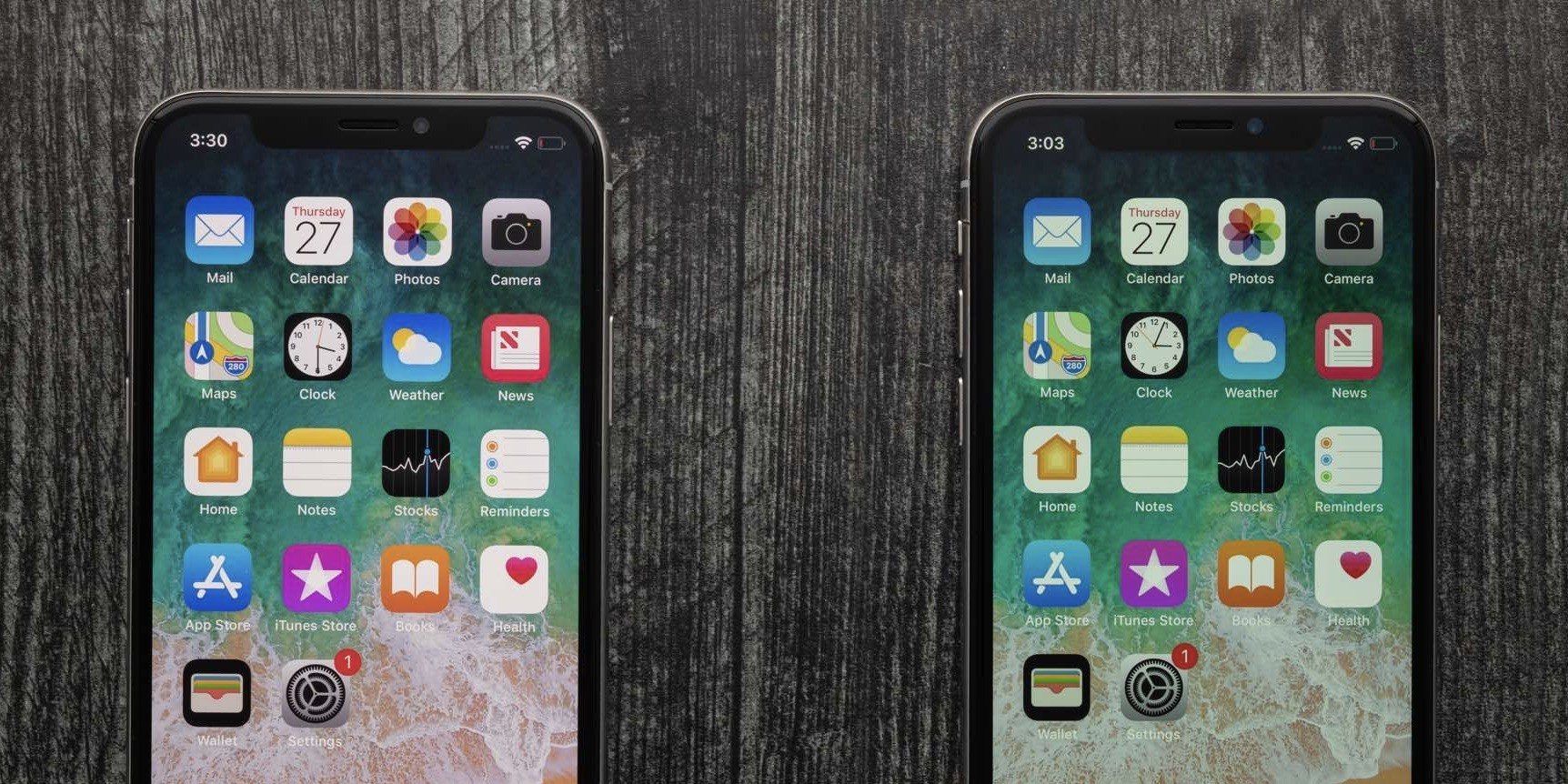
iFixit has been offering OLED screens for those who would like to tackle repairs on their own. Those go for around $100 less than what Apple charges for an official screen replacement but now, it’s started offering LCD replacement for iPhone X, XS, and XS Max. It’s an interesting downgrade from OLED but some on a budget with DIY interest might find it’s a great option.
Apple’s screen repair costs jumped considerably with the arrival of the iPhone X. At this point, it costs between $279 and $329 to get an OLED on the X, XS, and 11 Pro.
For those with an iPhone X, XS, or XS Max, there’s a new choice from iFixit, go for an LCD instead to save some money.
we’re now offering an LCD screen option for the iPhone X, XS, and XS Max. These LCDs (and their Fix Kits) are less than half the price of the OLED models we sell. They’re a little darker (about 50 nits worth), the resolution is a little lower, and the colors and contrast ratio won’t be quite the same.
And here’s the company’s pitch on why you might want to make those trade-offs: But you might remember that, until a couple years ago, most phones had LCD displays, including phones you probably loved. Apple notably stuck with LCD displays while Samsung was experimenting with early OLED, and Apple still uses LCDs in its iPhone 8 and XR models.
Indeed, it’s like turning your X or XS into a XR, display-wise anyway. iFixit’s new LCD options run $75 for the X, $85 for the XS, and then jump up to $165 for the XS Max.
iFixit highlights “these LCD replacements are hand-tested in the USA to our rigorous quality standards, and we back them up with a lifetime warranty.”
Source: Appleinsider









