 NEWS
NEWS
Machine Learning Could Help Apple Maps Fix Bogus GPS Coordinates
 02/14/2020
 2839
2839
Apple Maps may be able to provide its users with more accurate information about their location in the future, by using artificial intelligence to adjust GPS data when incorrect information or mistakes are detected in sensor readings.
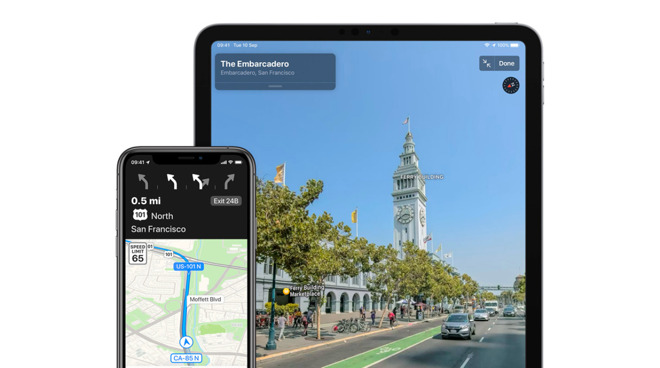
While GPS is a widely-used technology for geolocation, one that is especially useful for navigation while driving, it isn't necessarily as accurate as it could be. Mapping applications like Apple Maps occasionally show the wrong location for the user for a variety of different reasons.
These issues can include interference in the GPS signal caused by trees and mountains, going underground or indoors, signals reflecting off buildings in a city, solar storms, and even rare cases of radio interference or jamming.
These problems aren't just limited to GPS, as other Global Navigational Satellite Systems (GNSS) such as Glonass, Galileo, Beidou, and others can suffer from the same issues.
In the patent application published on Thursday by the US Patent and Trademark Office, Apple has come up with "Machine learning-assisted satellite-based positioning." In short, it is a way to analyze GPS data by comparing it against data acquired by a machine-learning model.
The idea is that the device receives its estimated position based on a GNSS signal, then acquiring a set of parameters associated with the estimated position. A reference position is then provided, close to where the estimated position of the device is, to help with correction.
A machine learning model is then generated based on the estimated device position, the reference position, and a set of parameters. This machine learning model is then used to estimate the device's location for future GPS readings, until a period of time has elapsed or they have moved to an area where the parameters and the model are inaccurate.
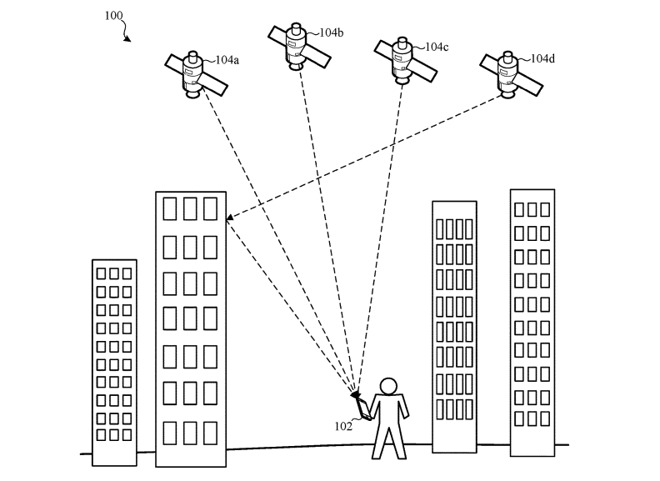
An example of how a device could have incorrect positioning due to GPS signals reflecting off a building.
In effect, the device generates the model using the two sets of positioning data to determine how far out from its real position its received GPS coordinates are. For example, in a city with tall buildings, the model could be informed the signal could be reflected, and take that into account along with previous position readings and the general direction of transit to work out a more accurate position based on misguided data.
Apple has included extra claims to take into account the use of a second device, including providing the model to others for use and storage. A Kalman filter, which can be used to estimate data based on a collection of noisy measurements, is also suggested for use, as well as accounting for "an amount of uncertainty" for measurements and subsequent positions, and for alerting the user that the position is revised and either takes into account or disregards the GPS data.
The filing lists its inventors as Benjamin A. Werner, Brent M. Ledvina, Dennis P. Hilgenberg, and Aarti Sathyanarayana.
Apple files numerous patent applications every week, and though the filings indicate areas of interest for Apple's research and development teams, it doesn't guarantee the possibility of Apple adding it to a future product or service.
Apple has been keen to increase its work on machine learning in recent years, including hiring senior Google AI scientist and noted AI expert Ian Goodfellow in 2019 and acquiring firms like Drive.ai and Laserlike. The majority of its public-facing ML work is with Siri, and that too has seen some location-aware improvements.
In August 2018, Apple detailed its use of geographic language models to improve Siri's knowledge of local terminology and locations, helping reduce point of interest-based searched by 18.7 percent.
Source: Appleinsider









