
NEWS

Apple Releases Swift Playgrounds App for Mac

02/12/2020

3784

Apple today released a Catalyst-based Swift Playgrounds app for the Mac, which was built from the existing Swift Playgrounds app for the iPad.
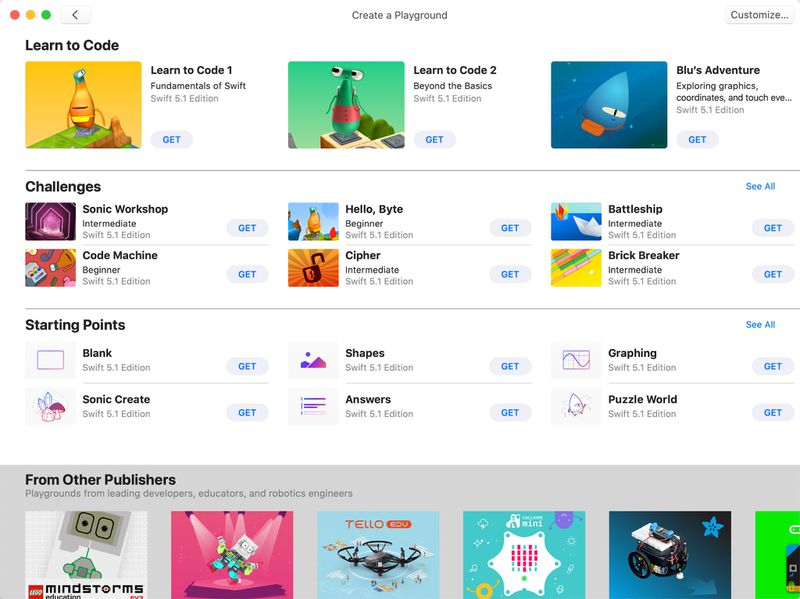
Apple Releases Swift Playgrounds App for Mac
Like Swift Playgrounds for ‌iPad‌, Swift Playgrounds for Mac is designed to provide exercises and challenges to help users learn the basics of coding. The app requires no coding knowledge to use and is ideal for students who are just starting out with coding.
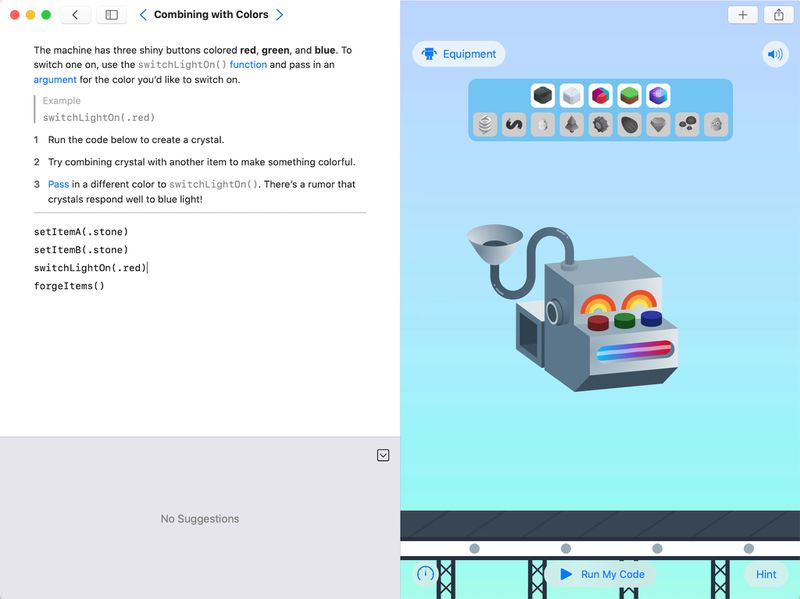
Apple Releases Swift Playgrounds App for Mac

Swift Playgrounds is a revolutionary app for Mac and ‌iPad‌ that makes it fun to learn and experiment with code. You solve interactive puzzles in the guided "Learn to Code" lessons to master the basics of coding, or experiment with a wide range of challenges that let you explore many unique coding experiences.


Swift Playgrounds requires no coding knowledge, so it's perfect for students just starting out, from twelve to one-hundred-and-twelve. The whole time you are learning Swift, a powerful programming language created by Apple and used by professionals to build many of today's most popular apps. Code you write works seamlessly as you move between Mac and ‌iPad‌.


Swift Playgrounds for Mac is available from the Mac App Store as of today, and it is a free download.


Source: Macrumors

Windows
Mac OS
iOS
Linux
3uTools
Win 64-bit For this device
V9.0 2025-11-11
Download
Win 32-bit For this device
V9.0 2025-11-11
Download
3uTools
Intel Chip How to Identify Chip Type
V9.0 2025-12-02
Download
Apple Chip
V9.0 2025-12-02
Download
How to Identify Chip Type
1.  Click the Apple icon in the top-left corner of the screen and select About This Mac.
2.  Check the Processor or Chip field to determine if it is "Intel" or "Apple".
Please use the 3uTools PC client to install the iOS client:
1、 Install either the Windows or Mac version of 3uTools on your computer
2、 Open the PC client and connect your device to the computer via USB cable
3、 After the connection is successful, wait for the computer to automatically install the mobile app for the device, or locate “Install Mobile App” on the computer and manually click to install.
3uTools
deb file
V3.01 2025-11-20
Download
rpm file
V3.01 2025-11-20
Download
Windows
Windows
iOS
iOS
Android
Android
TV
TV
3uAirPlayer
Win 64-bit For this device
V6.0.2 2025-11-19
Download
Win 32-bit For this device
V6.0.2 2025-11-19
Download
iOS Device Mirroring (No App Required)
1、 Install 3uAirPlayer on the Windows PC
2、 Open Control Center and select Screen Mirroring
3、 From the list, choose your PC to start mirroring
4、 Or connect your iOS device to the PC via USB to begin mirroring
Scan to get "3uAirPlayer" App
3uAirPlayer TV V1.0.18
2025-11-28
TV System Requirements: Android 7.0 or later
Download the TV installation package, copy it to a USB drive, insert it into your TV or set-top box, then select the file from the home screen to install.




