 NEWS
NEWS
No, the EU Isn’t Asking Apple to Kill the Lightning Cable
 01/18/2020
 3361
3361
You might have read headlines today about how the EU is looking to force Apple to ditch the Lightning cable. That’s not really true.
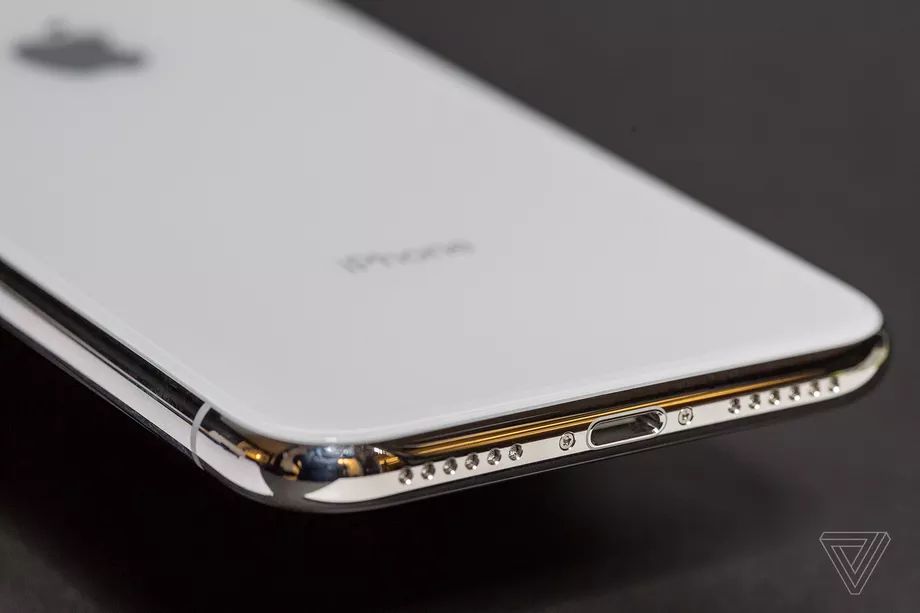
Since 2009, the European Commission has been trying to convince tech companies to adopt a single wall charger instead of opting for a proprietary method, one that can power any and all portable devices. And now, following a recent statement by the Commission at Parliament that calls for stricter enforcement on the matter — possibly to the point of regulation — a few publications have been erroneously convinced that this action could lead to Apple’s Lightning port and cable disappearing once and for all, and forcing Apple to adopt USB-C across the board. But that’s based on a fundamental misunderstanding of both the EC’s intent and how charging actually works.
First, this statement wasn’t even about phone cables or connector ports, unlike in previous years. (At the behest of the Commission in previous years, Apple complied by making a Micro USB to 30-pin adapter for phones predating the iPhone 5, and for more recent phones, it made a Micro USB to Lightning adapter). This time, it’s about wall chargers. Vice president of the European Commission Maroš Šefčovič shared that when its quest for the common charger began in 2009, there were over 30 proprietary charging methods in use. Now, there are apparently just three. Even so, he shares that old, discarded chargers make up for 51,000 metric tons of e-waste per year.
Apple already includes 18W USB-C wall chargers, as well as Lightning to USB-C cables, with its iPhone 11 Pro and iPhone 11 Pro Max. The company’s 2018 iPad Pro and complete lineup of MacBook laptops use USB-C chargers and cables as well, and the most powerful USB-C chargers that Apple ships are equally capable of powering a laptop, tablet or phone — they’re universal. Apple might lag behind with the chargers included with some of its products, like the 5W USB Type-A charger that comes with the standard iPhone 11, but it’s making progress toward this common charger initiative, and that progress doesn’t seem to be coming to an end.
And even if every charger in the world magically turned into a USB-C charger tomorrow, that still wouldn’t force Apple to remove the Lightning ports from its phones. Again, Apple already sells and ships a USB-C to Lightning cable.
It makes sense that news outlets are invoking Apple’s name when it comes to cables and chargers. (The EC didn’t mention Apple at all.) It’s one of the biggest companies in the world, and thus, defunct Apple chargers likely make up a large part of the e-waste pile. Until 2014, the European Commission says it relied on the tech industry itself to volunteer in making the shift toward a common charger. Now it’s considering regulations to put them in line. And, if that’s what is necessary to force them all to include fast-charging USB-C wall adapters in the box, Apple included, it’s hard not to get behind the initiative.
Source: The Verge









