 NEWS
NEWS
Apple Marks Chinese New Year With 'Shot on iPhone' film 'Daughter'
 01/13/2020
 2674
2674
Apple has marked the Chinese New Year with its latest "Shot on iPhone" video, a short film recorded on the iPhone 11 Pro featuring three generations of Chinese women gathering together for the annual event.
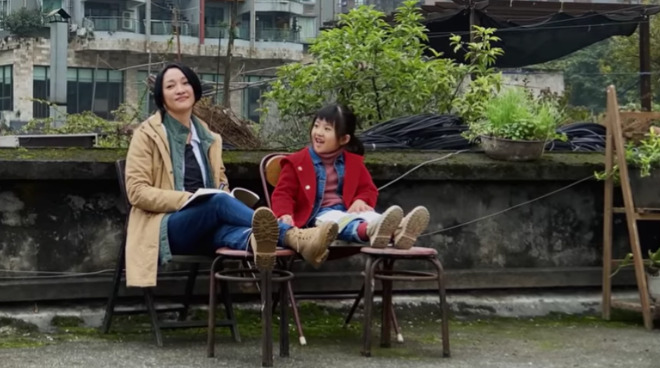
The eight-minute video titled "Chinese New Year - Daughter" start off with a mother being troubled by criticism that she took her daughter to work as a taxi driver. Throughout the film, scenes switch between older conversations and the present day, showing other conversations in the mother's life.
Towards the end of the film, a family reunion of the three generations takes place in the back of the taxi. It is then revealed to the child the older lady is her grandmother, who made dumplings each year while searching for her lost family.
The film is directed by Theodore Melfi, who directed the Best Picture Oscar-nominated "Hidden Figures." Cinematography is by Lawrence Sher, who filled the role for "Joker," identified as a "2020 Golden Globe Awards nominated film." Star Zhou Xun is also given a promotional introduction in the opening credits, described as "China's leading actress."
A companion making-of video shows how the film was captured on an iPhone 11 Pro. While sometimes extra equipment is used to mount the iPhone and to move it around, as with other Shot on iPhone video productions, some scenes are filmed using just the iPhone without any additional hardware.
Praise is given to the iPhone by Sher for its ability to handle low light, its stabilization capabilities, and the triple camera setup on the back of the device.
The impressive production for the film is similar to that of the Shot on iPhone video for the 2019 Chinese New Year, which was created on the iPhone XS by director and screenwriter Jia Zhangke.
Source: Appleinsider









