 NEWS
NEWS
TiVo app for Apple TV 'in Limbo' due to Technical Issues, Strategy Shift
 01/09/2020
 2529
2529
TiVo owners looking to stream live and recorded video to Apple TV through an official app could be in for a long wait, as the company on Wednesday said a tvOS version of the promised release is "in limbo."
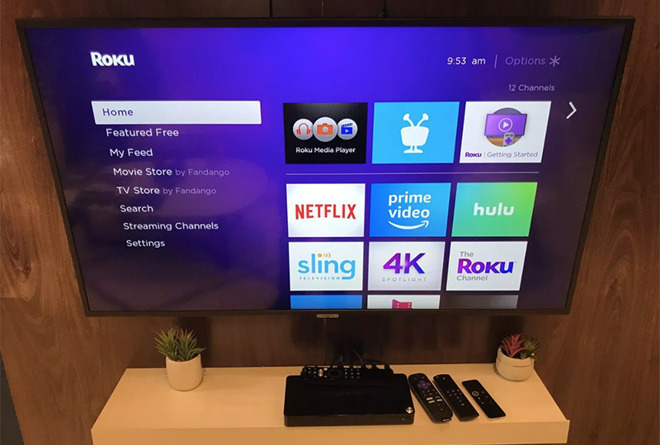
Speaking with TechHive at CES, TiVo VP of consumer products and services Ted Malone said the company's plans to launch streaming apps on Apple TV and Roku have changed.
Announced during CES 2019, the project was originally designed to answer longstanding customer requests for a native app capable of feeding TiVo content to third-party streaming devices. For example, a tvOS iteration would enable Apple TV owners to access live and recorded content from a TiVo set-top box without investing in multiple devices.
Beyond a brief mention of potential specifications last January, TiVo has remained mum on the initiative over the past 12 months.
According to Malone, the delays for Apple TV and Roku boil down to limited resources, technical challenges and strategy changes, the report said. The company has yet to work out quality and performance issues stemming from the video transcoding process, which is required to stream TiVo content to non-TiVo hardware.
"My bet is we'll get Android, and because of that we'll get the Fire TV, because it's the same app, just different qualifications," he said. "I think Roku and Apple are in limbo."
An Android variant of the app is likely in the offing because TiVo's new TiVo Stream 4K device runs on the operating system. For now, however, the company is concentrating on more lucrative undertakings like the buildout of its streaming platform.
"If we really believe the streaming market is where it's at, we need to double down on that and not get distracted by a bunch of things that other people want, but aren't really going to move the needle," Malone said.
TiVo initially planned to make its app lineup free to use as an add-on to typical monthly rates, with an estimated launch in the second and third quarters of 2019.
Source: Appleinsider









