NEWS

OnLeaks Shares 'iPhone 9' Renders: 0.5mm Thicker Than iPhone 8, Shiny Frame and Glass Back Are Assum

01/08/2020

2775

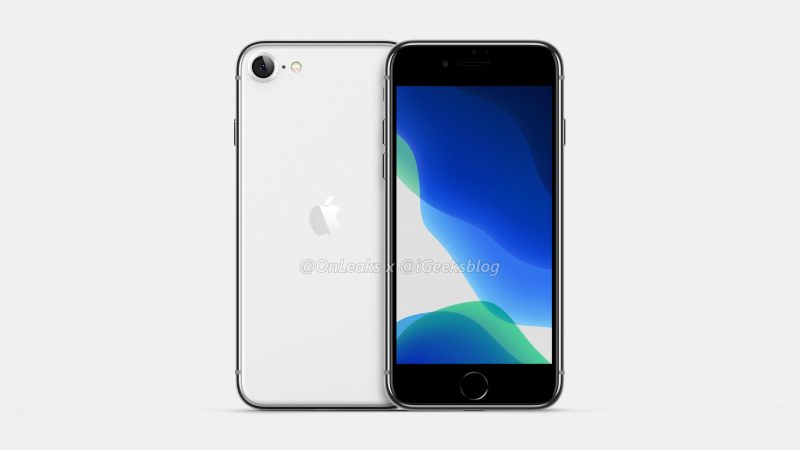
OnLeaks, a well-known leaker who shared accurate renders of the iPhone 11 Pro over nine months before the device was unveiled, has returned with new concept art for the so-called "iPhone 9" or "iPhone SE 2" by way of iGeeksBlog. 

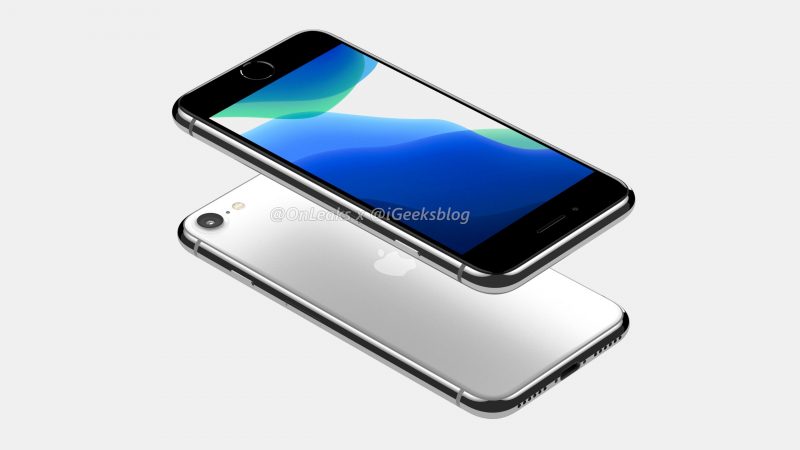
In line with earlier predictions from analyst Ming-Chi Kuo, OnLeaks expects the iPhone 9 to resemble the iPhone 8, including a 4.7-inch LCD display with thick bezels, Touch ID home button, and single-lens rear camera. And unlike the original iPhone SE, the device would not have a headphone jack. 
OnLeaks Shares 'iPhone 9' Renders: 0.5mm Thicker Than iPhone 8, Shiny Frame and Glass Back Are Assum
A key upgrade to the iPhone 9 would be a faster A13 Bionic chip, and the device is expected to lack hardware-based 3D Touch. 

Where things get less certain is materials. While the renders depict the iPhone 9 with a polished metal frame and a frosted glass back like the iPhone 11 Pro, OnLeaks tells us that these design aspects are purely his assumptions. With the iPhone 9 predicted to start around $399, it is possible that Apple will stick with some cheaper materials like the matte aluminum frame on the iPhone 8. 

OnLeaks expects the iPhone 9 to be 7.8mm thick, which would be 0.5mm thicker than the iPhone 8, while the height and width of the device will supposedly be virtually identical to the iPhone 8 at around 138.5mm x 67.4mm. Unlike the materials shown in the renders, OnLeaks tells us that these dimensions are not assumptions. 


Ming-Chi Kuo previously said the iPhone 9 will be released by the end of March. He expects the device to have 64GB and 128GB storage options, with Space Gray, Silver, and (PRODUCT)RED color options.


Source: Macrumors

Windows
Mac OS
iOS
Linux
3uTools
Win 64-bit For this device
V9.0 2025-11-11
Download
Win 32-bit For this device
V9.0 2025-11-11
Download
3uTools
Intel Chip How to Identify Chip Type
V9.0 2025-12-02
Download
Apple Chip
V9.0 2025-12-02
Download
How to Identify Chip Type
1.  Click the Apple icon in the top-left corner of the screen and select About This Mac.
2.  Check the Processor or Chip field to determine if it is "Intel" or "Apple".
Please use the 3uTools PC client to install the iOS client:
1、 Install either the Windows or Mac version of 3uTools on your computer
2、 Open the PC client and connect your device to the computer via USB cable
3、 After the connection is successful, wait for the computer to automatically install the mobile app for the device, or locate “Install Mobile App” on the computer and manually click to install.
3uTools
deb file
V3.01 2025-11-20
Download
rpm file
V3.01 2025-11-20
Download
Windows
Windows
iOS
iOS
Android
Android
TV
TV
3uAirPlayer
Win 64-bit For this device
V6.0.2 2025-11-19
Download
Win 32-bit For this device
V6.0.2 2025-11-19
Download
iOS Device Mirroring (No App Required)
1、 Install 3uAirPlayer on the Windows PC
2、 Open Control Center and select Screen Mirroring
3、 From the list, choose your PC to start mirroring
4、 Or connect your iOS device to the PC via USB to begin mirroring
Scan to get "3uAirPlayer" App
3uAirPlayer TV V1.0.18
2025-11-28
TV System Requirements: Android 7.0 or later
Download the TV installation package, copy it to a USB drive, insert it into your TV or set-top box, then select the file from the home screen to install.