
NEWS

Apple may Split its 5G 'iPhone 12' Into two Launches

01/07/2020

2508

A financial analyst claims that Apple will divide its 5G launches into one for the slower sub-6GHz "iPhone 12" in September, and one for the faster mmWave models in December or January 2021.
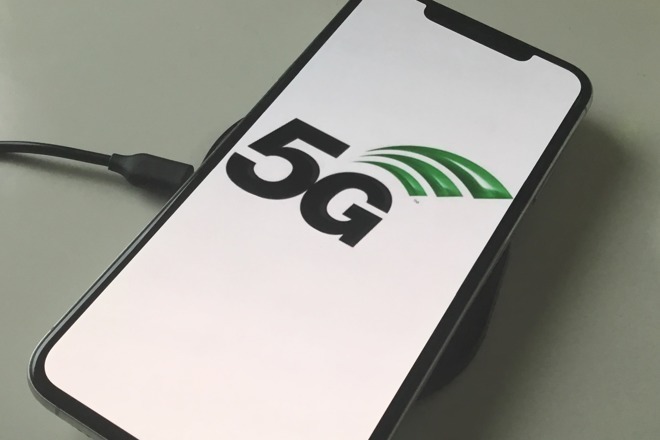
Apple may Split its 5G 'iPhone 12' Into two Launches


While Apple reportedly remains on track to release a 5G capable "iPhone 12" later this year, a new report from financial analysis firm Susquehanna claims that the launch will be in two parts. At the regular September unveiling, analyst Mehdi Hosseini says Apple will release only phones that use the slower sub-6GHz variant of 5G.

Then further iPhones with the faster mmWave 5G may launch in December this year or January of 2021. 

"The delay in the launch," says Hosseini in a note seen by StreetInsider, "stems from Apple's decision to in-source the Antenna-in-Package (AiP) modules instead of purchasing from the third party."

Apple has previously long been reported to be developing its own 5G modem. Initially reports claimed it would be ready by 2025, then estimates came down to 2022.

Following the recent settlement of legal disputes between the two companies, Qualcomm has reportedly been developing 5G "as fast as we can." At the same time, Intel withdrew from 5G development and Apple subsequently bought that firm's modem business.

Susquehenna's Hosseini expects Apple to make 52 million of the sub-6GHz iPhones and then 8 million of the mmWave version. 

The same report says that Apple will continue to use LCD for one of the sub-6GHz iPhones rather than switching to OLED for the whole range.


Source: Appleinsider

Windows
Mac OS
iOS
Linux
3uTools
Win 64-bit For this device
V9.0 2025-11-11
Download
Win 32-bit For this device
V9.0 2025-11-11
Download
3uTools
Intel Chip How to Identify Chip Type
V9.0 2025-12-02
Download
Apple Chip
V9.0 2025-12-02
Download
How to Identify Chip Type
1.  Click the Apple icon in the top-left corner of the screen and select About This Mac.
2.  Check the Processor or Chip field to determine if it is "Intel" or "Apple".
Please use the 3uTools PC client to install the iOS client:
1、 Install either the Windows or Mac version of 3uTools on your computer
2、 Open the PC client and connect your device to the computer via USB cable
3、 After the connection is successful, wait for the computer to automatically install the mobile app for the device, or locate “Install Mobile App” on the computer and manually click to install.
3uTools
deb file
V3.01 2025-11-20
Download
rpm file
V3.01 2025-11-20
Download
Windows
Windows
iOS
iOS
Android
Android
TV
TV
3uAirPlayer
Win 64-bit For this device
V6.0.2 2025-11-19
Download
Win 32-bit For this device
V6.0.2 2025-11-19
Download
iOS Device Mirroring (No App Required)
1、 Install 3uAirPlayer on the Windows PC
2、 Open Control Center and select Screen Mirroring
3、 From the list, choose your PC to start mirroring
4、 Or connect your iOS device to the PC via USB to begin mirroring
Scan to get "3uAirPlayer" App
3uAirPlayer TV V1.0.18
2025-11-28
TV System Requirements: Android 7.0 or later
Download the TV installation package, copy it to a USB drive, insert it into your TV or set-top box, then select the file from the home screen to install.




