 NEWS
NEWS
Apple to Hold Annual Shareholders Meeting on Feb. 26
 01/06/2020
 2413
2413
Apple is scheduled to hold its annual shareholders meeting in February at Apple Park's Steve Jobs Theater, where stock holders will cast votes on measures ranging from the election of the company's board of executives to three shareholder proposals.
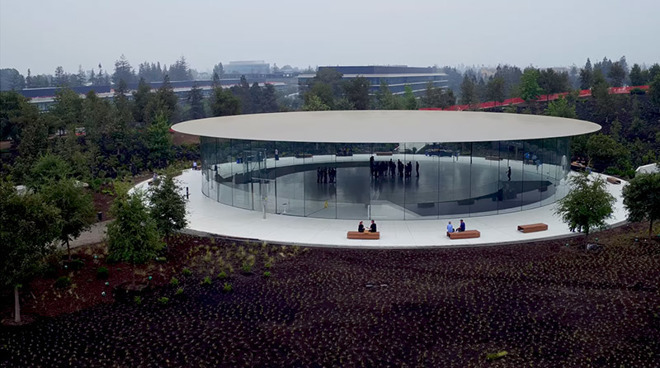
The meeting is slated to take place on Feb. 26 at 9 a.m. Pacific, according to a proxy statement filed with the U.S. Securities and Exchange Commission on Friday. Shareholders of record, or those who owned Apple stock at the close of business on Jan. 2, 2020, are invited to participate in person, but anyone with stake in the company can vote online through proxyvote.com.
For 2020, the meeting will cover a total of six proposals involving the election of directors, ratification of Ernst and Young as the independent registered public accounting firm and approval of executive compensation. Three shareholder proposals covering proxy access, sustainability and executive compensation, and policies of freedom of expression are also up for vote.
During 2019, CEO Cook once again netted the lowest payout amongst fellow C-suite executives at $11.5 million, including a $3 million base salary. Other executives, including CFO Luca Maestri, General Counsel Kate Adams, SVP of Retail and People Deidre O'Brien, COO Jeff Williams, and former retail chief Angela Ahrendts, reaped between $19 million and $25 million in salary, stock grants and incentives.
That said, Cook raked in $113.5 million in vested stock units and stands to gain hundreds of millions of dollars should Apple continue to perform at expectations, as he controls 1.26 million unvested stock units worth some $275.7 million, as well as 560,000 equity incentive plan awards worth $122.5 million.
Three shareholder proposals are on the docket for 2020, including yet another proxy access amendment that seeks a second shareholder-approved nominee to the board. Apple's current proxy access regulations limit access to 20 percent of immediately serving directors rounded down to the nearest whole number, which comes out to one director. The proposal would change that language to reflect a 20 percent figure "or 2, whichever is greater."
Apple recommends a vote against Proposal 5, noting existing programs like the yearly Supplier Responsibility Progress Report, Environmental Responsibility Report and Supplier Code of Conduct are already in place. Further, integrating the requested metrics into executive compensation would be redundant as they are already built in as core corporate values, the company says.
"An effective approach to "sustainability," as that term is defined by the proponent, requires more than simply tying executive compensation to the achievement of environmental, social, and governance goals," Apple says. "That is why, as a company, we already incorporate the Apple Values into our business strategy."
The company recommends voting against Proposal 6, saying it adheres to the laws and regulations of countries in which it operates.
Source: Appleinsider









