
NEWS

Apple Offers Free Two-Hour Holiday Delivery on Mac, iPhone, iPad, and Apple Watch Orders

12/24/2019

2313

Apple is offering free two hour delivery when customers purchase any Apple Watch, iPad, iPhone, or Mac, which is ideal for last minute shoppers. 

Through December 24 at 4:00 p.m. local time, customers who live in an area where courier delivery is available can get their orders for free. Apple normally charges $9 for same-day courier delivery. 
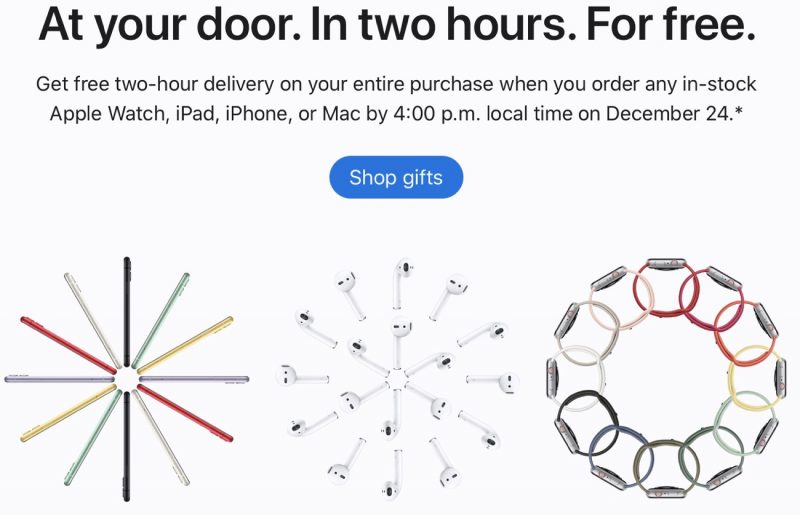
Apple Offers Free Two-Hour Holiday Delivery on Mac, iPhone, iPad, and Apple Watch Orders
Apple says that its courier delivery is available "in most metros," and it applies to the total order whenever an ‌Apple Watch‌, ‌iPad‌, ‌iPhone‌, or Mac is ordered. AirPods aren't available for free courier delivery on a standalone order basis, but can be included with other purchases. 

For deliveries that do not include an ‌Apple Watch‌, ‌iPad‌, ‌iPhone‌, or Mac, courier options are still available, but Apple is charging the standard $9 fee. Delivery cutoff is December 24 in most areas, but Apple says that December 25th delivery is available in New York City, Las Vegas, and Hawaii. 

Those who are not in an area where courier delivery is available can still get items before Christmas by using in-store pickup options.


Source: Macrumors

Windows
Mac OS
iOS
Linux
3uTools
Win 64-bit For this device
V9.0 2025-11-11
Download
Win 32-bit For this device
V9.0 2025-11-11
Download
3uTools
Intel Chip How to Identify Chip Type
V9.0 2025-12-02
Download
Apple Chip
V9.0 2025-12-02
Download
How to Identify Chip Type
1.  Click the Apple icon in the top-left corner of the screen and select About This Mac.
2.  Check the Processor or Chip field to determine if it is "Intel" or "Apple".
Please use the 3uTools PC client to install the iOS client:
1、 Install either the Windows or Mac version of 3uTools on your computer
2、 Open the PC client and connect your device to the computer via USB cable
3、 After the connection is successful, wait for the computer to automatically install the mobile app for the device, or locate “Install Mobile App” on the computer and manually click to install.
3uTools
deb file
V3.01 2025-11-20
Download
rpm file
V3.01 2025-11-20
Download
Windows
Windows
iOS
iOS
Android
Android
TV
TV
3uAirPlayer
Win 64-bit For this device
V6.0.2 2025-11-19
Download
Win 32-bit For this device
V6.0.2 2025-11-19
Download
iOS Device Mirroring (No App Required)
1、 Install 3uAirPlayer on the Windows PC
2、 Open Control Center and select Screen Mirroring
3、 From the list, choose your PC to start mirroring
4、 Or connect your iOS device to the PC via USB to begin mirroring
Scan to get "3uAirPlayer" App
3uAirPlayer TV V1.0.18
2025-11-28
TV System Requirements: Android 7.0 or later
Download the TV installation package, copy it to a USB drive, insert it into your TV or set-top box, then select the file from the home screen to install.




