
NEWS

Apple Offers Free Genetic Testing to Cupertino Employees

12/16/2019

2182

Through Apple's AC Wellness services that offer health benefits to Cupertino employees, Apple has begun providing its staff with free genetic testing, reports CNBC. 

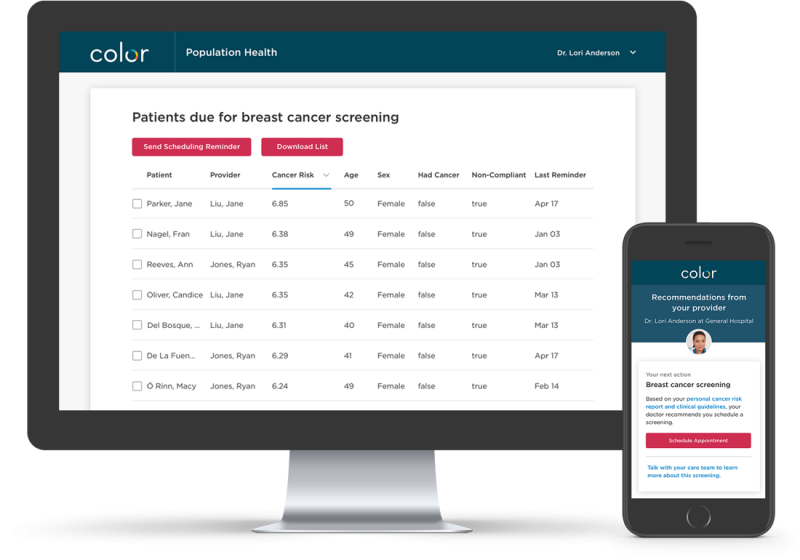
AC Wellness operates on-site health clinics on and near Apple's Cupertino campuses, and through a partnership with Color Genomics, employees are able to get genetic screenings for diseases. 
Apple Offers Free Genetic Testing to Cupertino Employees
Genetic testing is expected to help employees uncover health problems that could turn into risks later in time, allowing patients to take preventative steps. Color's test is able to look for gene mutations associated with cancer and cardiovascular disease. 

The test created by Color is not sold directly to consumers and is instead ordered by clinicians at AC Wellness, with a follow up appointment required to discuss the health results.


Source: Macrumors

Windows
Mac OS
iOS
Linux
3uTools
Win 64-bit For this device
V9.0 2025-11-11
Download
Win 32-bit For this device
V9.0 2025-11-11
Download
3uTools
Intel Chip How to Identify Chip Type
V9.0 2025-12-02
Download
Apple Chip
V9.0 2025-12-02
Download
How to Identify Chip Type
1.  Click the Apple icon in the top-left corner of the screen and select About This Mac.
2.  Check the Processor or Chip field to determine if it is "Intel" or "Apple".
Please use the 3uTools PC client to install the iOS client:
1、 Install either the Windows or Mac version of 3uTools on your computer
2、 Open the PC client and connect your device to the computer via USB cable
3、 After the connection is successful, wait for the computer to automatically install the mobile app for the device, or locate “Install Mobile App” on the computer and manually click to install.
3uTools
deb file
V3.01 2025-11-20
Download
rpm file
V3.01 2025-11-20
Download
Windows
Windows
iOS
iOS
Android
Android
TV
TV
3uAirPlayer
Win 64-bit For this device
V6.0.2 2025-11-19
Download
Win 32-bit For this device
V6.0.2 2025-11-19
Download
iOS Device Mirroring (No App Required)
1、 Install 3uAirPlayer on the Windows PC
2、 Open Control Center and select Screen Mirroring
3、 From the list, choose your PC to start mirroring
4、 Or connect your iOS device to the PC via USB to begin mirroring
Scan to get "3uAirPlayer" App
3uAirPlayer TV V1.0.18
2025-11-28
TV System Requirements: Android 7.0 or later
Download the TV installation package, copy it to a USB drive, insert it into your TV or set-top box, then select the file from the home screen to install.




