
NEWS

Apple Pay With Express Transit Mode Coming to D.C. Metro in 2020

12/13/2019

2368

Apple Pay with Express Transit mode is coming to the Washington Metro in 2020, the Washington Metropolitan Area Transit Authority announced today. No specific timeline has been provided yet. 

Starting next year, riders in the Washington, D.C. metropolitan area will be able to add their reloadable SmarTrip fare card to the Wallet app and simply hold their iPhone or Apple Watch near a contactless payment reader at Metrorail stations or on Metrobus buses to pay their fare. 
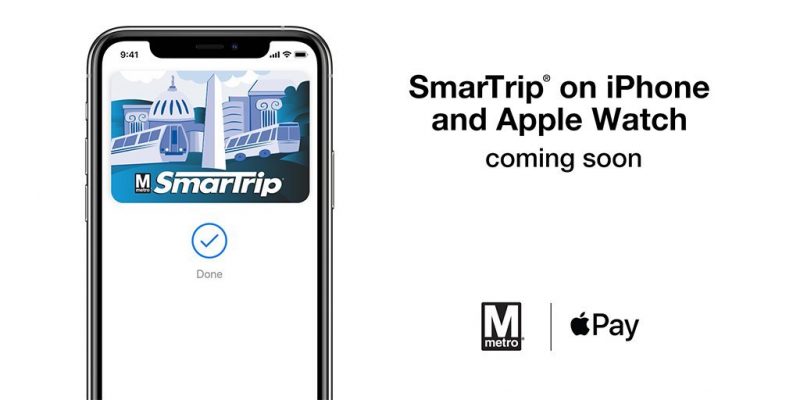
Apple Pay With Express Transit Mode Coming to D.C. Metro in 2020
Express Transit mode allows for tap-and-go payment, eliminating the need to authenticate with Face ID, Touch ID, or a passcode. The device does not need to be waked or unlocked, either. 

This announcement comes less than two weeks after Transport for London rolled out Apple Pay with Express Transit mode across its system. Apple Pay with Express Transit mode is also rolling out to 85 additional MTA stations in New York City this month, including the busy hub of Penn Station. 

Express Transit mode is also supported in Portland, Beijing, Shanghai, and parts of Japan.


Source: Macrumors

Windows
Mac OS
iOS
Linux
3uTools
Win 64-bit For this device
V9.0 2025-11-11
Download
Win 32-bit For this device
V9.0 2025-11-11
Download
3uTools
Intel Chip How to Identify Chip Type
V9.0 2025-12-02
Download
Apple Chip
V9.0 2025-12-02
Download
How to Identify Chip Type
1.  Click the Apple icon in the top-left corner of the screen and select About This Mac.
2.  Check the Processor or Chip field to determine if it is "Intel" or "Apple".
Please use the 3uTools PC client to install the iOS client:
1、 Install either the Windows or Mac version of 3uTools on your computer
2、 Open the PC client and connect your device to the computer via USB cable
3、 After the connection is successful, wait for the computer to automatically install the mobile app for the device, or locate “Install Mobile App” on the computer and manually click to install.
3uTools
deb file
V3.01 2025-11-20
Download
rpm file
V3.01 2025-11-20
Download
Windows
Windows
iOS
iOS
Android
Android
TV
TV
3uAirPlayer
Win 64-bit For this device
V6.0.2 2025-11-19
Download
Win 32-bit For this device
V6.0.2 2025-11-19
Download
iOS Device Mirroring (No App Required)
1、 Install 3uAirPlayer on the Windows PC
2、 Open Control Center and select Screen Mirroring
3、 From the list, choose your PC to start mirroring
4、 Or connect your iOS device to the PC via USB to begin mirroring
Scan to get "3uAirPlayer" App
3uAirPlayer TV V1.0.18
2025-11-28
TV System Requirements: Android 7.0 or later
Download the TV installation package, copy it to a USB drive, insert it into your TV or set-top box, then select the file from the home screen to install.




