
NEWS

Apple Donating $1 to (RED) for Every Apple Store Purchase Made With Apple Pay

11/26/2019

2219

Apple today announced that it will donate $1 to (RED) for every purchase made with Apple Pay on Apple.com, through the Apple Store app, or at an Apple Store worldwide through December 2, up to a total of $1 million. 
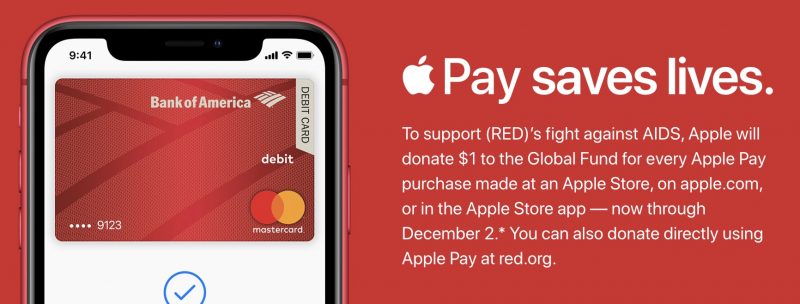
Apple Donating $1 to (RED) for Every Apple Store Purchase Made With Apple Pay
Apple says 100 percent of all proceeds generated by (RED) partners goes to fund HIV/AIDS programs in Africa, as part of The Global Fund to Fight AIDS, Tuberculosis, and Malaria. Since 2006, Apple has raised over $220 million for (RED) through the sale of red-colored products and accessories. 

In honor of World AIDS Day on December 1, many Apple Stores will also likely turn their logos red during the first week of December.


Source: Macrumors

Windows
Mac OS
iOS
Linux
3uTools
Win 64-bit For this device
V9.0 2025-11-11
Download
Win 32-bit For this device
V9.0 2025-11-11
Download
3uTools
Intel Chip How to Identify Chip Type
V9.0 2025-12-02
Download
Apple Chip
V9.0 2025-12-02
Download
How to Identify Chip Type
1.  Click the Apple icon in the top-left corner of the screen and select About This Mac.
2.  Check the Processor or Chip field to determine if it is "Intel" or "Apple".
Please use the 3uTools PC client to install the iOS client:
1、 Install either the Windows or Mac version of 3uTools on your computer
2、 Open the PC client and connect your device to the computer via USB cable
3、 After the connection is successful, wait for the computer to automatically install the mobile app for the device, or locate “Install Mobile App” on the computer and manually click to install.
3uTools
deb file
V3.01 2025-11-20
Download
rpm file
V3.01 2025-11-20
Download
Windows
Windows
iOS
iOS
Android
Android
TV
TV
3uAirPlayer
Win 64-bit For this device
V6.0.2 2025-11-19
Download
Win 32-bit For this device
V6.0.2 2025-11-19
Download
iOS Device Mirroring (No App Required)
1、 Install 3uAirPlayer on the Windows PC
2、 Open Control Center and select Screen Mirroring
3、 From the list, choose your PC to start mirroring
4、 Or connect your iOS device to the PC via USB to begin mirroring
Scan to get "3uAirPlayer" App
3uAirPlayer TV V1.0.18
2025-11-28
TV System Requirements: Android 7.0 or later
Download the TV installation package, copy it to a USB drive, insert it into your TV or set-top box, then select the file from the home screen to install.




