
NEWS

Apple Reportedly Overhauling Its Software Development Process Following Buggy Release of iOS 13

11/22/2019

2504

Apple is overhauling the way it develops and tests iOS, macOS, watchOS, and tvOS in hopes that the new approach will improve the quality of each software platform over the long term, according to Bloomberg's Mark Gurman. 
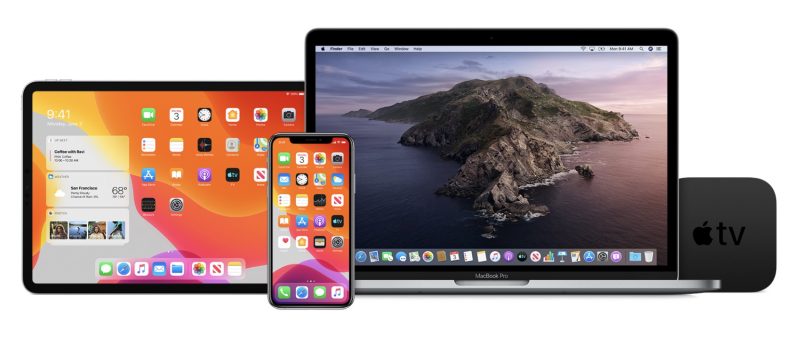
Apple Reportedly Overhauling Its Software Development Process Following Buggy Release of iOS 13
The report claims the new strategy is already being applied to development of iOS 14 ahead of its release next year. The shift comes after the buggy release of iOS 13, which has already received eight updates with bug fixes and delayed features in the last two months, which is more than usual over that time. 

The new process will see Apple implement "flags," allowing the company's software engineers to selectively enable or disable unfinished or buggy features in an isolated way to ensure that overall stability is not jeopardized. Flags are already commonly used by other tech companies like Google and Microsoft. 

Apple has also considered delaying some iOS 14 features until 2021, according to the report, as part of its efforts to ensure the update is more stable. Apple is believed to have taken a similar approach with iOS 12, delaying some features until ‌iOS 13‌, which contributed to iOS 12 being a rather stable update. 

The changes were reportedly announced at a recent meeting with employees led by Apple's software engineering chief Craig Federighi. 

In the meantime, Apple continues to test iOS 13.3, with a third beta released this week.


Source: Macrumors

Windows
Mac OS
iOS
Linux
3uTools
Win 64-bit For this device
V9.0 2025-11-11
Download
Win 32-bit For this device
V9.0 2025-11-11
Download
3uTools
Intel Chip How to Identify Chip Type
V9.0 2025-12-02
Download
Apple Chip
V9.0 2025-12-02
Download
How to Identify Chip Type
1.  Click the Apple icon in the top-left corner of the screen and select About This Mac.
2.  Check the Processor or Chip field to determine if it is "Intel" or "Apple".
Please use the 3uTools PC client to install the iOS client:
1、 Install either the Windows or Mac version of 3uTools on your computer
2、 Open the PC client and connect your device to the computer via USB cable
3、 After the connection is successful, wait for the computer to automatically install the mobile app for the device, or locate “Install Mobile App” on the computer and manually click to install.
3uTools
deb file
V3.01 2025-11-20
Download
rpm file
V3.01 2025-11-20
Download
Windows
Windows
iOS
iOS
Android
Android
TV
TV
3uAirPlayer
Win 64-bit For this device
V6.0.2 2025-11-19
Download
Win 32-bit For this device
V6.0.2 2025-11-19
Download
iOS Device Mirroring (No App Required)
1、 Install 3uAirPlayer on the Windows PC
2、 Open Control Center and select Screen Mirroring
3、 From the list, choose your PC to start mirroring
4、 Or connect your iOS device to the PC via USB to begin mirroring
Scan to get "3uAirPlayer" App
3uAirPlayer TV V1.0.18
2025-11-28
TV System Requirements: Android 7.0 or later
Download the TV installation package, copy it to a USB drive, insert it into your TV or set-top box, then select the file from the home screen to install.




