
NEWS

Apple CFO Luca Maestri Auctions Lunch and Apple HQ Tour for Charity

11/14/2019

2637

Apple CFO Luca Maestri is teaming up with auction site Charitybuzz to offer Apple fans the opportunity to bid on lunch with Maestri and a tour of the Apple headquarters in Cupertino, California. 

Maestri will have lunch with two people at the Apple Park campus, with the proceeds from the auction benefitting the Andrea Bocelli Foundation. The lunch, which also comes with a tour with an Apple employee, will last for approximately one hour. 
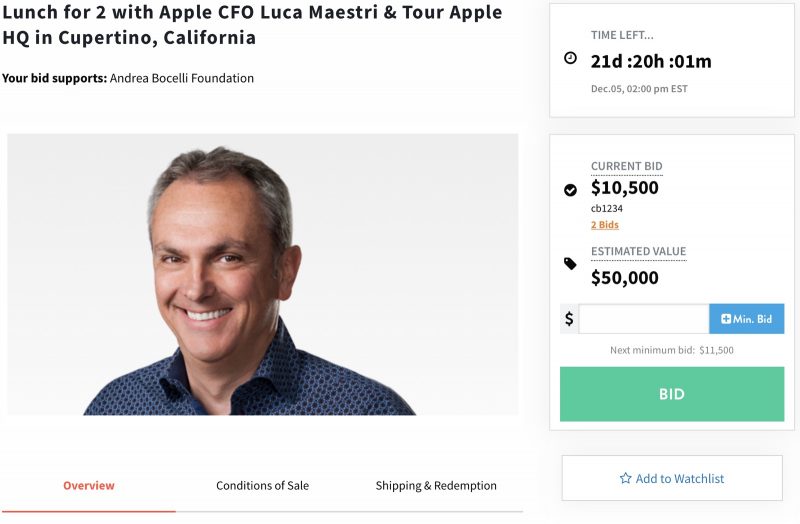
Apple CFO Luca Maestri Auctions Lunch and Apple HQ Tour for Charity
Luca Maestri is a senior vice president at Apple and the company's chief financial officer, reporting directly to Tim Cook. He oversees Apple's accounting, business support, financial planning and analysis, treasury, M&A, investor relations, internal audits, and tax functions at Apple. 

The Andrea Bocelli Foundation's goal is to empower people and communities in situations of poverty, illiteracy, distress due to illness, and social exclusion by promoting and supporting national and international projects that aim to overcome these barriers. 

The current bid on the lunch with Maestri is at $10,500, and its estimated value is $50,000. The auction will end on December 5 at 2:00 p.m. Eastern Time. 

Apple CEO ‌Tim Cook‌ in past years has also done charity lunches facilitated by Charitybuzz to earn money for the Robert F. Kennedy Center for Justice and Human Rights, but the last one was held in 2017. That auction earned $680,000.


Source: Macrumors

Windows
Mac OS
iOS
Linux
3uTools
Win 64-bit For this device
V9.0 2025-11-11
Download
Win 32-bit For this device
V9.0 2025-11-11
Download
3uTools
Intel Chip How to Identify Chip Type
V9.0 2025-12-02
Download
Apple Chip
V9.0 2025-12-02
Download
How to Identify Chip Type
1.  Click the Apple icon in the top-left corner of the screen and select About This Mac.
2.  Check the Processor or Chip field to determine if it is "Intel" or "Apple".
Please use the 3uTools PC client to install the iOS client:
1、 Install either the Windows or Mac version of 3uTools on your computer
2、 Open the PC client and connect your device to the computer via USB cable
3、 After the connection is successful, wait for the computer to automatically install the mobile app for the device, or locate “Install Mobile App” on the computer and manually click to install.
3uTools
deb file
V3.01 2025-11-20
Download
rpm file
V3.01 2025-11-20
Download
Windows
Windows
iOS
iOS
Android
Android
TV
TV
3uAirPlayer
Win 64-bit For this device
V6.0.2 2025-11-19
Download
Win 32-bit For this device
V6.0.2 2025-11-19
Download
iOS Device Mirroring (No App Required)
1、 Install 3uAirPlayer on the Windows PC
2、 Open Control Center and select Screen Mirroring
3、 From the list, choose your PC to start mirroring
4、 Or connect your iOS device to the PC via USB to begin mirroring
Scan to get "3uAirPlayer" App
3uAirPlayer TV V1.0.18
2025-11-28
TV System Requirements: Android 7.0 or later
Download the TV installation package, copy it to a USB drive, insert it into your TV or set-top box, then select the file from the home screen to install.




