
NEWS

iPhone Will be Interest-free if you buy it with the Apple Card

10/31/2019

2396

During today's earnings call for the fourth quarter of 2019, Apple CEO Tim Cookannounced a new feature that's coming to Apple Card later this year -- fee free iPhone payments. 

Customers will be able to purchase a new iPhone using ‌Apple Card‌ and pay for it over 24 months with no interest. Customers will continue to get three percent cash back for the purchase as well. 
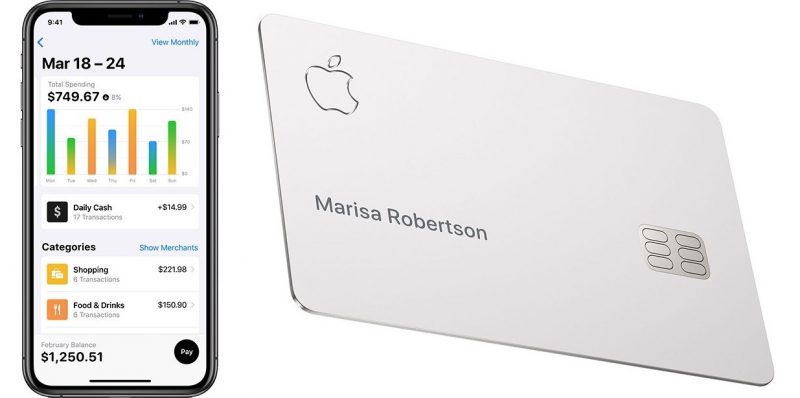
iPhone Will be Interest-free if you buy it with the Apple Card
There's no specific word on when the iPhone payment plan will be available, but Cook did say that it's coming this year, so it could perhaps be introduced ahead of the holiday season. 

Cook said that Apple has been "thrilled" with the reception to ‌Apple Card‌ since its August launch. He said that Apple believes it was the "most successful launch of a credit card in the United States ever."


Source: Macrumors

Windows
Mac OS
iOS
Linux
3uTools
Win 64-bit For this device
V9.0 2025-11-11
Download
Win 32-bit For this device
V9.0 2025-11-11
Download
3uTools
Intel Chip How to Identify Chip Type
V9.0 2025-12-02
Download
Apple Chip
V9.0 2025-12-02
Download
How to Identify Chip Type
1.  Click the Apple icon in the top-left corner of the screen and select About This Mac.
2.  Check the Processor or Chip field to determine if it is "Intel" or "Apple".
Please use the 3uTools PC client to install the iOS client:
1、 Install either the Windows or Mac version of 3uTools on your computer
2、 Open the PC client and connect your device to the computer via USB cable
3、 After the connection is successful, wait for the computer to automatically install the mobile app for the device, or locate “Install Mobile App” on the computer and manually click to install.
3uTools
deb file
V3.01 2025-11-20
Download
rpm file
V3.01 2025-11-20
Download
Windows
Windows
iOS
iOS
Android
Android
TV
TV
3uAirPlayer
Win 64-bit For this device
V6.0.2 2025-11-19
Download
Win 32-bit For this device
V6.0.2 2025-11-19
Download
iOS Device Mirroring (No App Required)
1、 Install 3uAirPlayer on the Windows PC
2、 Open Control Center and select Screen Mirroring
3、 From the list, choose your PC to start mirroring
4、 Or connect your iOS device to the PC via USB to begin mirroring
Scan to get "3uAirPlayer" App
3uAirPlayer TV V1.0.18
2025-11-28
TV System Requirements: Android 7.0 or later
Download the TV installation package, copy it to a USB drive, insert it into your TV or set-top box, then select the file from the home screen to install.




