NEWS

Apple Starts Building last Year’s most Popular iPhone Model in India

10/22/2019

2255

Apple Starts Building last Year’s most Popular iPhone Model in India


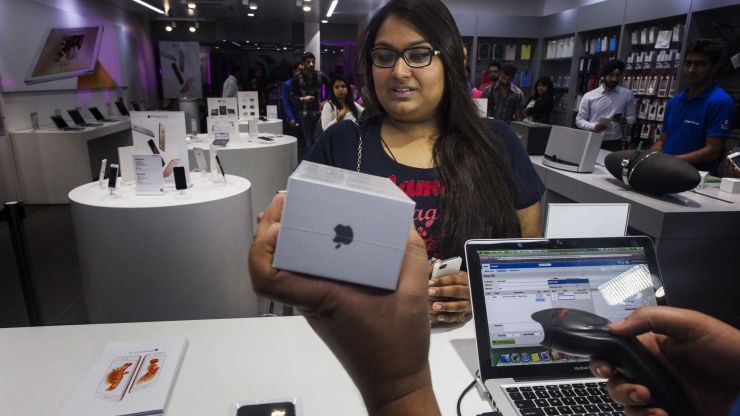
Apple has started selling its popular iPhone XR phones assembled in India, as it looks to expand its share in the world’s second-largest smartphone market where it has struggled against cheaper products from rivals.


The phones are being assembled at Taipei-based contract manufacturer Foxconn’s India factory India factory, helping the Cupertino, California-based company avoid high levies on the import of fully-built devices as well as meet local sourcing norms for opening its own retail stores in India.


IPhone XR boxes with an “Assembled in India” tag were seen on Monday in many of the country’s electronic product retailers, including Croma, with a price tag of 49,900 Indian rupees ($704) for the 64 GB version.


The company has slashed iPhone XR prices in India to counter a prolonged sales slowdown amid fierce competition from premium smartphones from Samsung and OnePlus.


Earlier this year Reuters had reported that the company would assemble its top-end iPhones in India.


Apple did not immediately respond to a request for comment.


Prime Minister Narendra Modi’s government has tried to position South Asia’s third-biggest economy as a hub for smartphone manufacturing.


Companies such as Apple are also looking to use India as an export hub to soften the impact of an ongoing trade war between the United States and China.


Source: CNBC


Windows
Mac OS
iOS
Linux
3uTools
Win 64-bit For this device
V9.0 2025-11-11
Download
Win 32-bit For this device
V9.0 2025-11-11
Download
3uTools
Intel Chip How to Identify Chip Type
V9.0 2025-12-02
Download
Apple Chip
V9.0 2025-12-02
Download
How to Identify Chip Type
1.  Click the Apple icon in the top-left corner of the screen and select About This Mac.
2.  Check the Processor or Chip field to determine if it is "Intel" or "Apple".
Please use the 3uTools PC client to install the iOS client:
1、 Install either the Windows or Mac version of 3uTools on your computer
2、 Open the PC client and connect your device to the computer via USB cable
3、 After the connection is successful, wait for the computer to automatically install the mobile app for the device, or locate “Install Mobile App” on the computer and manually click to install.
3uTools
deb file
V3.01 2025-11-20
Download
rpm file
V3.01 2025-11-20
Download
Windows
Windows
iOS
iOS
Android
Android
TV
TV
3uAirPlayer
Win 64-bit For this device
V6.0.2 2025-11-19
Download
Win 32-bit For this device
V6.0.2 2025-11-19
Download
iOS Device Mirroring (No App Required)
1、 Install 3uAirPlayer on the Windows PC
2、 Open Control Center and select Screen Mirroring
3、 From the list, choose your PC to start mirroring
4、 Or connect your iOS device to the PC via USB to begin mirroring
Scan to get "3uAirPlayer" App
3uAirPlayer TV V1.0.18
2025-11-28
TV System Requirements: Android 7.0 or later
Download the TV installation package, copy it to a USB drive, insert it into your TV or set-top box, then select the file from the home screen to install.