 NEWS
NEWS
Apple Could Be Developing Messages and Shortcuts for the Mac
 06/20/2019
 3005
3005
We’ve heard quite a bit about Project Catalyst and what it means for developers who want to bring their iPad applications to the Mac with macOS Catalina. Apple is using Catalyst itself to improve existing Mac apps like News and Home, as well as bring new apps like Podcasts to the Mac.
Now, evidence within the macOS Catalina beta suggests Apple has more in store for Project Catalyst.
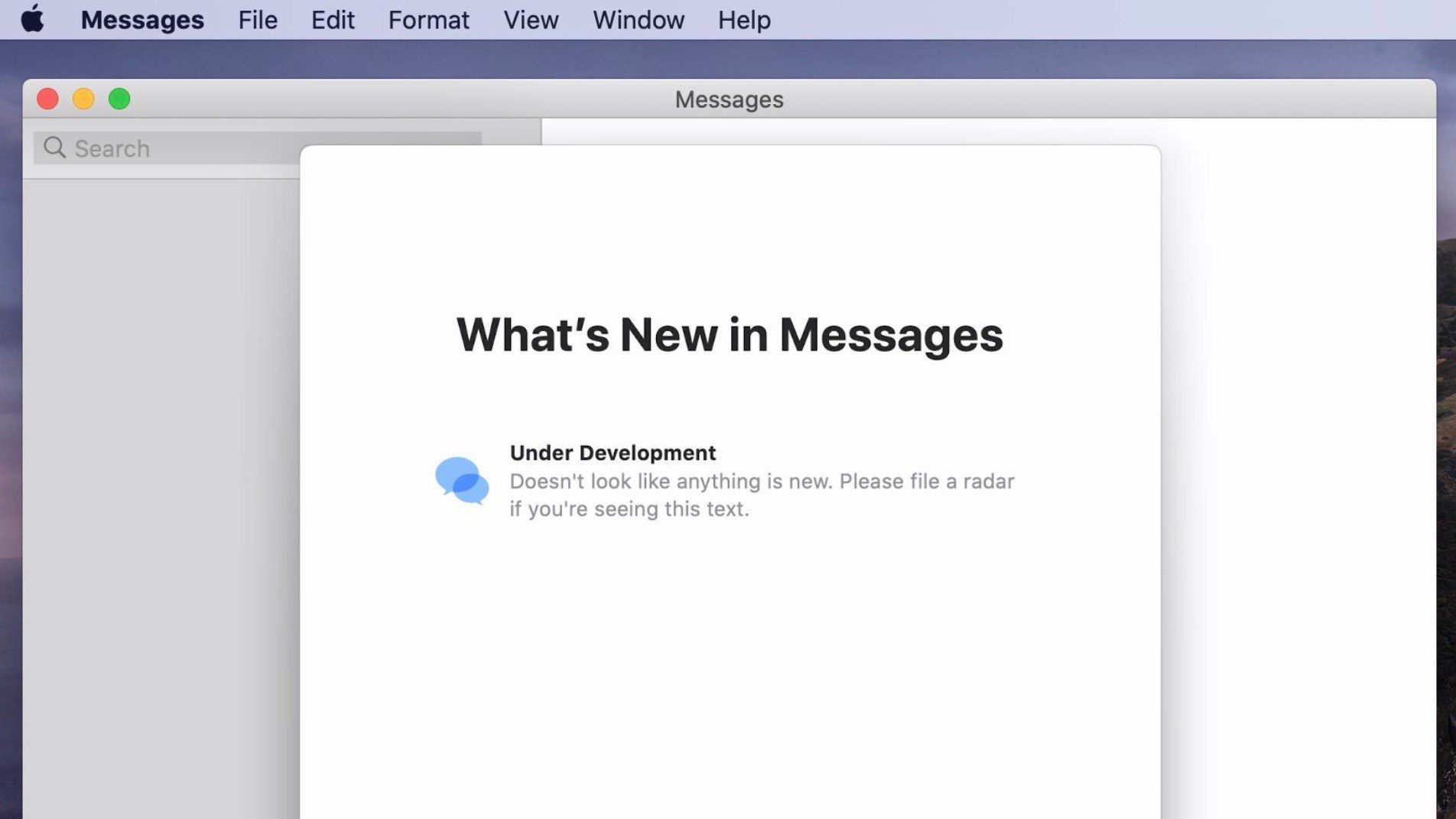
Developer Steve Troughton-Smith took to Twitter this week to showcase evidence that Apple is working on Catalyst versions of two new applications: Messages and Shortcuts.
As for Messages, Smith explains that a “surprising amount of the UIKit Messages app” works on macOS. This includes things like iMessage effects, which have long been missing from the macOS Messages application.
Interestingly, the Catalyst version of Messages on the Mac looks different than the iPadOS 13 version. It’s designed to look like the current macOS Messages app found in Mojave. This makes it more than just a direct port of the iPad Messages app to the Mac. Smith suggests that because Apple put this amount of work into bringing the UIKit Messages app to the Mac, it’s something the company has considered, or is still working on for a future release.
Just for reference: this isn’t a ‘marzipanified’ version of the Messages app from the iOS Simulator. This is the ‘native’ Catalyst UI coming from the macOS 10.15 system frameworks. Just like Shortcuts, it’s all there, and mostly works if you know how to talk to it.
If you compare this Catalyst version of Messages w/ what’s in iOS 13, you’ll see the UI layout is pretty different. In fact, it’s modeled to look way more like the macOS version. I’m not convinced this work was done purely to present the ‘share in Messages’ sheet in UIKit apps.
What’s also important to note is that Messages on the Mac still lacks features such as the iMessage App Store – which has become popular for things like sticker packs, games, and more. That’s likely a big motivator for Apple to bring a Project Catalyst version of the Messages app to macOS.
Smith’s latest discoveries around Messages on the Mac come following his blog post shortly after WWDC demonstrating how Shortcuts could work on macOS Catalina:
Turns out, Catalyst on macOS Catalina includes all the Shortcuts frameworks, including all the ones necessary to bring up almost its entire UI. So I built a dummy app that does just that, which you can find on GitHub.
Source: 9to5mac










