 NEWS
NEWS
Apple Registers 11 New iPhone Models in Eurasian Database
 05/24/2019
 4164
4164
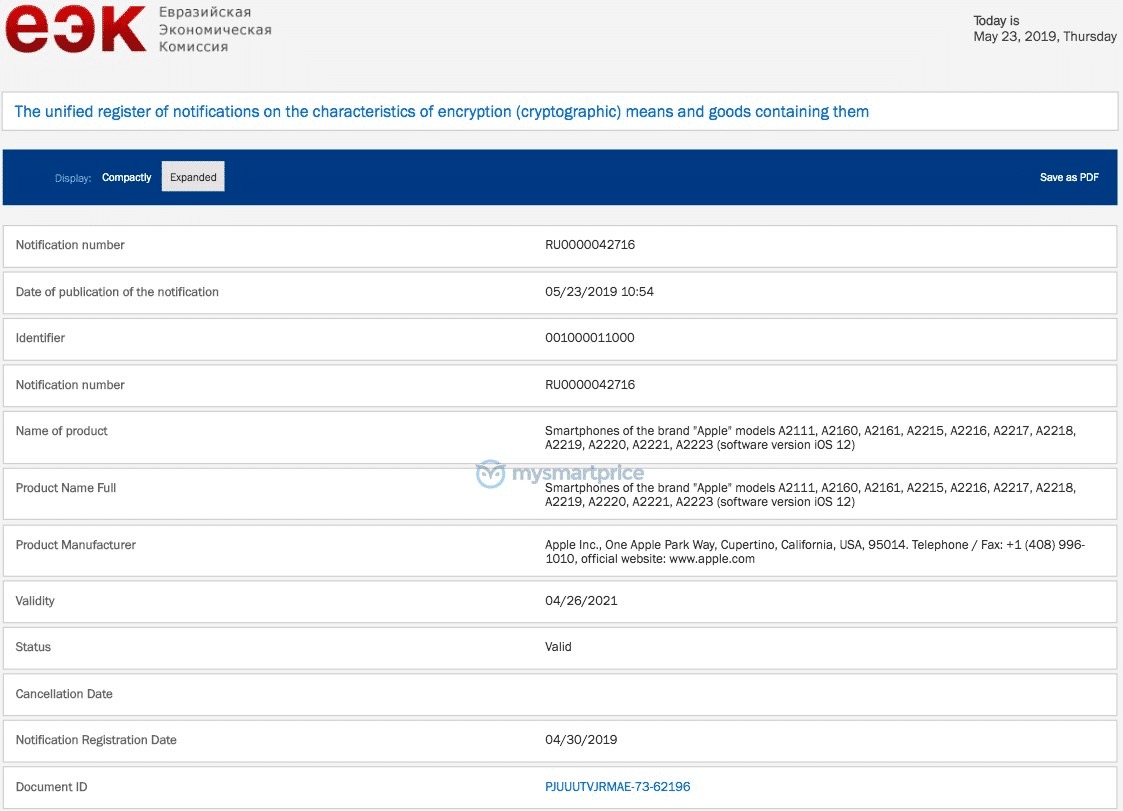
Apple has registered eleven unreleased iPhone models in the Eurasian Economic Commission database this week, including models A2111, A2160, A2161, A2215, A2216, A2217, A2218, A2219, A2220, A2221, and A2223, according to the Indian blog MySmartPrice.
Rumors suggest the 5.8 and 6.5-inch iPhone XS and XS Max successors will feature triple-lens cameras while the LCD iPhone will use a dual-lens camera setup.
Otherwise, the 2019 iPhone lineup is expected to look similar to the Apple's current smartphones, but Apple may be planning to use a new frosted glass design for the back of the 5.8 and 6.5-inch devices. The 6.1-inch iPhone, meanwhile, could come in new lavender and green shades.
We don't yet know what Apple will call the new iPhones, but iPhone XI or iPhone 11 are possibilities for the iPhone XS successors.
The EEC filings reveal all the new devices that have been added to the database run on iOS 12, although iOS 13 is likely to be available this fall as a free software update. Apple is expected to unveil all the new features coming with its updated mobile OS at WWDC in June.
The filings are legally required for any encrypted devices sold in Armenia, Belarus, Kazakhstan, Kyrgyzstan, and Russia.
Rumors suggest the 5.8 and 6.5-inch iPhone XS and XS Max successors will feature triple-lens cameras while the LCD iPhone will use a dual-lens camera setup.
Otherwise, the 2019 iPhone lineup is expected to look similar to the Apple's current smartphones, but Apple may be planning to use a new frosted glass design for the back of the 5.8 and 6.5-inch devices. The 6.1-inch iPhone, meanwhile, could come in new lavender and green shades.
We don't yet know what Apple will call the new iPhones, but iPhone XI or iPhone 11 are possibilities for the iPhone XS successors.
The EEC filings reveal all the new devices that have been added to the database run on iOS 12, although iOS 13 is likely to be available this fall as a free software update. Apple is expected to unveil all the new features coming with its updated mobile OS at WWDC in June.
Eurasian Economic Commission filings like these have foreshadowed the release of new Apple products on numerous occasions, including multiple iPad models, the iPhone 7 and iPhone 7 Plus, Apple Watch Series 2 and Series 4, AirPods, the 2018 MacBook Pro with Touch Bar, and several other devices.
Source: MacRumors









