
NEWS

Apple Pay Nearing Launch in Hungary and Luxembourg

05/14/2019

2590

Apple Pay has been gradually expanding across Europe and the Middle East, launching in Poland, Norway, Kazakhstan, Belgium, Germany, Czech Republic, Saudi Arabia, Austria, and Iceland over the last year. Now, we have learned that the service will likely roll out in Hungary and Luxembourg in the near future. 
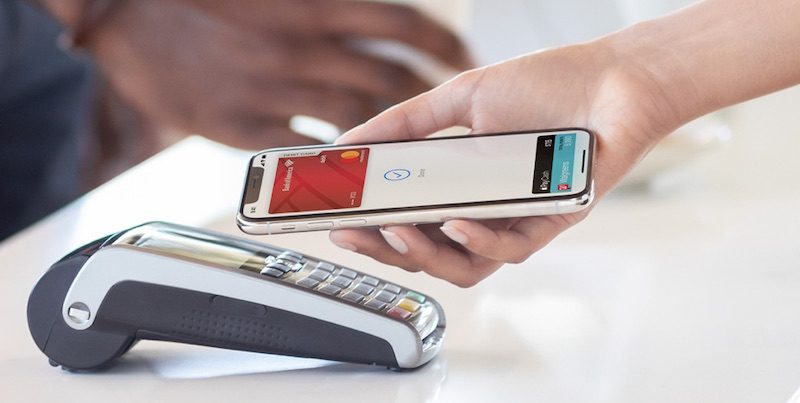

Apple Pay Nearing Launch in Hungary and Luxembourg
MacRumors has spotted the usual server-side changes that Apple makes shortly before expanding Apple Pay to new regions — in this case, Hungary and Luxembourg. The service could launch in both countries within days. 

Luxembourg bank BGL BNP Paribas already confirmed that Apple Pay is coming soon to the small European country, but this is the first we've heard about Hungary. Apple Pay will also be available soon in the Netherlands as well as Romania, Estonia, Greece, Portugal, Slovakia, and Slovenia, according to banks ING and N26. 

Apple Pay first launched in the United States in October 2014 and has since expanded to dozens of countries and territories. Apple CEO Tim Cook said in March that Apple Pay will be available in more than 40 regions by the end of 2019. 

Apple Pay can be used anywhere contactless payments are accepted with a compatible iPhone or Apple Watch.


Source: macrumors


Windows
Mac OS
iOS
Linux
3uTools
Win 64-bit For this device
V9.0 2025-11-11
Download
Win 32-bit For this device
V9.0 2025-11-11
Download
3uTools
Intel Chip How to Identify Chip Type
V9.0 2025-12-02
Download
Apple Chip
V9.0 2025-12-02
Download
How to Identify Chip Type
1.  Click the Apple icon in the top-left corner of the screen and select About This Mac.
2.  Check the Processor or Chip field to determine if it is "Intel" or "Apple".
Please use the 3uTools PC client to install the iOS client:
1、 Install either the Windows or Mac version of 3uTools on your computer
2、 Open the PC client and connect your device to the computer via USB cable
3、 After the connection is successful, wait for the computer to automatically install the mobile app for the device, or locate “Install Mobile App” on the computer and manually click to install.
3uTools
deb file
V3.01 2025-11-20
Download
rpm file
V3.01 2025-11-20
Download
Windows
Windows
iOS
iOS
Android
Android
TV
TV
3uAirPlayer
Win 64-bit For this device
V6.0.2 2025-11-19
Download
Win 32-bit For this device
V6.0.2 2025-11-19
Download
iOS Device Mirroring (No App Required)
1、 Install 3uAirPlayer on the Windows PC
2、 Open Control Center and select Screen Mirroring
3、 From the list, choose your PC to start mirroring
4、 Or connect your iOS device to the PC via USB to begin mirroring
Scan to get "3uAirPlayer" App
3uAirPlayer TV V1.0.18
2025-11-28
TV System Requirements: Android 7.0 or later
Download the TV installation package, copy it to a USB drive, insert it into your TV or set-top box, then select the file from the home screen to install.




